

Displaying the Customer’s Mobile Number in the Work Orders Report
Last updated:
To quickly access a customer’s phone number while reviewing work orders, you can display it within the report.
Displaying the Customer’s Mobile Number in the Work Orders Report
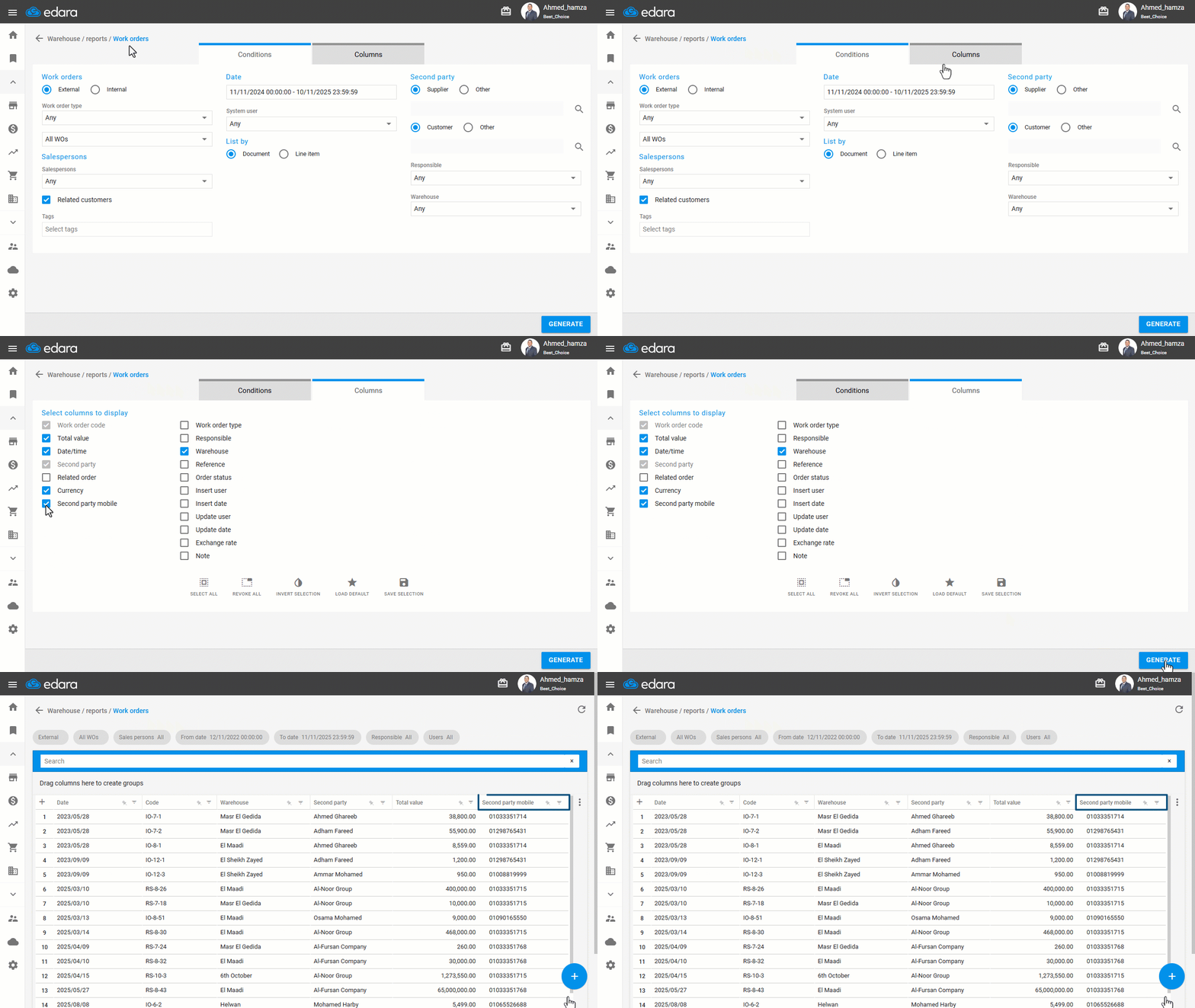
- Go to the "Warehouse" module.
- Open the "Work orders" page.
- Open the "Columns" section.
- Enable the "Second Party Mobile" option.
- Click on "Generate".
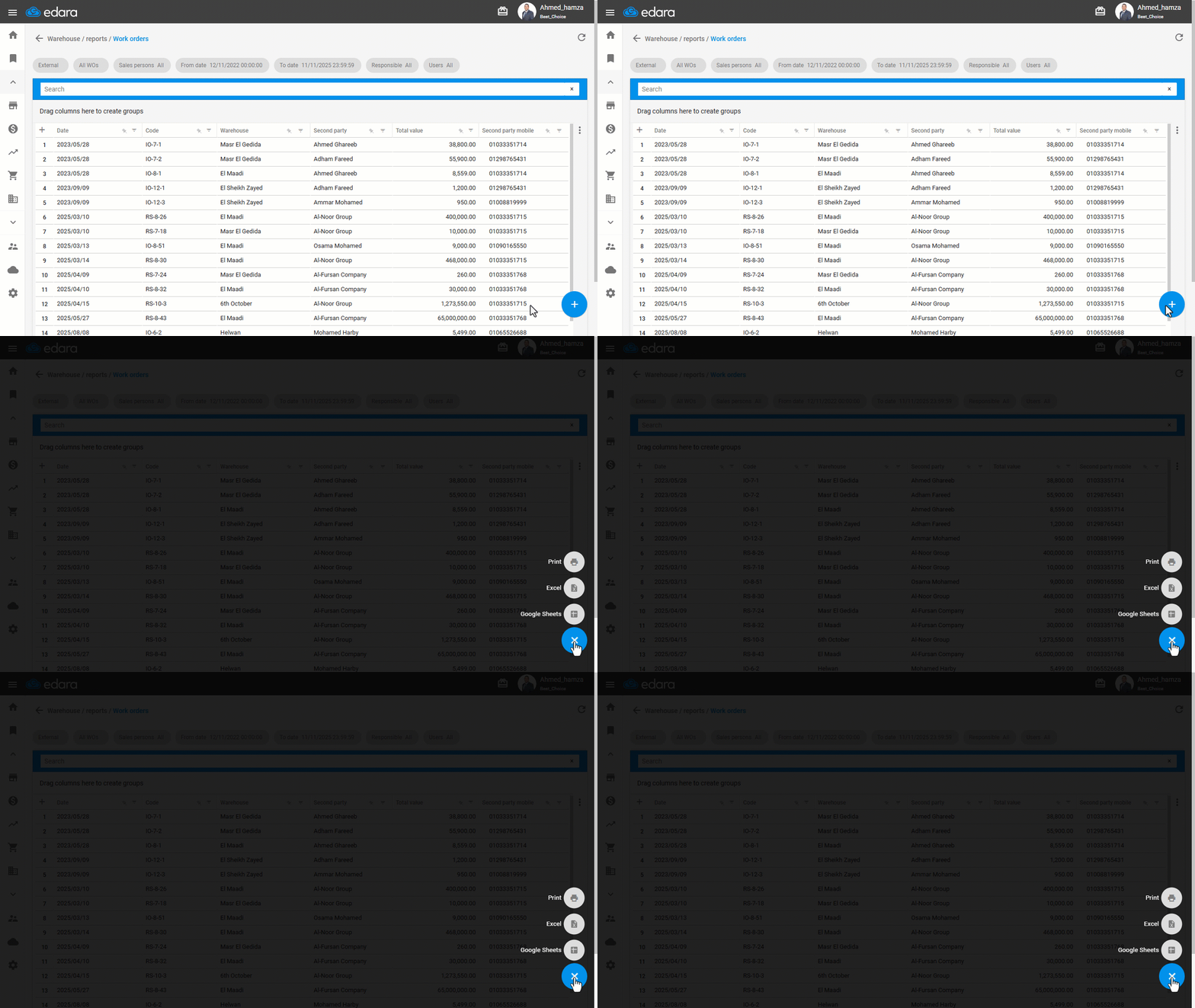
Note: You can export the report to Excel or Google Sheets, or print it by clicking the “+” icon to view available options.
If you encounter any challenges or have questions during these processes, you can contact our technical support team, who are ready to assist you at any time.
Did this answer your question?