

Displaying Stock Item Receive Supplies Movements
Last updated:
You can display stock items by receipt date to get an accurate overview of purchase movements, helping you track stock and analyze supply operations efficiently.
Displaying Stock Item Receive Supplies Movements

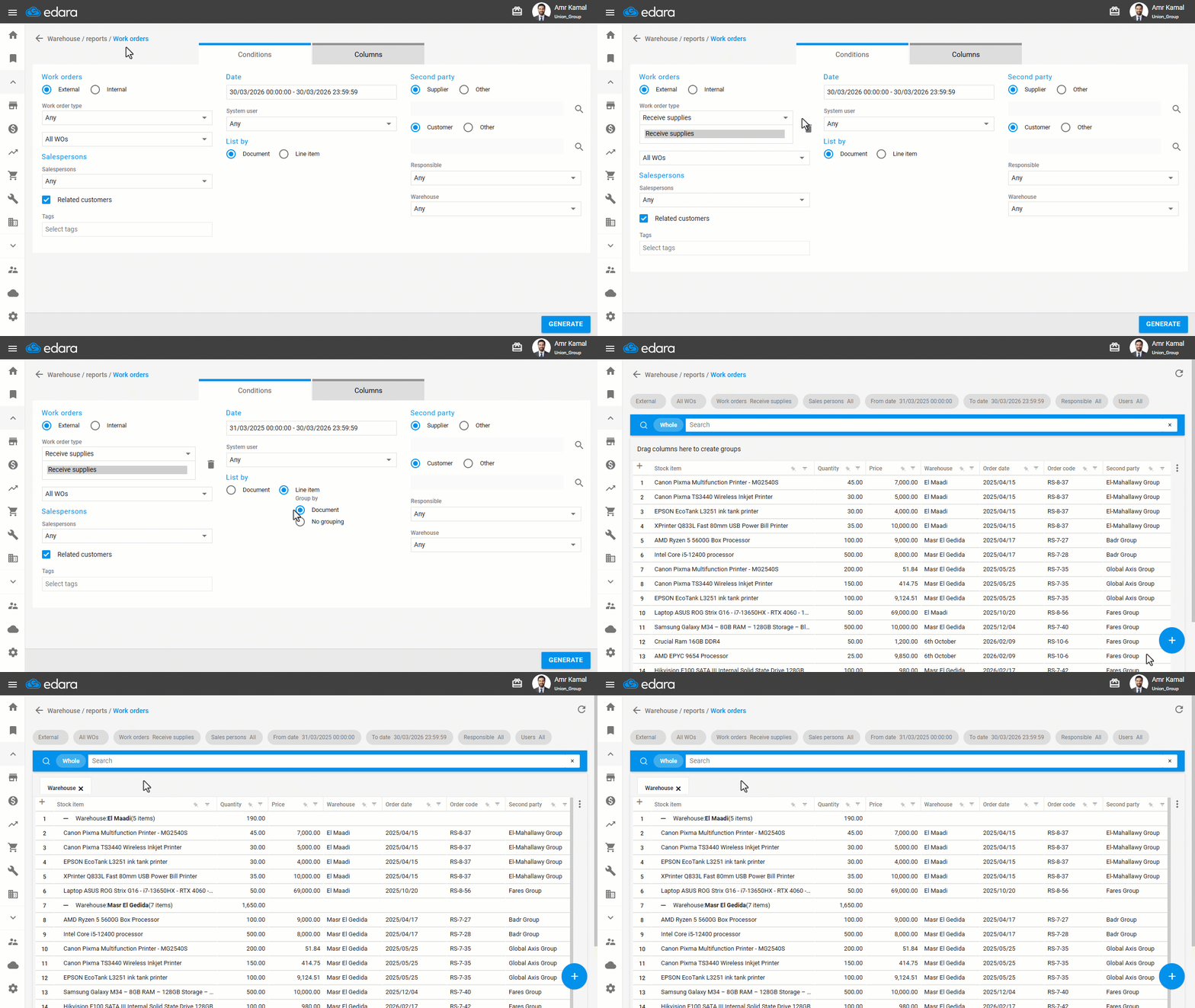
- Go to the “Warehouse” module.
- Open the “Work Orders” page.
- Select the work order type “Receive supplies”.
- Select the required date.
- Select the List by “Line item”.
- Select “No grouping”.
- Click on “Generate”.
Note: You can group by any of the available columns, such as “Warehouse” or “Stock Item,” by dragging the columns to create a group.
If you encounter any challenges or have questions during these processes, you can contact our technical support team, who are ready to assist you at any time.
Did this answer your question?