

Creating a Sales Tax Invoice
Last updated:
Creating a tax invoice is essential to confirm the sales transaction and ensure compliance with local tax laws.
."
Creating a Sales Tax Invoice
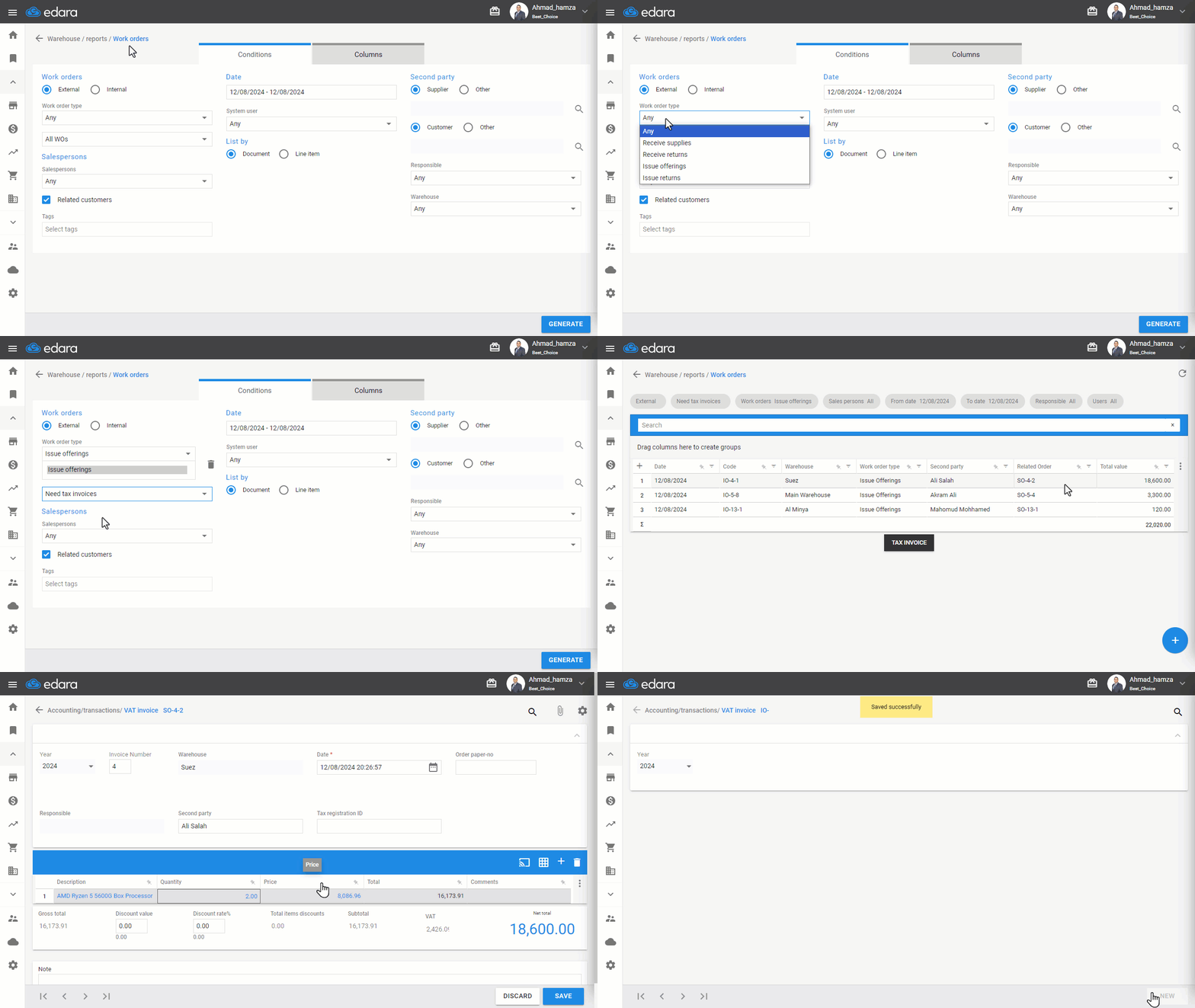
- Go to the Warehouse Module
- Select "Work Orders Report"
- Work orders ⚪ External by default
- Select “Issue offering” from the work order type
- Choose “Need Tax Invoices”
- Set the desired period
- Click "Generate"
- Choose the sales order
- Click "Tax Invoice"
- Press "Save"
If you encounter any challenges or have questions during these processes, you can contact our technical support team, who are ready to assist you at any time.
Did this answer your question?