

Identifying the Creator of the Warehouse Document and Its Creation Date
Last updated:
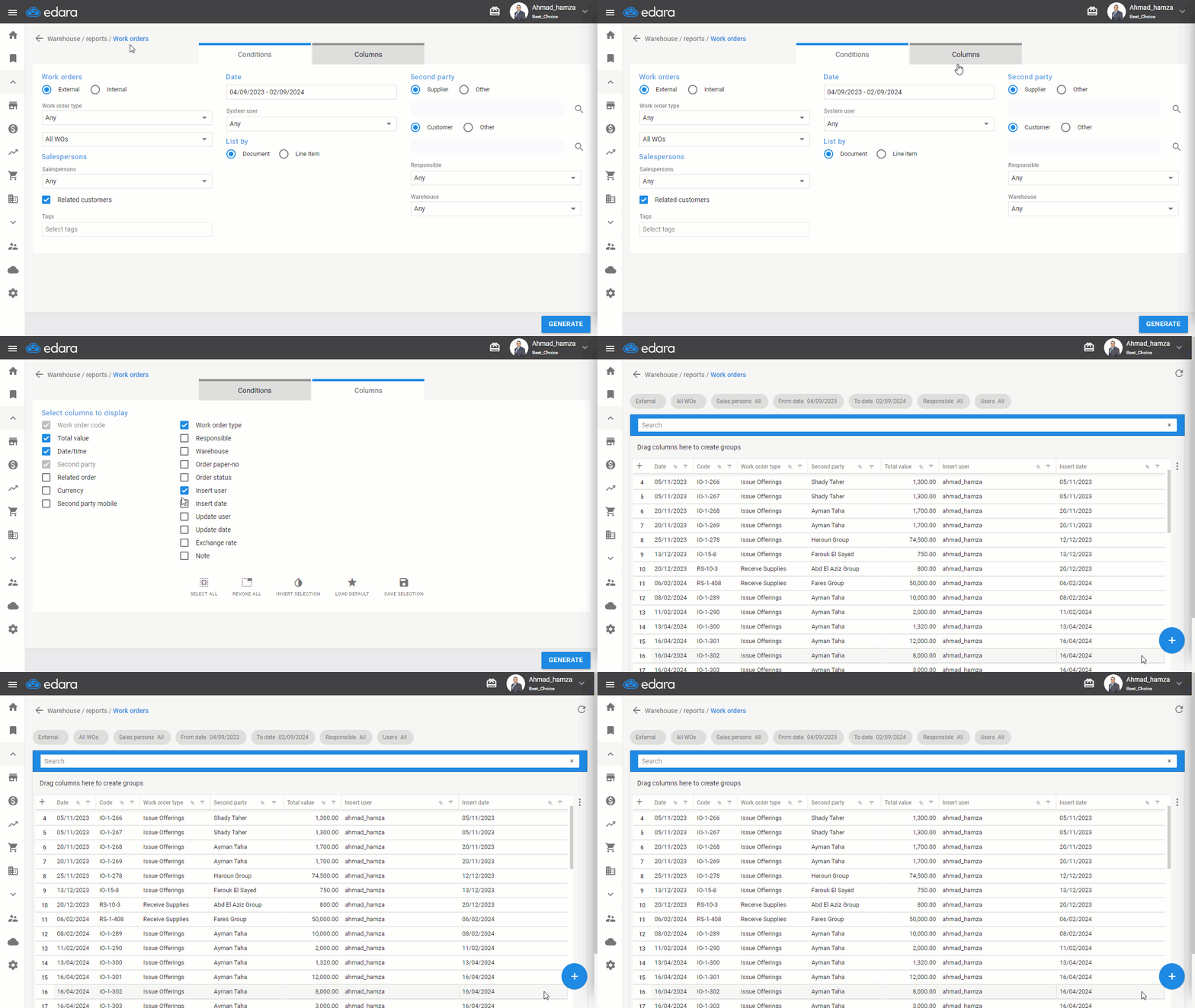
Through the Work Orders Report in "Edara," you can identify who created the documents, the document creation date, who modified the document after creation, and the modification date.
Identifying the Creator of the Warehouse Document and Its Creation Date
- Go to the “Warehouse” Module.
- Open the “Work Orders”.
- Choose the type of work order
- Set the period from the date.
- Click on “Columns”
- Choose the columns "Insert user" and "Insert date"
- Click on “Generate”
If you encounter any challenges or have questions during these processes, you can contact our technical support team, who are ready to assist you at any time.
Did this answer your question?