

Controlling Users’ Permissions for Posting Journal Entries
Last updated:
In some cases, you may need to control users’ permissions for posting journal entries to prevent any modifications to financial transactions after they have been posted. This allows you to grant certain users view-only access without the ability to edit, helping maintain data integrity and ensuring accurate accounts when preparing reports.
Controlling Users’ Permissions for Posting Journal Entries

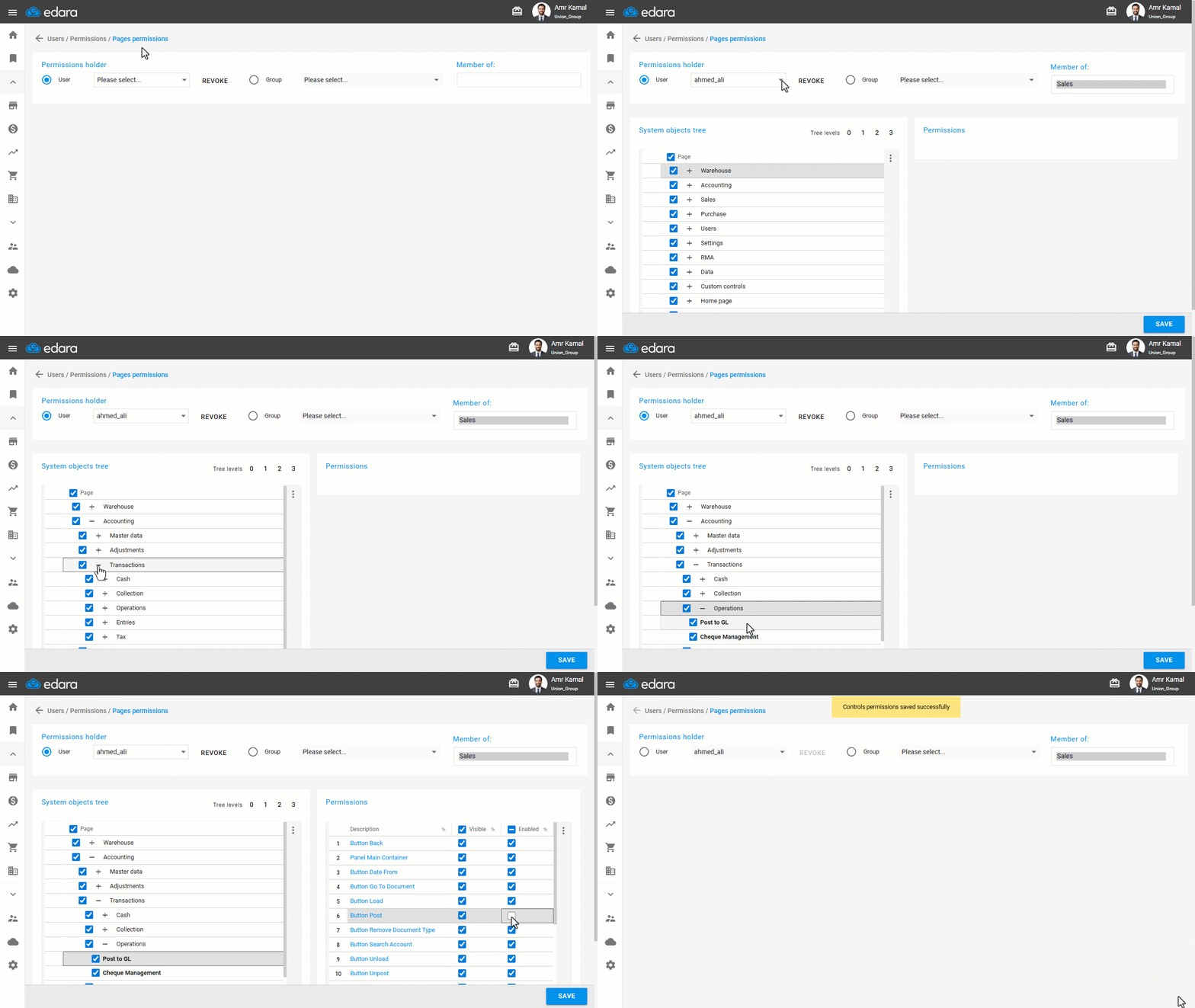
- Go to “Users”.
- Open the “Pages Permissions” page.
- Select the user.
- Click the “+” next to “Accounting” until you reach “Post to GL”.
- Double-click in the “Post to GL” page
- Enable or disable the “Button Post” or “Button Unpost” permissions as needed.
- Click on “Save”.
If you encounter any challenges or have questions during these processes, you can contact our technical support team, who are ready to assist you at any time.
Did this answer your question?