

Granting/Revoking Permissions to Edit User Profile
Last updated:
Some users may need to update their account information within the system, such as changing their password or email address, or adding a profile picture.
Granting/Revoking Permissions to Edit User Profile
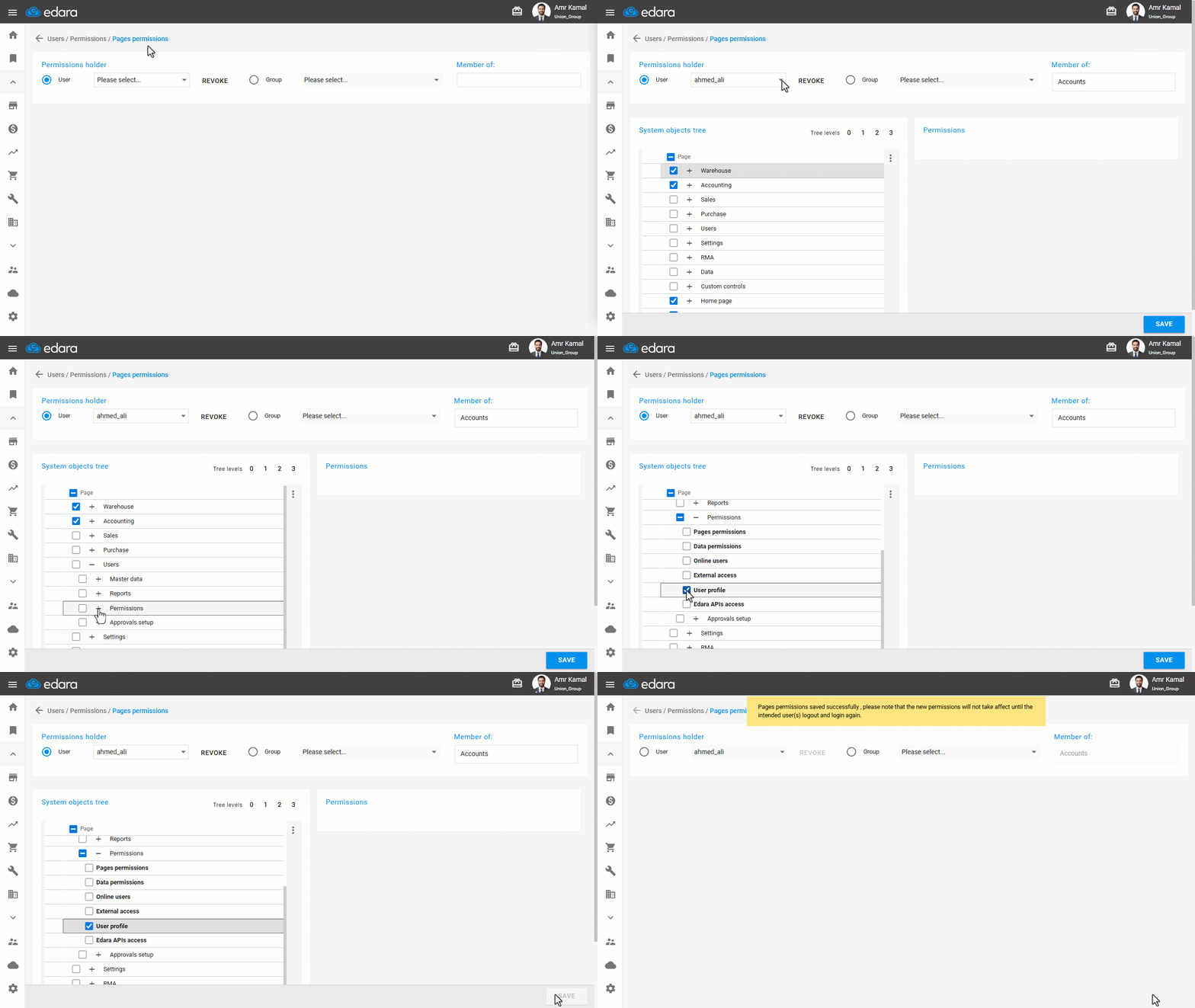
- Go to “Users”.
- Open the “Pages permissions” page.
- Select the required user.
- Click on “+” next to “Users” until you reach “Permissions”.
- Click on “▢” next to “User Profile” to grant the permission.
- Click on “Save”.
Notes:
- Once permission is granted, the user can update their account information, such as changing their password or email address.
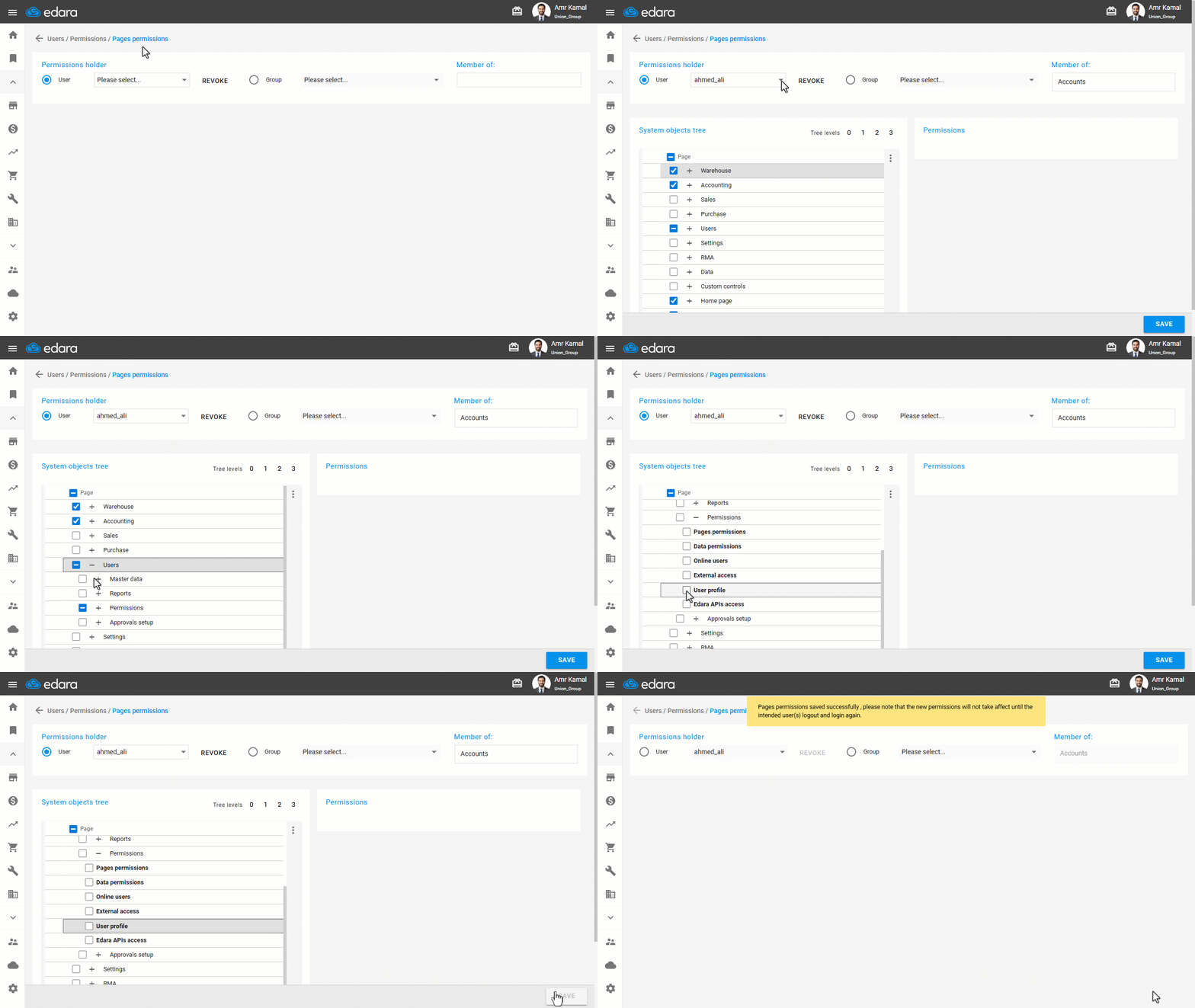
- To revoke permissions to edit user data, follow the same steps, but click on the box marked ☑ next to “User Profile” to remove the check, then click on “save”.
Frequently asked questions
What can the user edit once the permission is granted?
Once permission is granted, the user can update their account information, such as changing their password or email address.
If you encounter any challenges or have questions during these processes, you can contact our technical support team, who are ready to assist you at any time.
Did this answer your question?