

Email Account Verification
Last updated:
After creating a new account in “Edara”, you’ll receive an activation link at the email address you used during registration.
You must verify your email before logging in to the system.
This step helps keep your data secure and ensures safe access to your account.
Email Account Verification
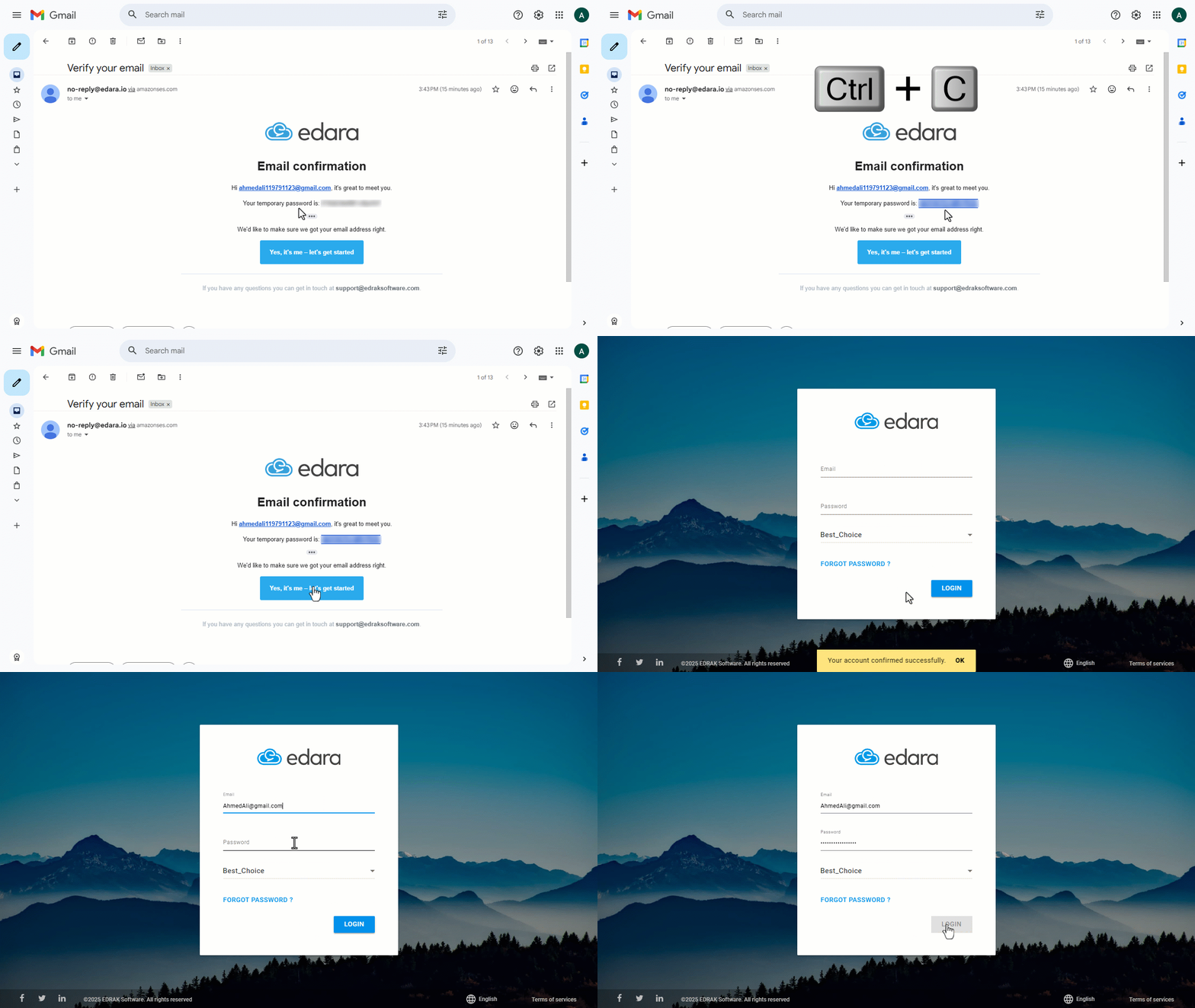
- Open the email account you used to sign up for “Edara.”
- Open the message sent from “Edara”.
- Click on “Yes, it’s me”.
- Copy the password provided in the email.
- Go to the Edara Login page.
- Enter “your email” and “password”.
- Click on “Log In.”
Notes:
- The same email address cannot be used for more than one user within the system.
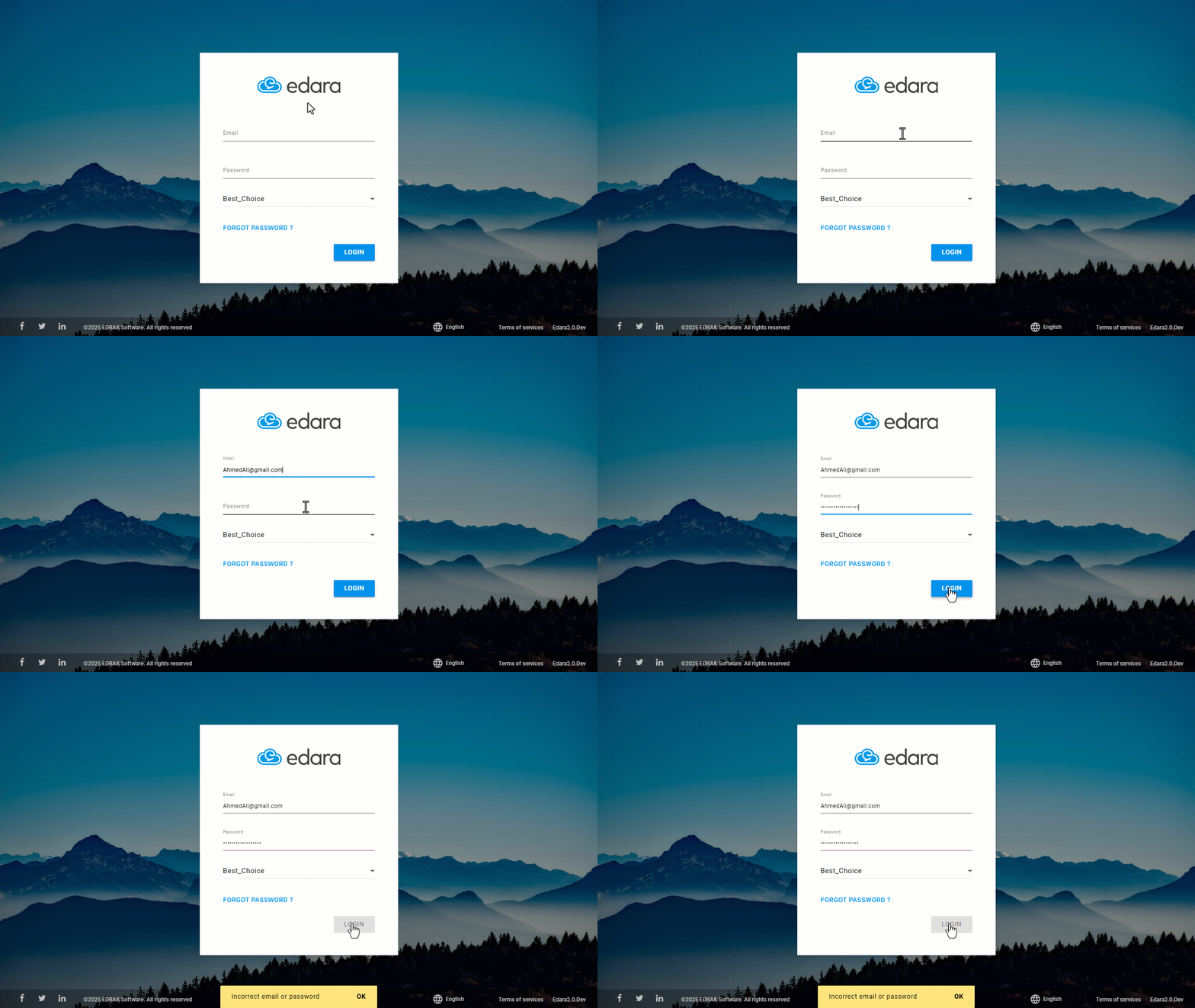
- If you try to log in before verifying your email, the following message will appear: “Email or Password is incorrect”.
Frequently asked questions
Why does “Email or Password is incorrect” appear?
If you try to log in before verifying your email, the following message will appear: “Email or Password is incorrect”.
Can the same email address be used for more than one user?
The same email address cannot be used for more than one user within the system.
If you encounter any challenges or have questions during these processes, you can contact our technical support team, who are ready to assist you at any time.
Did this answer your question?