

Updating a User’s Email Address
Last updated:
If a user’s email address has changed, you can easily update it through the “Users” page in “Edara”.
Updating a User’s Email Address
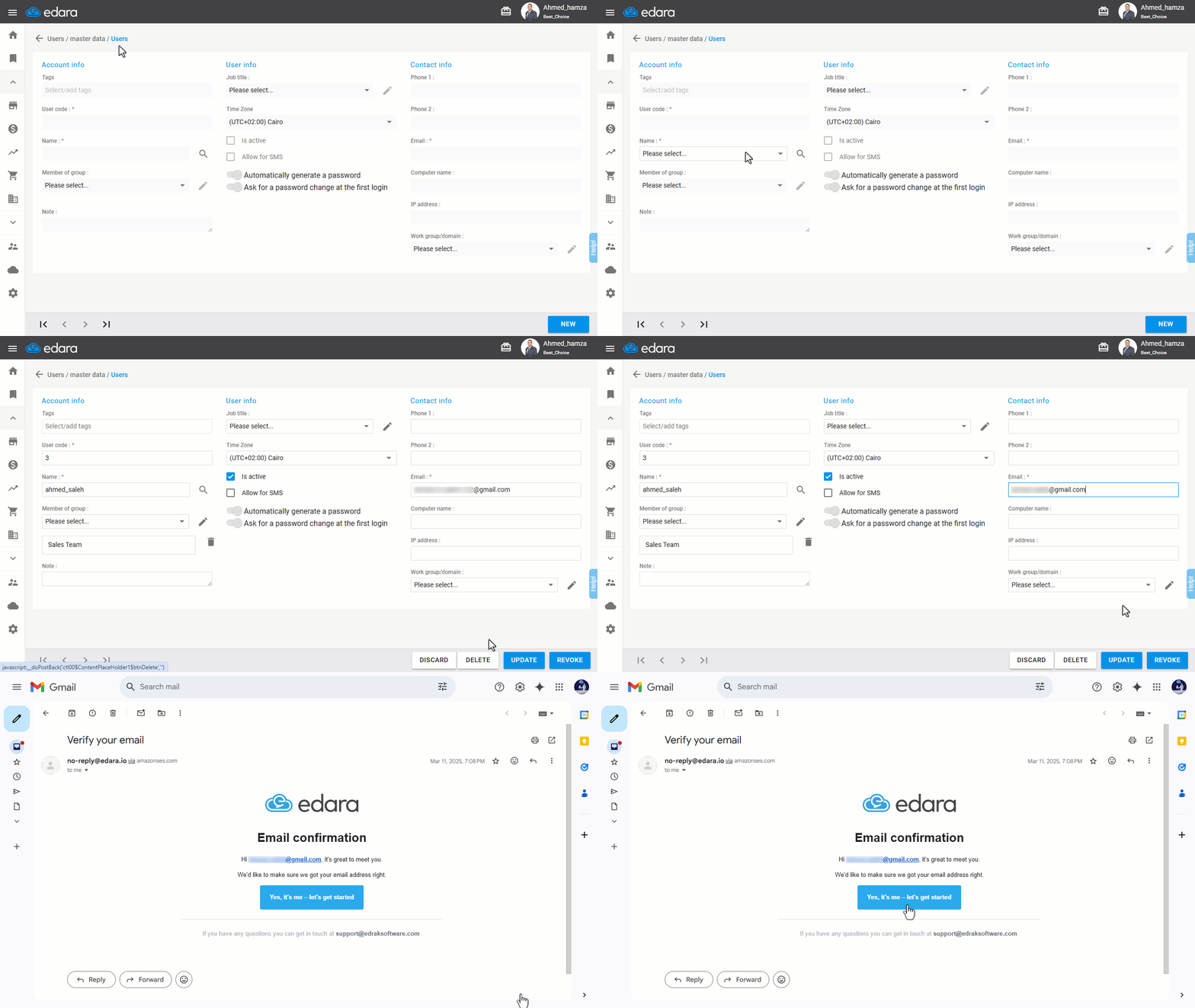
- Go to Users.
- Open the “Users” page under Master Data.
- Search for the user’s name
- Click on “Edit”.
- Update the email address.
- Click on “Update”.
After completing these steps, you will receive a confirmation email, as shown in the following image:
If you encounter any challenges or have questions during these processes, you can contact our technical support team, who are ready to assist you at any time.
Did this answer your question?