

Creating a Group and Adding a User to a Group
Last updated:
“Edara” offers the feature of creating groups, so you don't have to assign permissions to each new user individually. A user will inherit all the permissions of the group they belong to.
Creating a Group
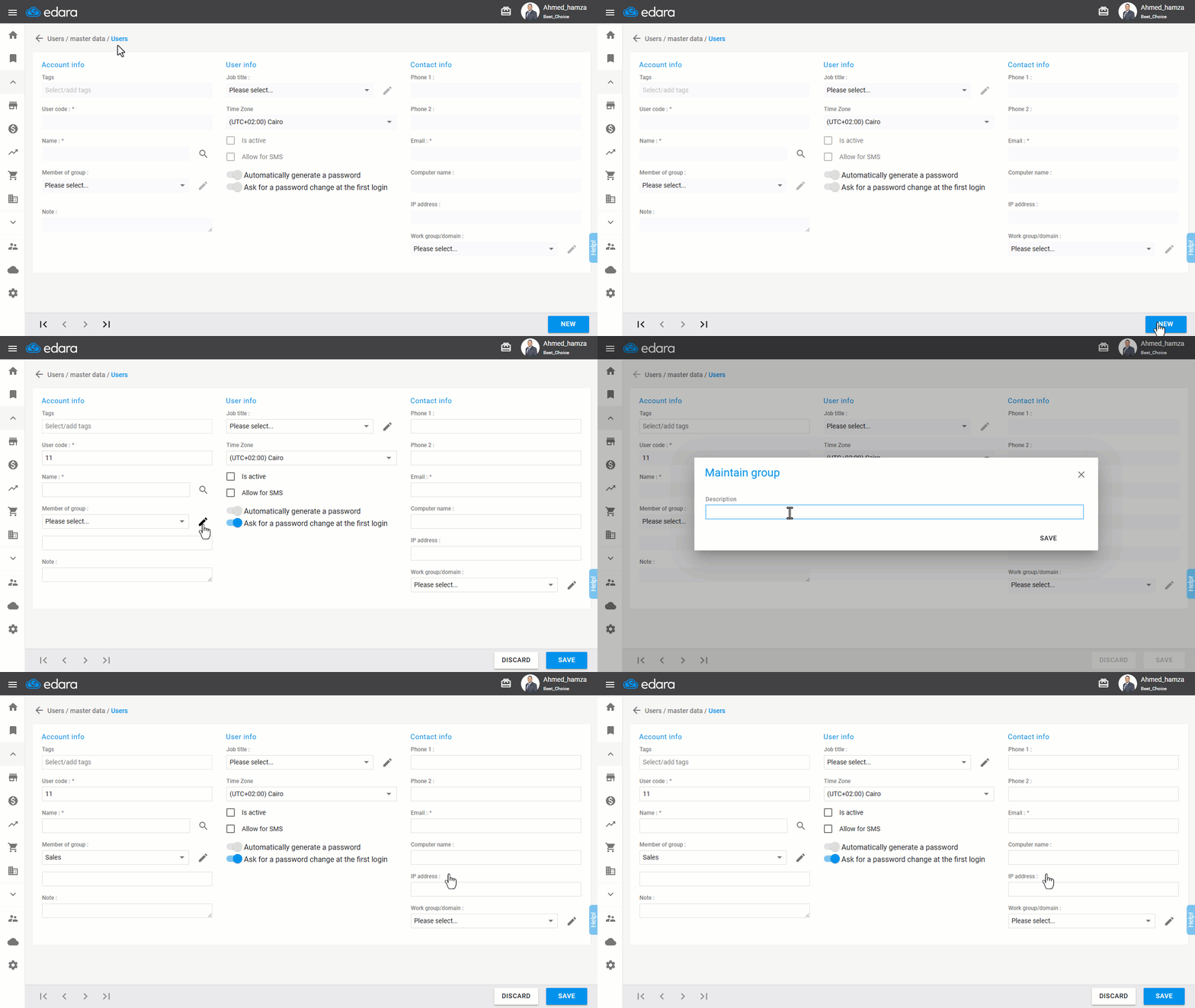
- Go to the Users module.
- Open the “Users” page.
- Click on “New”.
- Ensure that the dropdown menu for “Member of group” is set to "Please select".
- Click on the ✎ icon.
- Enter the group name (e.g., "Sales").
- Click on “Save”.
Adding a User to a Group
There are two scenarios for adding a user:
1- Adding a New User and Assigning a Group
- Create a new user.
- Search for the group name in the dropdown menu (e.g., "Sales").
- Click on “Save”.
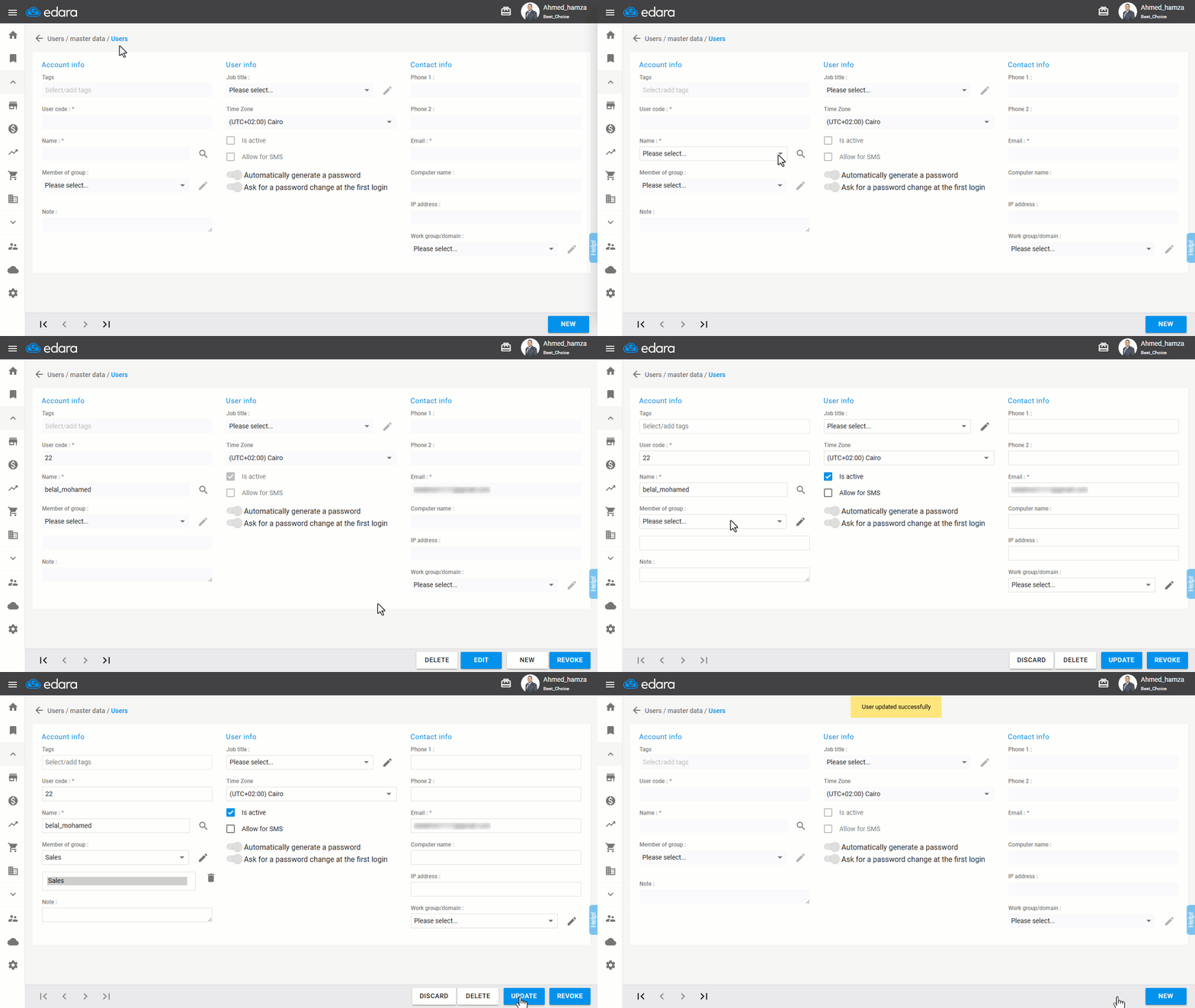
2- Adding an Already Existing User to a Group
- Go to the Users module.
- Open the “Users” page.
- Search for the user if already coded.
- Click on “Edit”.
- Follow the steps from the first part of the article to either assign a new group (if it's a new group) or search for the group name from the dropdown (e.g., "Sales").
- Click on “Update”.
If you encounter any challenges or have questions during these processes, you can contact our technical support team, who are ready to assist you at any time.
Did this answer your question?