

Editing User Data
Last updated:
With the changing work environment, it is sometimes necessary to update user data in the system, whether to correct information or keep up with business changes. This helps maintain data accuracy and manage access permissions.
Editing User Data
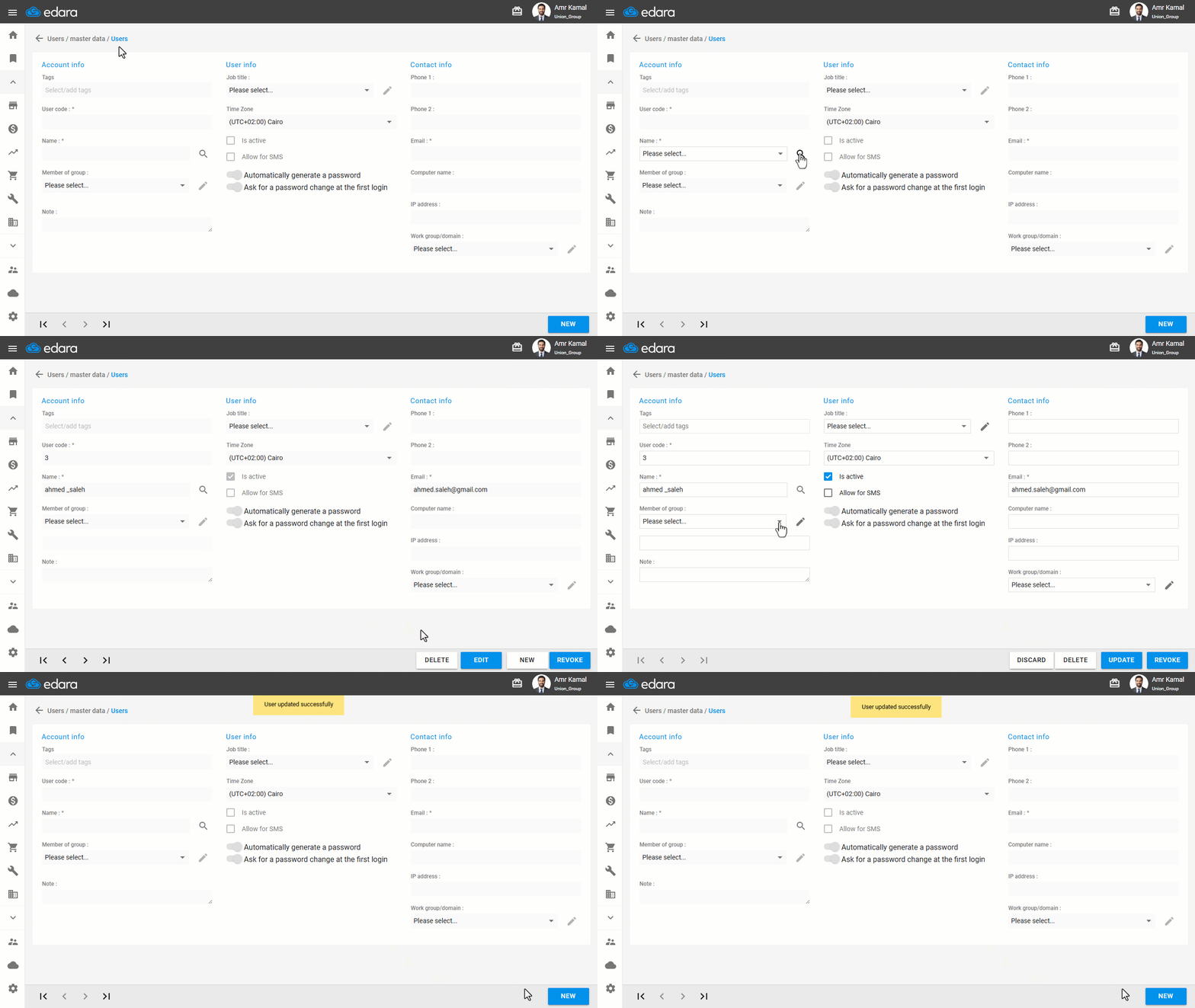
- Go to “Users”.
- Open the “Users” page.
- Select the user by clicking the “🔎” icon next to the “Name”.
- Click on “Edit”.
- Enter the data you want to modify.
- Click on “Update”.
If you encounter any challenges or have questions during these processes, you can contact our technical support team, who are ready to assist you at any time.
Did this answer your question?