

Viewing License Information
Last updated:
Business owners or system administrators may face challenges when trying to add new users, salespersons, or POS registers without knowing the available capacity in their license. In some cases, exceeding the licensed limit may trigger error messages or interrupt certain operations.
To avoid this, Edara allows you to easily view all the details of your current license — including the number of users, salespersons, and POS registers — so you can track your usage and ensure compliance with your pricing plan.
Viewing License Information
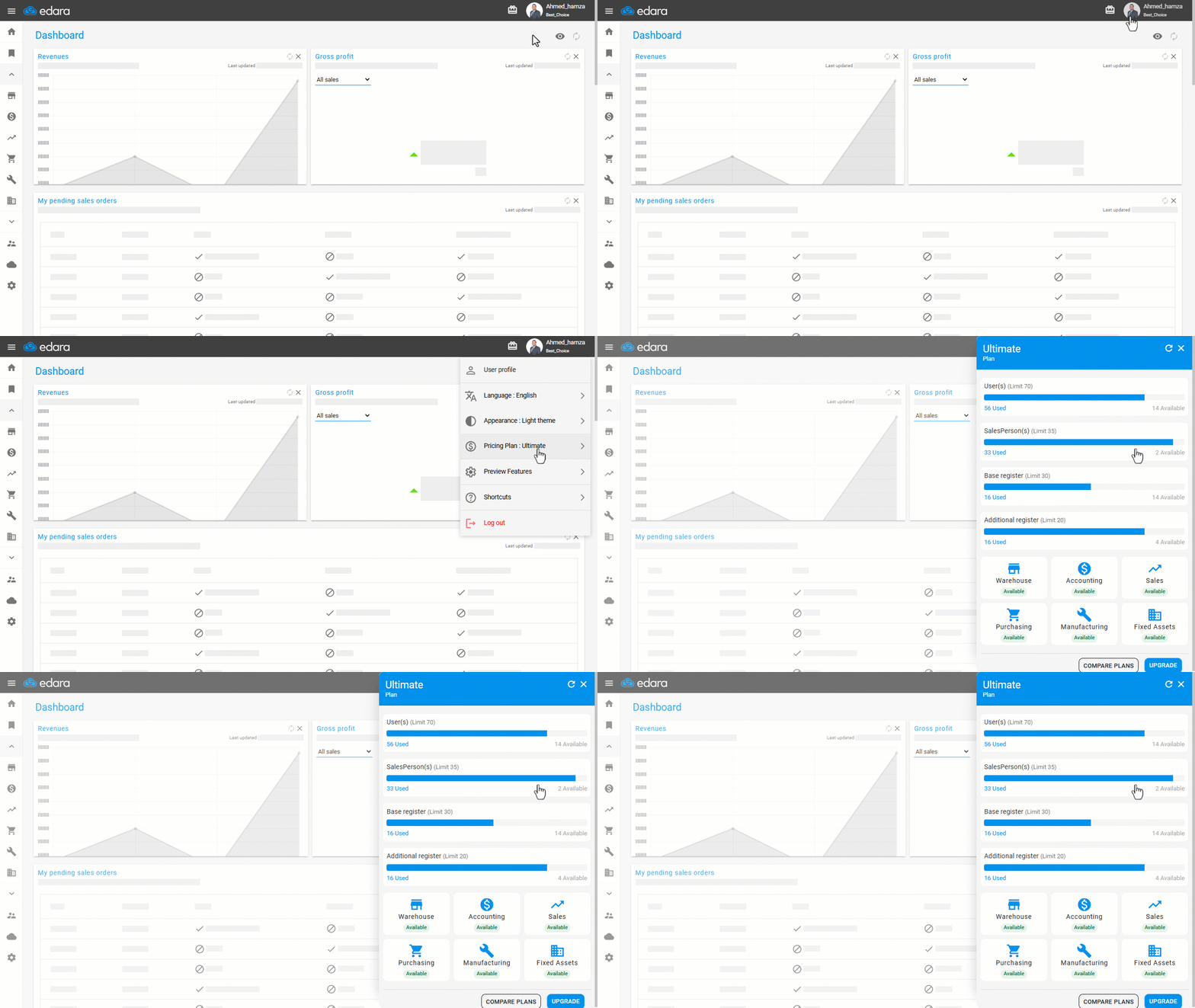
- Click on “User Profile”.
- Select “Pricing Plan”.
You will then see:
- A detailed breakdown that includes the license limit, along with the actual used number and the remaining available capacity for each of the following:
- Users
- Salespersons
- Base Registers
- Additional Registers
- The available modules according to your current plan.
If you encounter any challenges or have questions during these processes, you can contact our technical support team, who are ready to assist you at any time.
Did this answer your question?