

Resetting Your Password
Last updated:
If you’ve forgotten your password for accessing “Edara,” the system allows you to reset it easily.
Resetting Your Password
- Click “Forgot Password” on the login page.
- Enter your registered email address.
- Click “Email Link”.
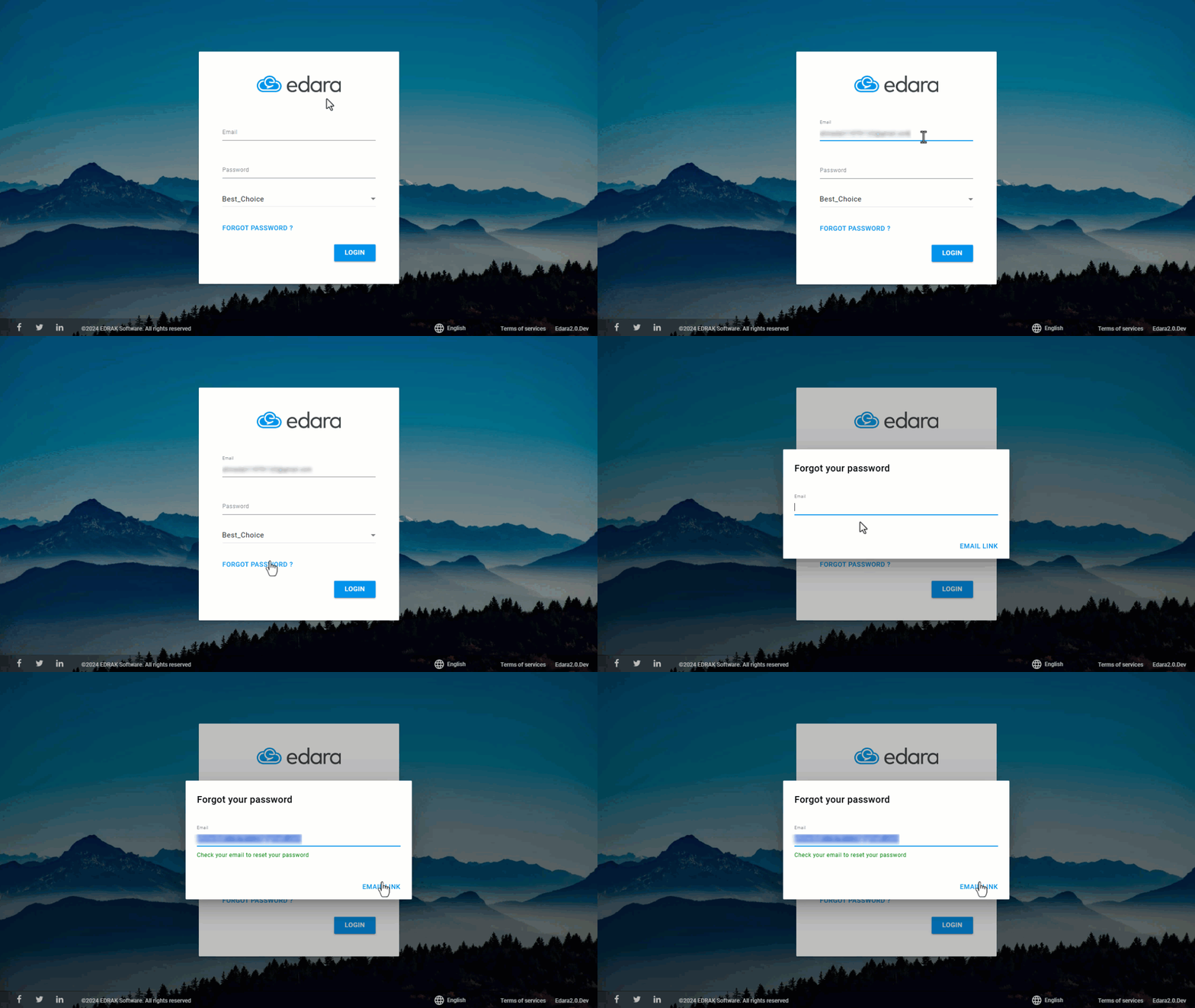
Once done, "Edara" will send a password reset email to your registered address.
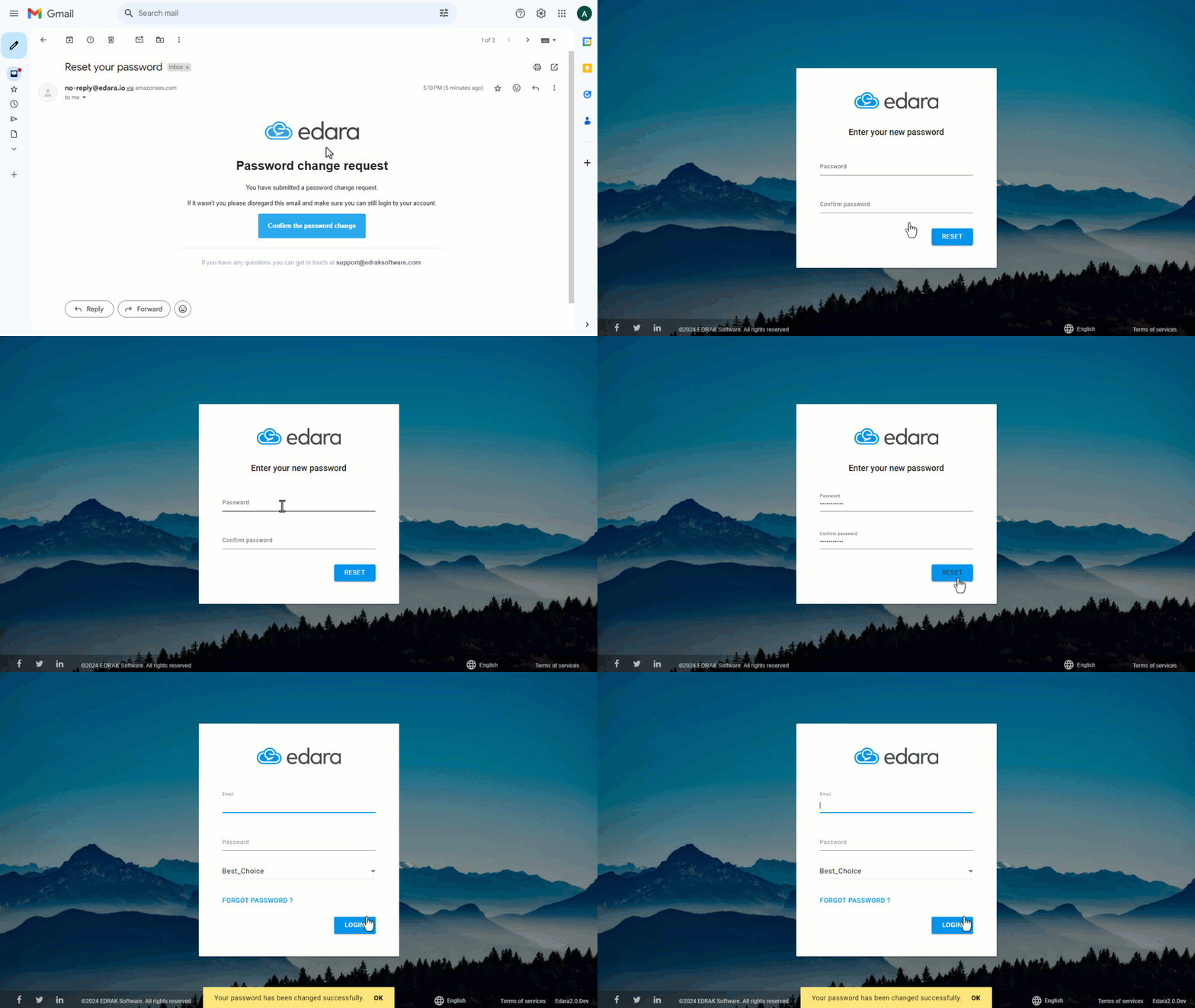
- Open the link sent to your email.
- Set a new password.
Note: The password must meet the following criteria:
- At least 8 characters.
- At least one lowercase letter (a-z).
- At least one uppercase letter (A-Z).
- At least one number (0-9).
- At least one symbol (!@#$%^&*?_~).
If you encounter any challenges or have questions during these processes, you can contact our technical support team, who are ready to assist you at any time.
Did this answer your question?