

Preventing payment status changes for a user
Last updated:
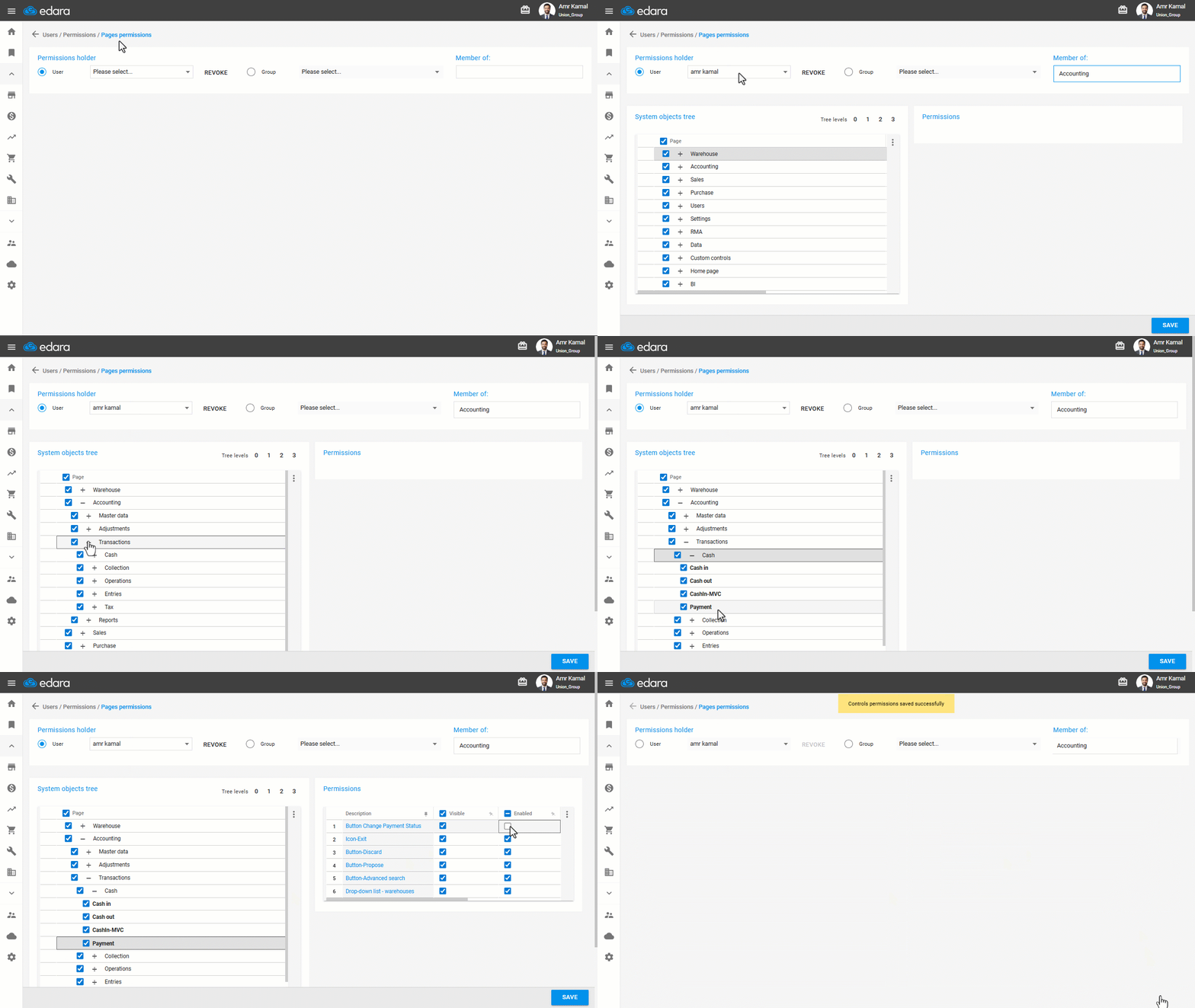
You can disable a user’s permission to change the payment status to prevent any unauthorized changes.
Preventing payment status changes for a user
- Go To "Users".
- Open the “Pages permissions” page.
- Select the user’s name.
- Click on "+" next to "Accounting" until you reach "Payment".
- Click on "Payment" to display the permissions.
- Disable "Button Change Payment Status".
- Click on "Save".
If you encounter any challenges or have questions during these processes, you can contact our technical support team, who are ready to assist you at any time.
Did this answer your question?