

Granting/Revoking Permission to View the Dashboard
Last updated:
"Edara" allows you to manage permissions based on business needs. You can grant or revoke the ability to view the Dashboard.
Granting/Revoking Permission to View the Dashboard
- Go to Users.
- Select Page Permissions.
- Choose the user or group of users.
- Click “+” behind “Home Page”, followed by Dashboard.
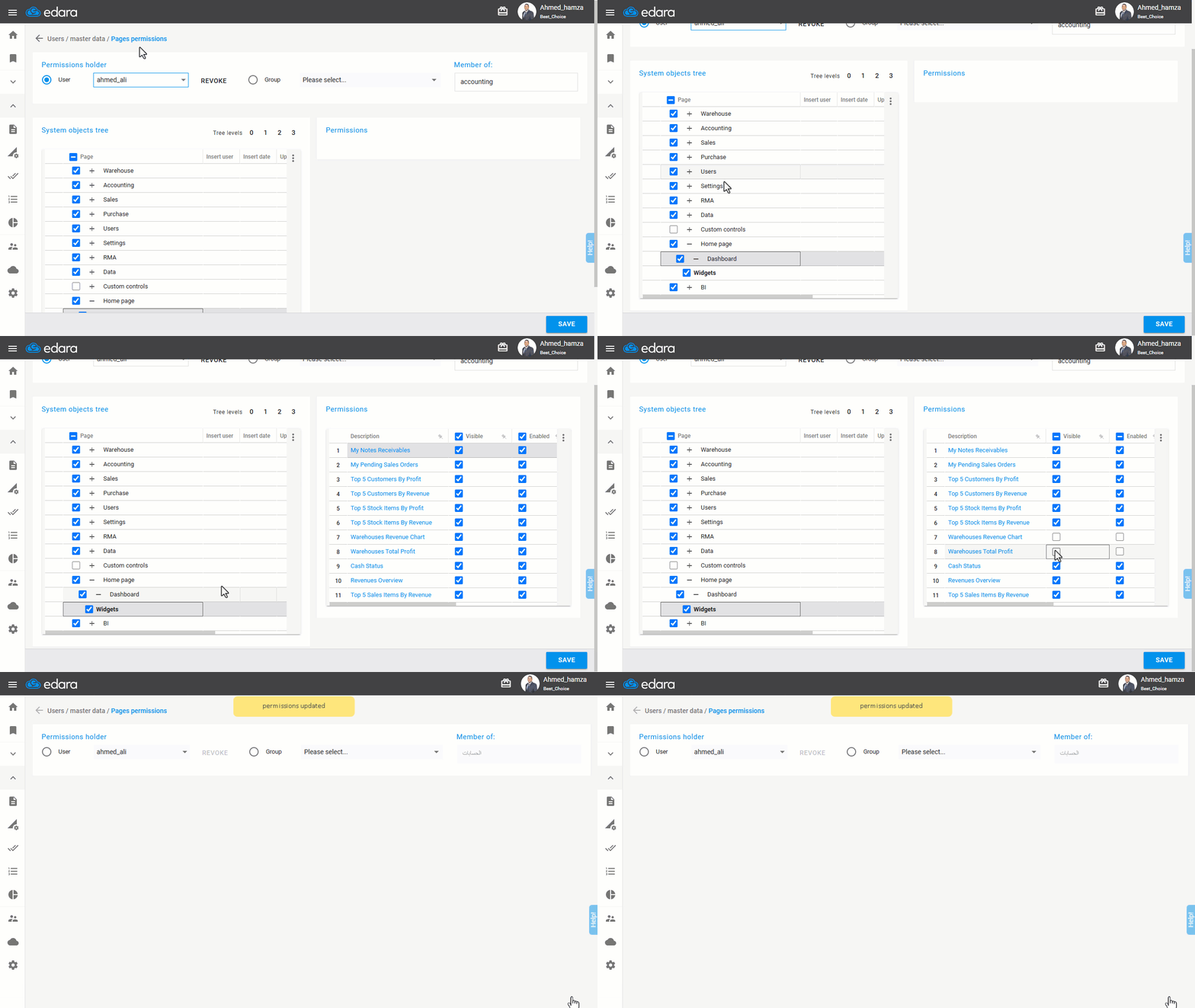
- Enable or disable the permission of “Widgets”.
- Click “Save”.
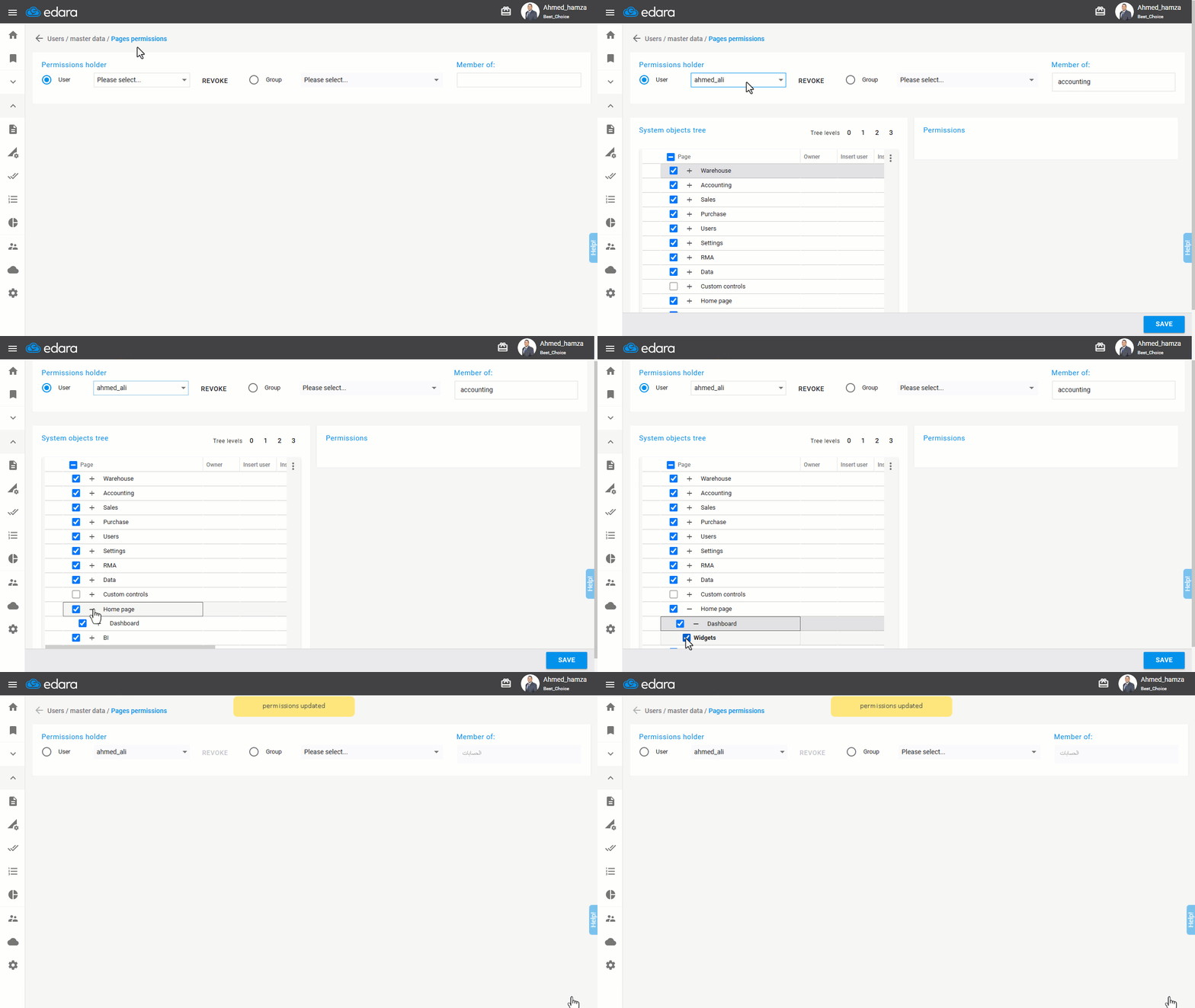
Note: "Edara" allows you to control the visibility of specific widgets on the Dashboard.
Note: To activate the permission, the user must log out of the system and log back in.
Frequently asked questions
Can I hide specific sections of the Dashboard?
"Edara" allows you to control the visibility of specific widgets on the Dashboard.
If you encounter any challenges or have questions during these processes, you can contact our technical support team, who are ready to assist you at any time.
Did this answer your question?