

Including Purchase Discounts in Inventory Cost Calculation
Last updated:
When recording discounts or incentives from suppliers, you may need to determine whether this discount will affect the item cost in inventory or be recorded separately, depending on your business needs. Therefore, the system allows you to easily control how the discount is calculated.
Deducting Discounts from Cost of Purchase
1- Enabling the Setting
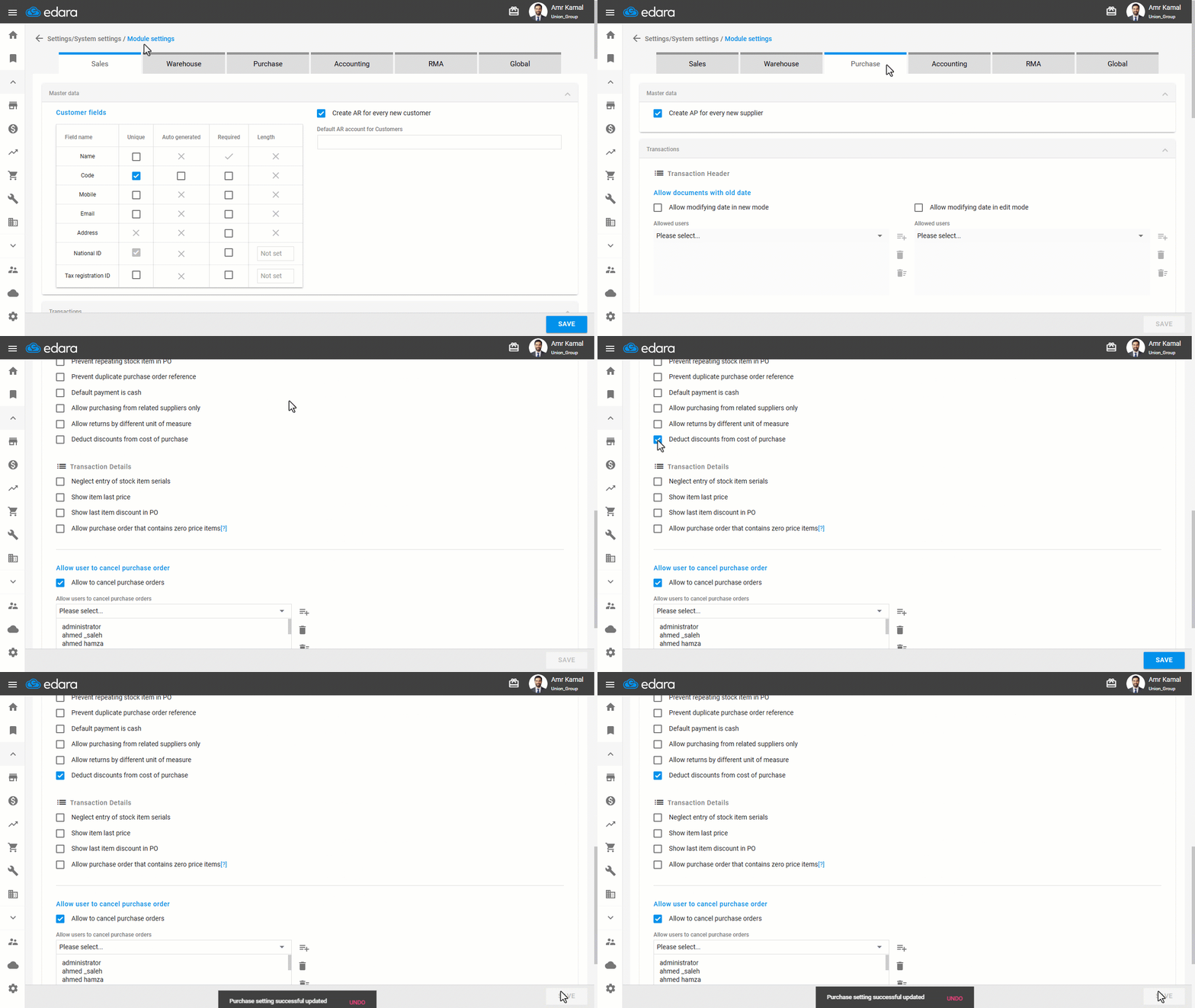
- Go to "Settings".
- Open the "Module Settings" page.
- Go to the "Purchase" tab.
- Enable the setting "Deduct discounts from cost of purchase".
- Click on "Save".
Notes:
- When the setting is enabled, the discount is deducted from the item cost. If it is not enabled, the cost remains unchanged, and the discount is recorded in a separate account without affecting inventory.
- This setting affects future purchases only and does not change any previous transactions or journal entries.
2- Displaying the Documents Linked to the Purchase Order
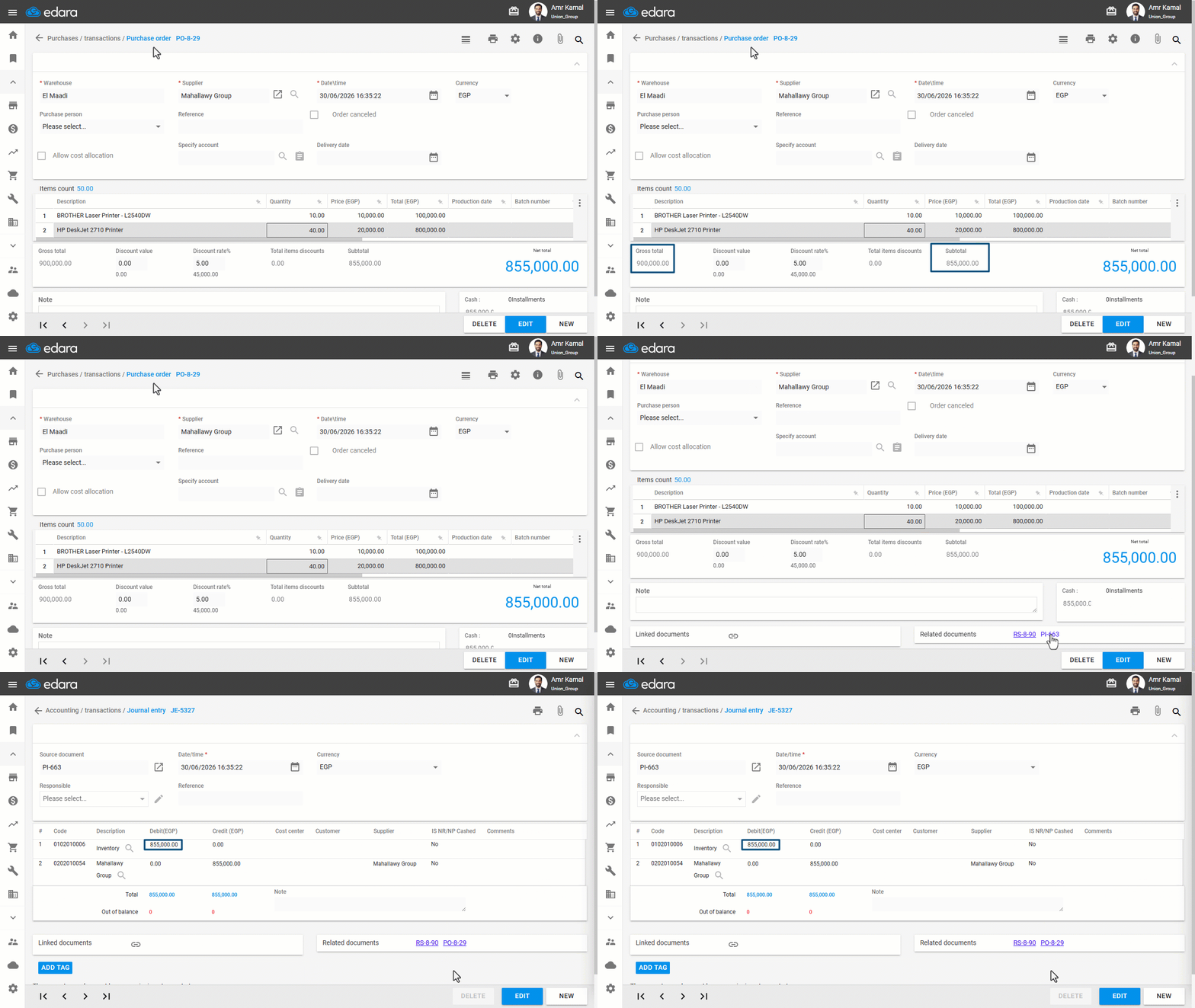
- Create a purchase order.
- Approve the purchase order if you’re working with an approval system.
- Display the purchase order.
- Click on the Journal Entry document next to "Related Documents".
You will be automatically redirected to the Journal Entry page.
Frequently asked questions
What is the difference between enabling the setting and leaving it disabled?
When the setting is enabled, the discount is deducted from the item cost. If it is not enabled, the cost remains unchanged, and the discount is recorded in a separate account without affecting inventory.
Does the setting affect previous purchases?
This setting affects future purchases only and does not change any previous transactions or journal entries.
If you encounter any challenges or have questions during these processes, you can contact our technical support team, who are ready to assist you at any time.