

Configuring the POS Module Settings for "Edara 2.0" and "Edara 3.0" Integration
Last updated:
To complete the integration process between “Edara 2.0” and “Edara 3.0”, you need to adjust the settings of the POS module.
Configuring the POS Module Settings for "Edara 2.0" and "Edara 3.0" Integration
During the integration between “Edara 2.0” and “Edara 3.0”, the POS settings page will appear. From here:
- Select the “Second Party” for the Issue Offering on “Edara 2.0.”
Note: When the Cash Register is closed in “Edara 3.0,” the system records the quantity of sold items and creates an Issue Offering document in “Edara 2.0.” Matching is done using the “closure code” with the “reference number” in the Issue Offerings.
- Select the “Second Party” for the (receive returns) order on “Edara 2.0.”
Note: When the POS Cash Register is closed in “Edara 3.0,” the system calculates the quantity of returned items and creates a receive returns document in “Edara 2.0.” Matching is done using the “closure code” with the “reference number” in the receive returns.
- Select the “Cost of Goods Sold” account used in the journal entry.
- Select the “GL account for inventory”.
- Choose the accounts used in the journal entry for sales returns: (AR Account - GL account for discounts - Sales tax account - Sales account)
- Select the “Sales Returns GL account” used in the Sales Returns journal entry.
- Choose the accounts used in the payment journal entry: (Cash account - Bank account - Rounding differences account).
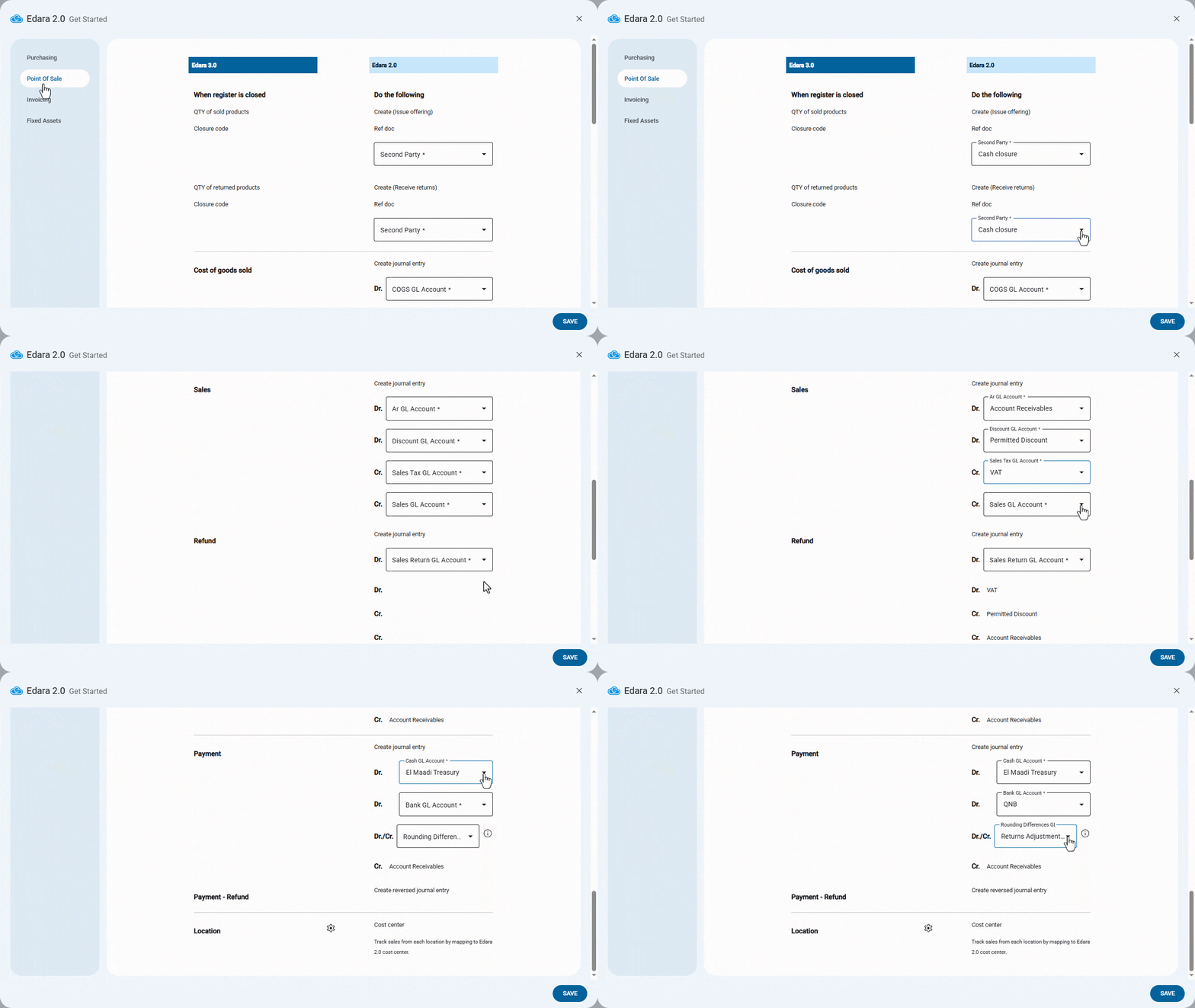
Note: The rounding differences account is used to record small discrepancies caused by rounding, ensuring that the journal entry remains balanced. The difference will appear on the debit or credit side, depending on where the imbalance occurs.
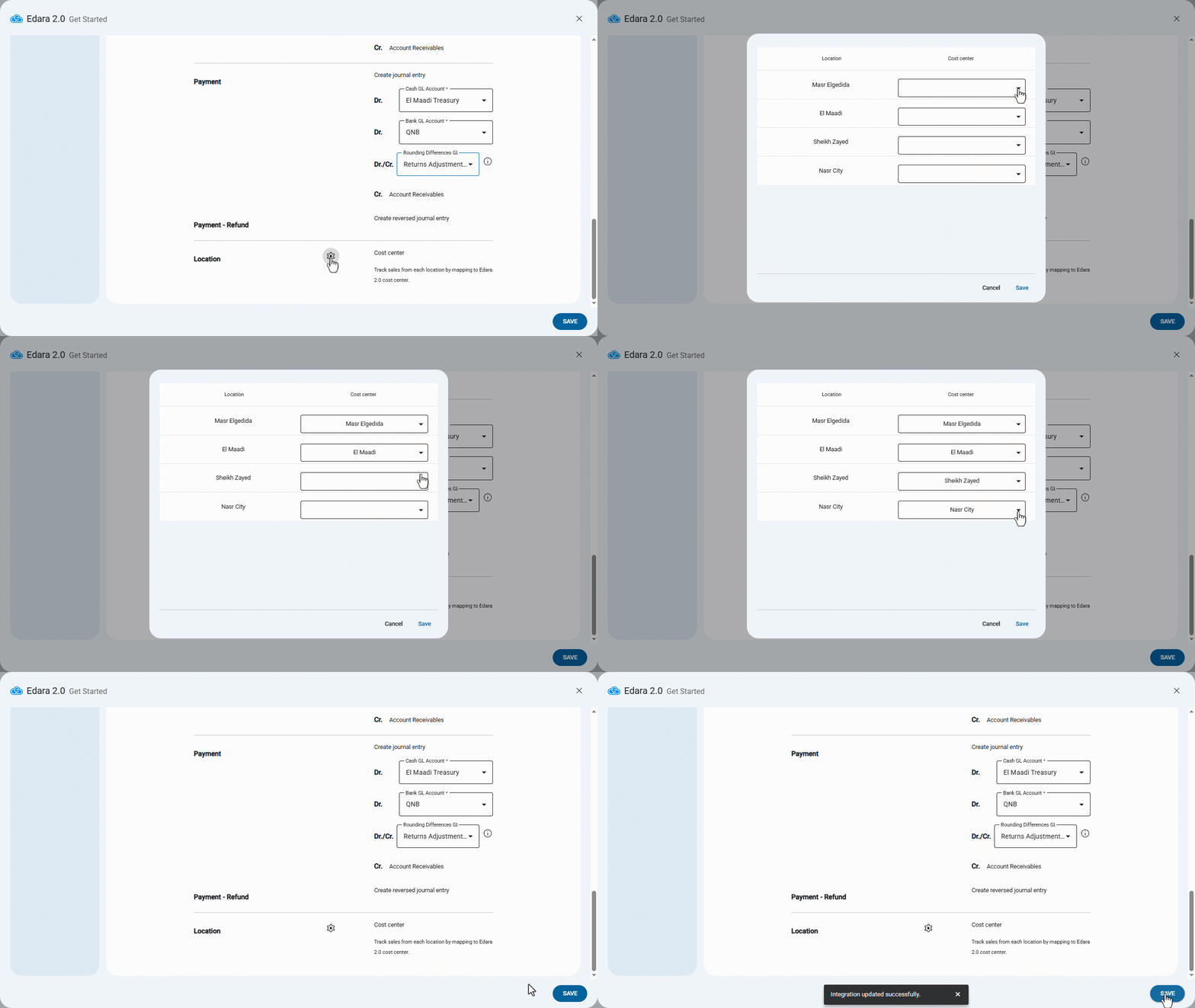
- Click on "
 ".
". - Assign the corresponding “cost center” for each “location”.
- Click on “Save”.
Note: Each location in “Edara 3.0” is linked to a corresponding cost center in “Edara 2.0.”
Frequently asked questions
How are locations linked to cost centers?
Each location in “Edara 3.0” is linked to a corresponding cost center in “Edara 2.0.”
If you encounter any challenges or have questions during these processes, you can contact our technical support team, who are ready to assist you at any time.