

Applying Item Discounts in Purchase Orders
Last updated:
Sometimes, a supplier may offer a specific discount on certain stock items within a purchase order. In such cases, you'll need to reflect the discount amount or percentage on the relevant line item, rather than applying it to the entire order.
Applying Item Discounts in Purchase Orders
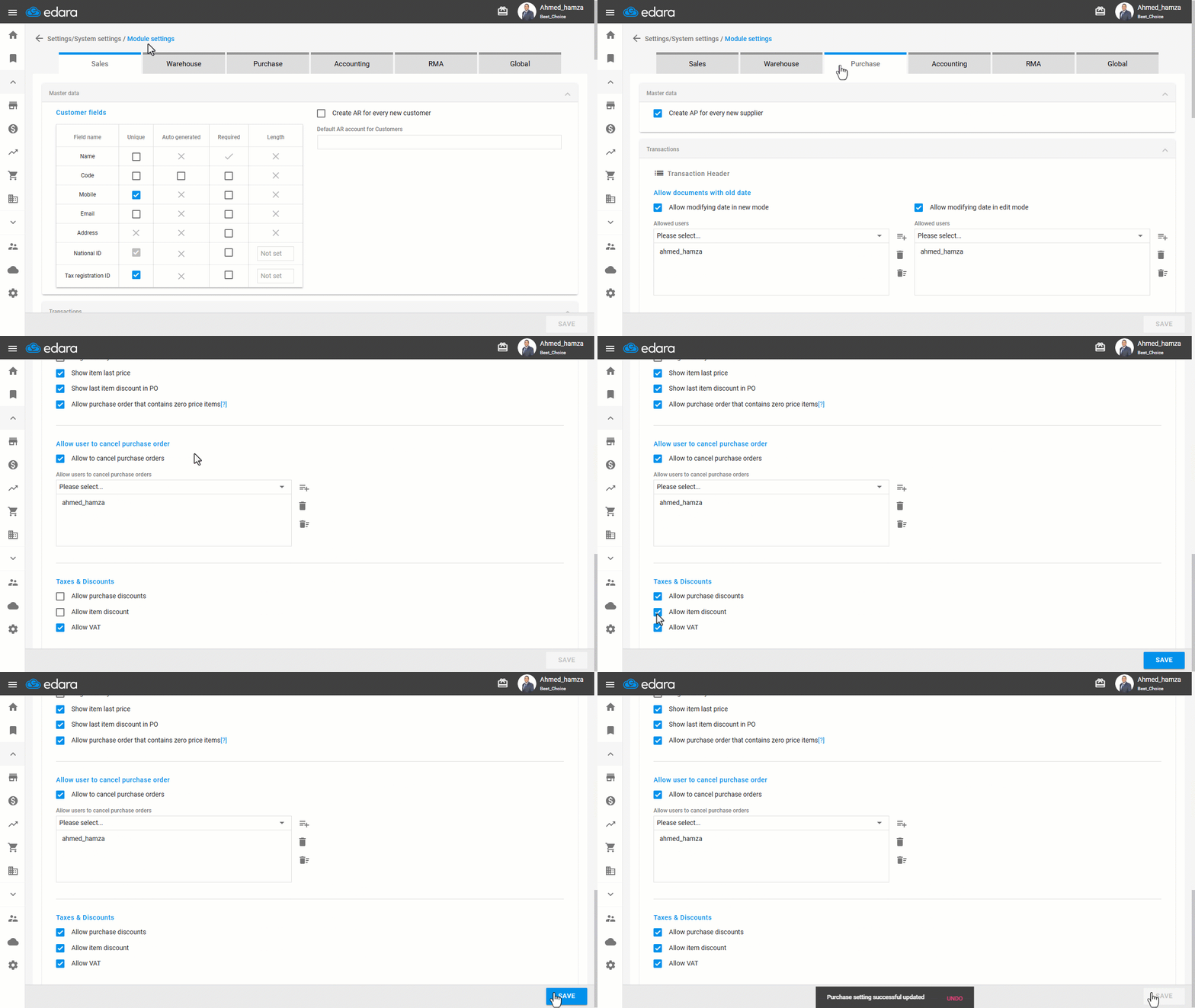
- Go to the Settings module.
- Open the “Module Settings” page.
- Select the “Purchase” module.
- Enable both: (Allow purchase discounts - Allow item discount) settings.
- Click on “Save”.
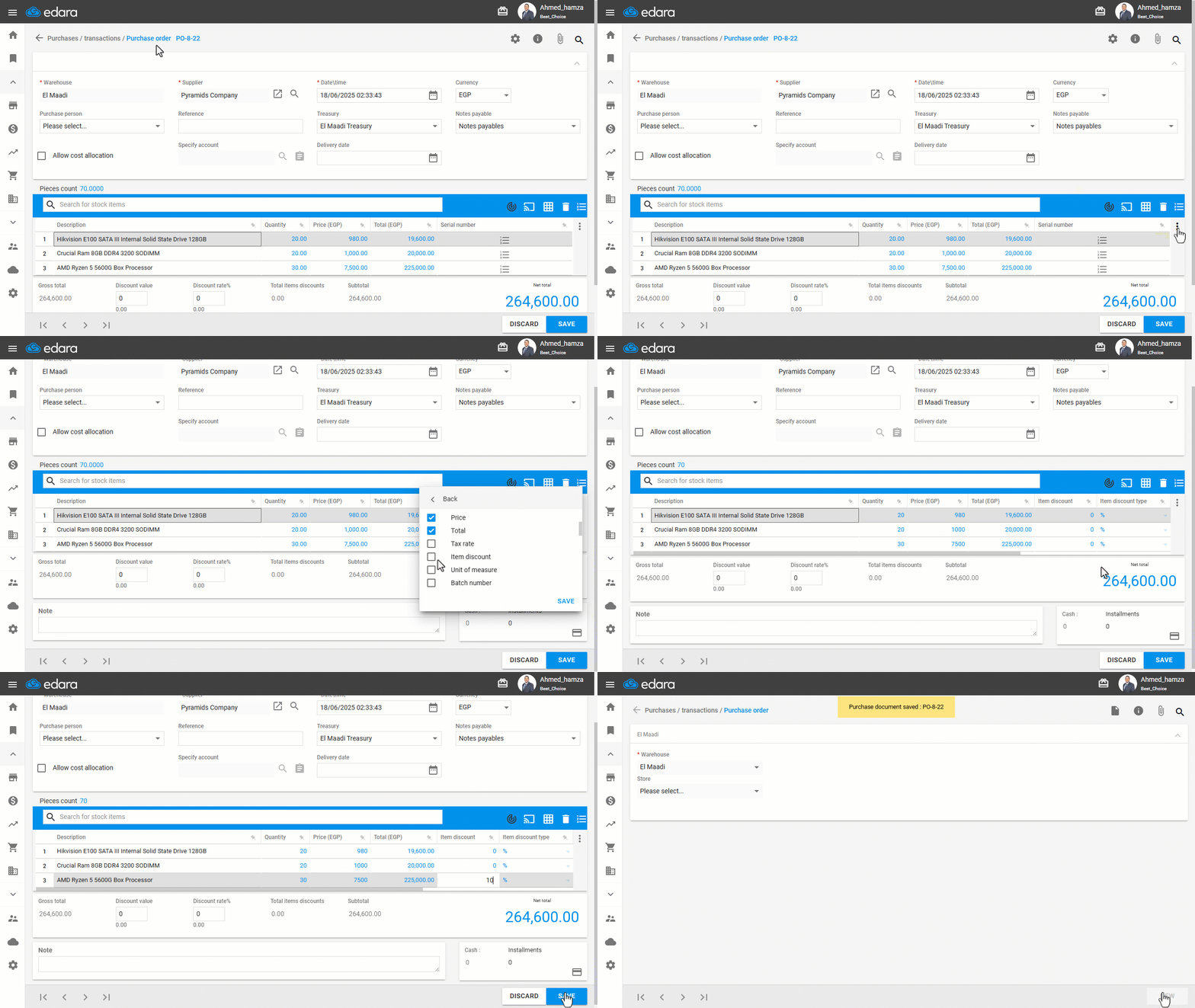
After activating the setting, make sure to show the “Item Discount” column on the purchase order page to see the effect of the setting, as shown in the following image:
If you encounter any challenges or have questions during these processes, you can contact our technical support team, who are ready to assist you at any time.
Did this answer your question?