

Excluding Service Items from Relative Discounts
Last updated:
"Edara" excludes service items—such as shipping services for online sales or delivery services—from percentage-based discounts on sales orders. This is achieved through a sales setting that enables discounts to apply only to the value of inventory items, excluding service items.
Here’s how to do it.
Excluding Service Items from Relative Discounts
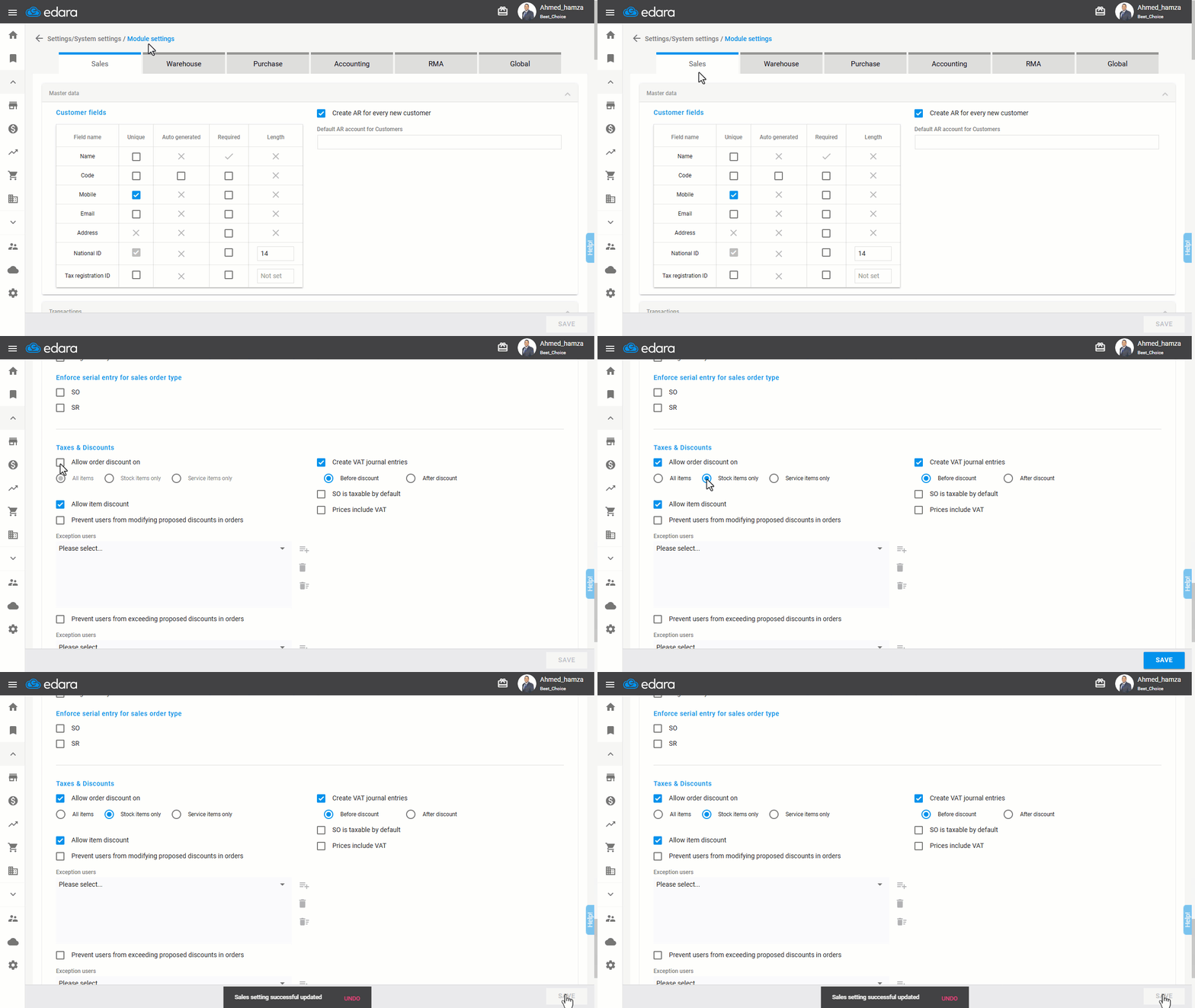
- Go to Settings.
- Select "Module Settings".
Note: The default Module is the “Sales” Settings.
- Activate the "Allow order discount on".
- Check the "Stock Items Only" option to exclude service items from discounts in sales orders.
- Click on "Save".
If you encounter any challenges or have questions during these processes, you can contact our technical support team, who are ready to assist you at any time.
Did this answer your question?