

Controlling Data Updates on the Sales Approvals Page
Last updated:
Imagine a scenario where a sales manager needs to review multiple approvals without interruptions caused by frequent automatic updates.
To address this, "Edara" provides a feature that allows you to control how often data updates occur for specific users.
Controlling Data Updates on the Sales Approvals Page
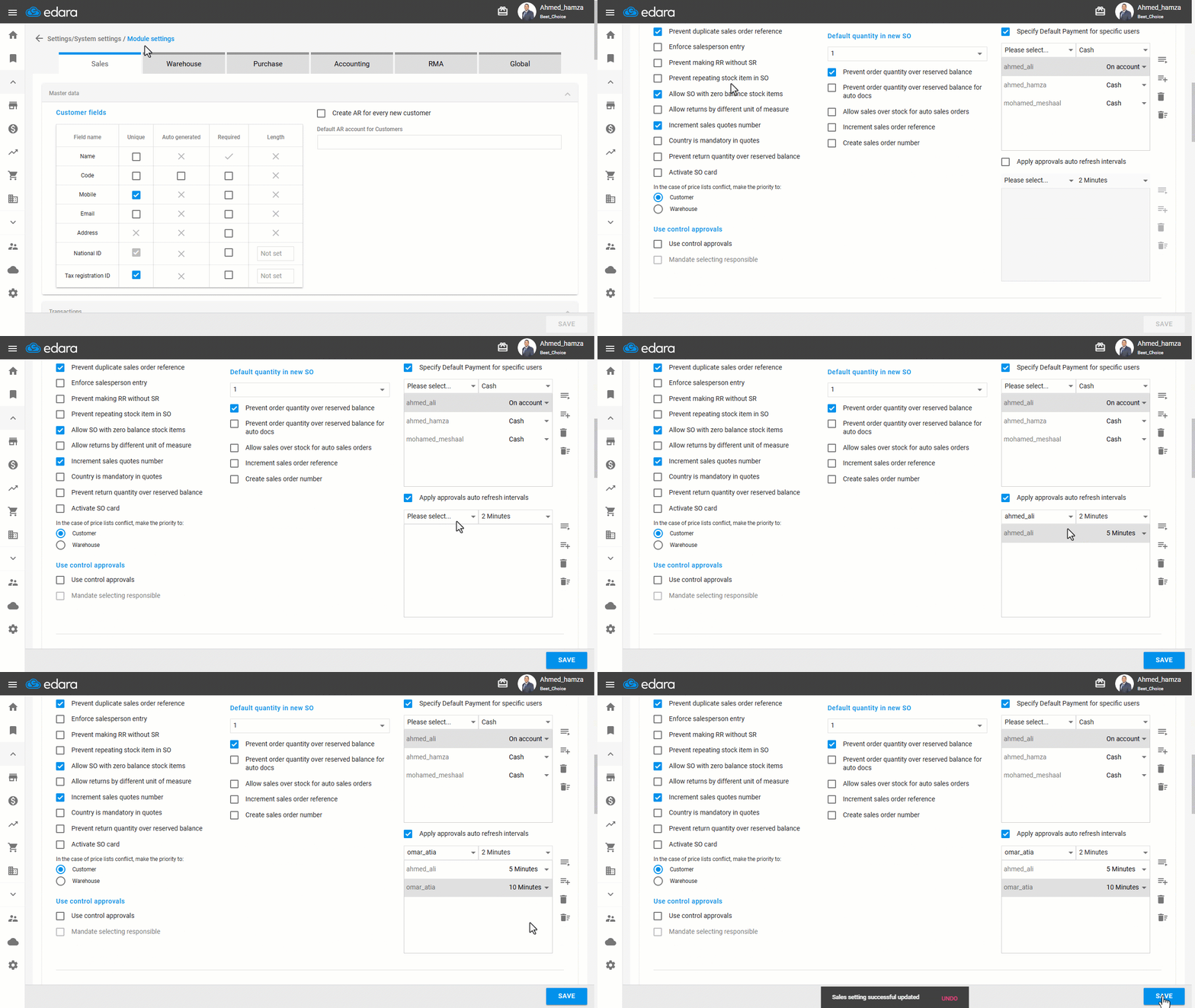
- Go to Settings.
- Open the "Modules Settings" page.
Note: The default Module is the “Sales” Settings.
- Activate the "Apply approvals auto refresh intervals" setting by checking the box ▢.
- Select the user and specify their update interval.
- Click on "Save".
If you encounter any challenges or have questions during these processes, you can contact our technical support team, who are ready to assist you at any time.
Did this answer your question?