

Allowing Sales Orders with Zero Quantities
Last updated:
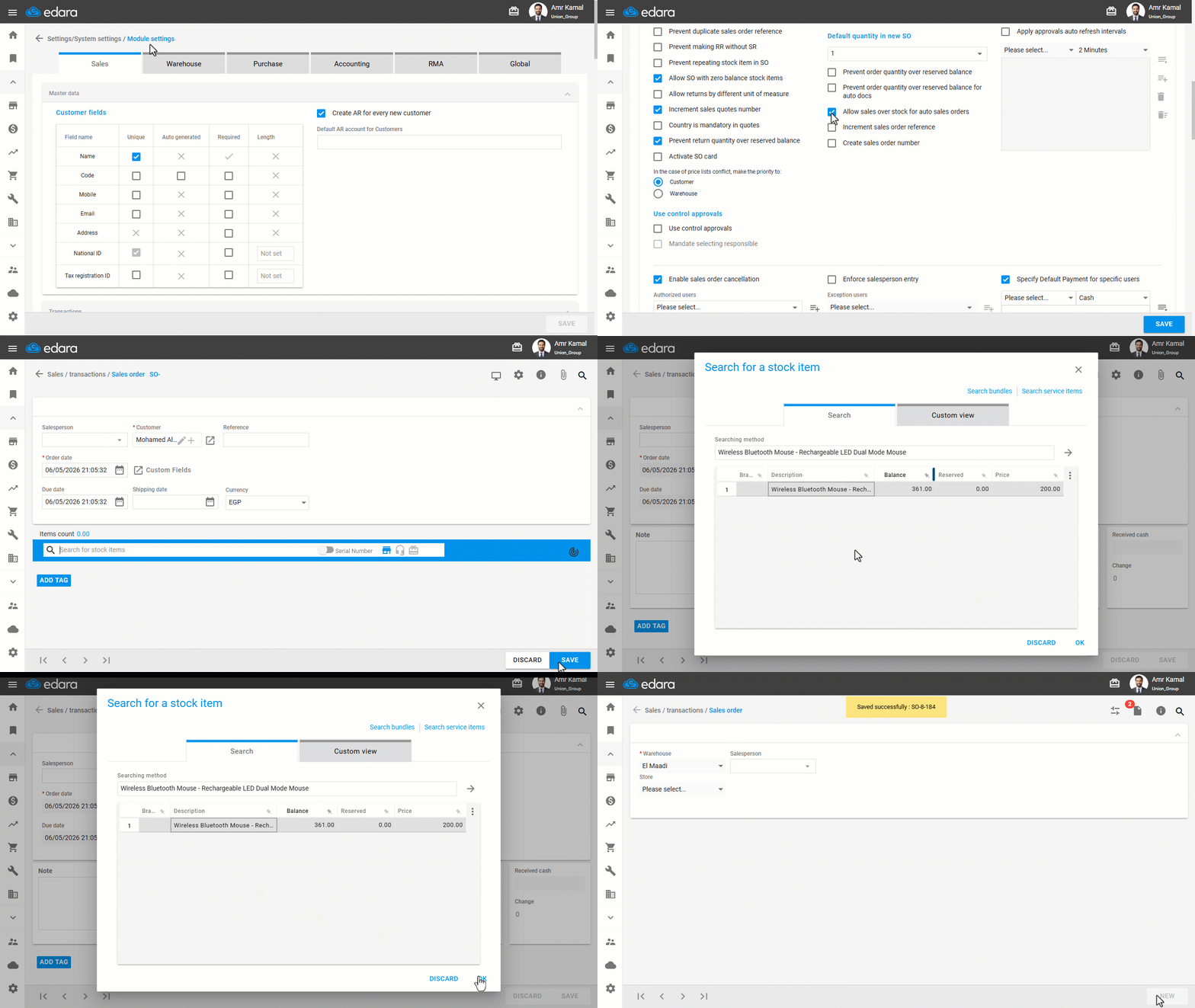
You can enable creating sales orders for stock items with zero stock in the warehouse, allowing sales orders to be prepared in advance and completed later after quantities are added to the warehouse.
Allowing Sales Orders with Zero Quantities

- Go to "Settings".
- Open the "Modules Settings" page.
The default module here is "Sales".
- Enable "Allow sales over stock for auto sales orders".
If you encounter any challenges or have questions during these processes, you can contact our technical support team, who are ready to assist you at any time.
Did this answer your question?