

Creating a Separate Account for Each Customer
Last updated:
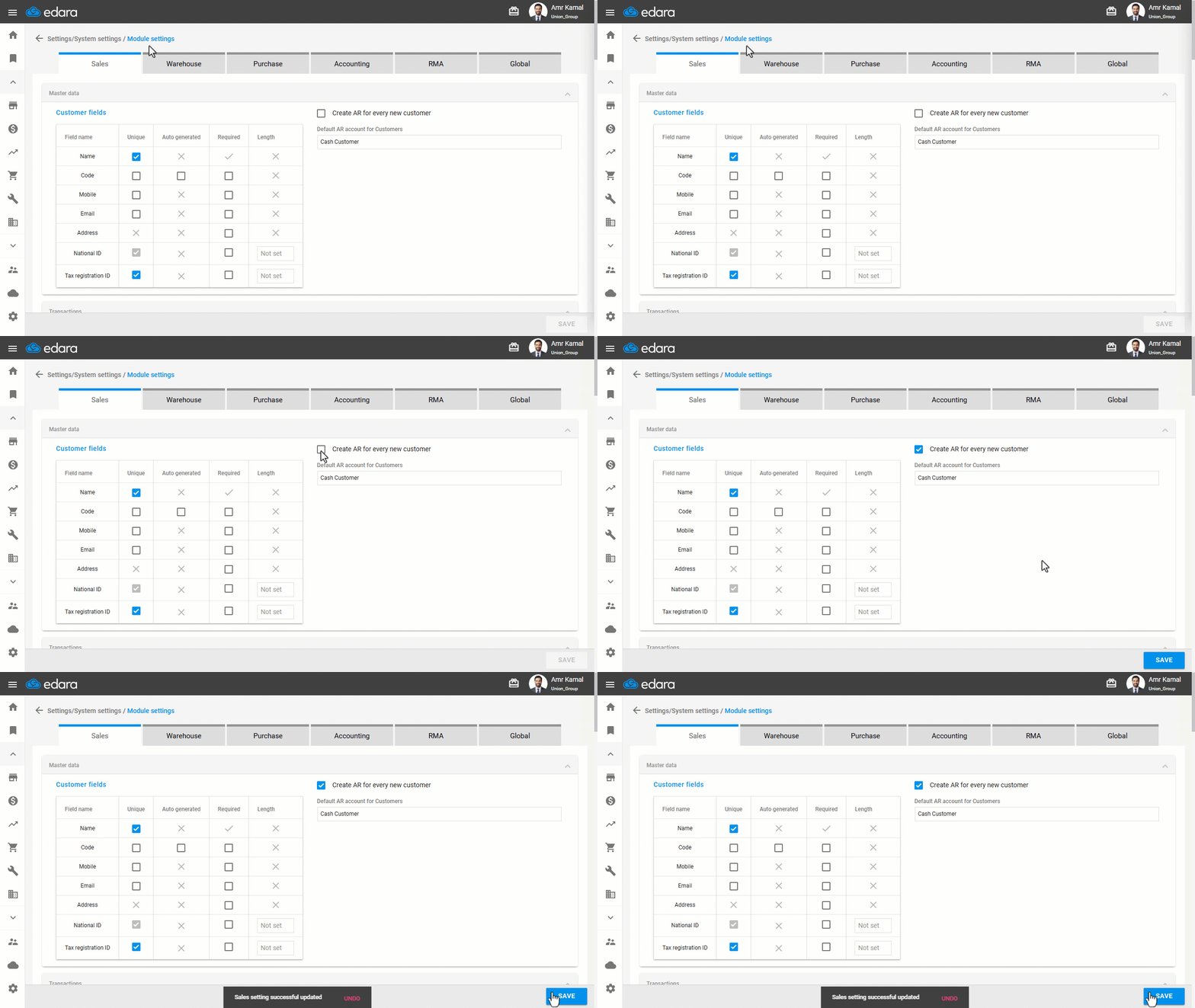
When adding a new customer, the system may create a shared AR account. You can change this setting to create a separate account for each customer.
Creating a Separate Account for Each Customer

- Go to "Settings".
- Open the "Modules Settings" page.
The default tab here is the "Sales".
- Enable the "Create AR for every new customer" setting.
- Click on "Save".
If you encounter any challenges or have questions during these processes, you can contact our technical support team, who are ready to assist you at any time.
Did this answer your question?