

Displaying the Last Sale Price for a Specific Customer or All Customers
Last updated:
"Edara" offers flexibility in managing the "Last Sale Price" setting by allowing you to choose whether to display the last sale price for all customers or for a specific customer. This feature helps streamline the pricing decision-making process.
Here’s how to configure it.
Steps to Display the Last Sale Price for a Specific Customer or All Customers
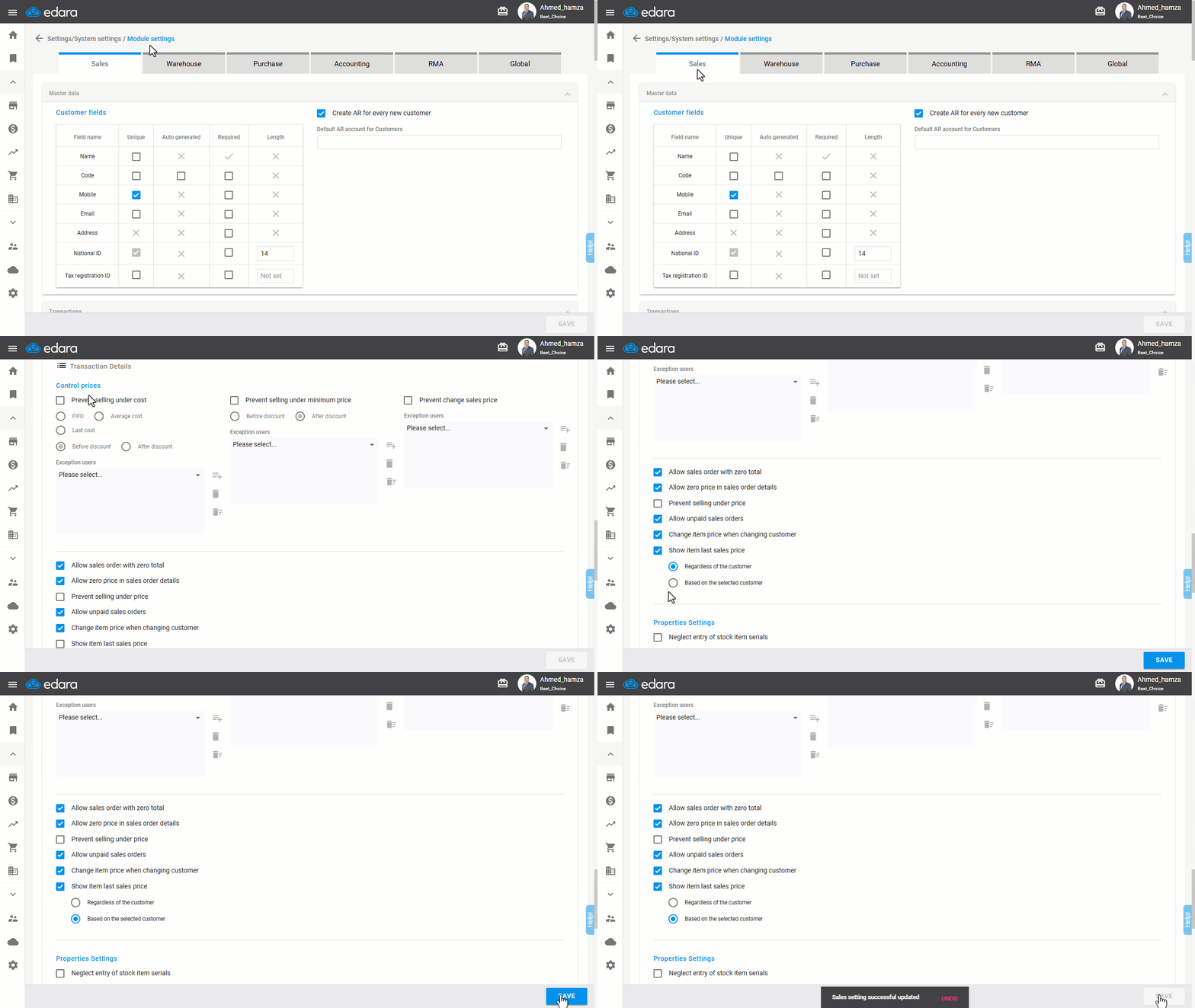
- Go to Settings.
- Open Module Settings.
- Select the Sales module.
- Locate the "Show item last sales price" setting under the Price Control section.
- Enable the setting by clicking ☑️, and a submenu will appear.
- Choose between "Regardless of the Customer" or "Based on the selected Customer" by selecting the appropriate ⚪ option.
- Click “Save”.
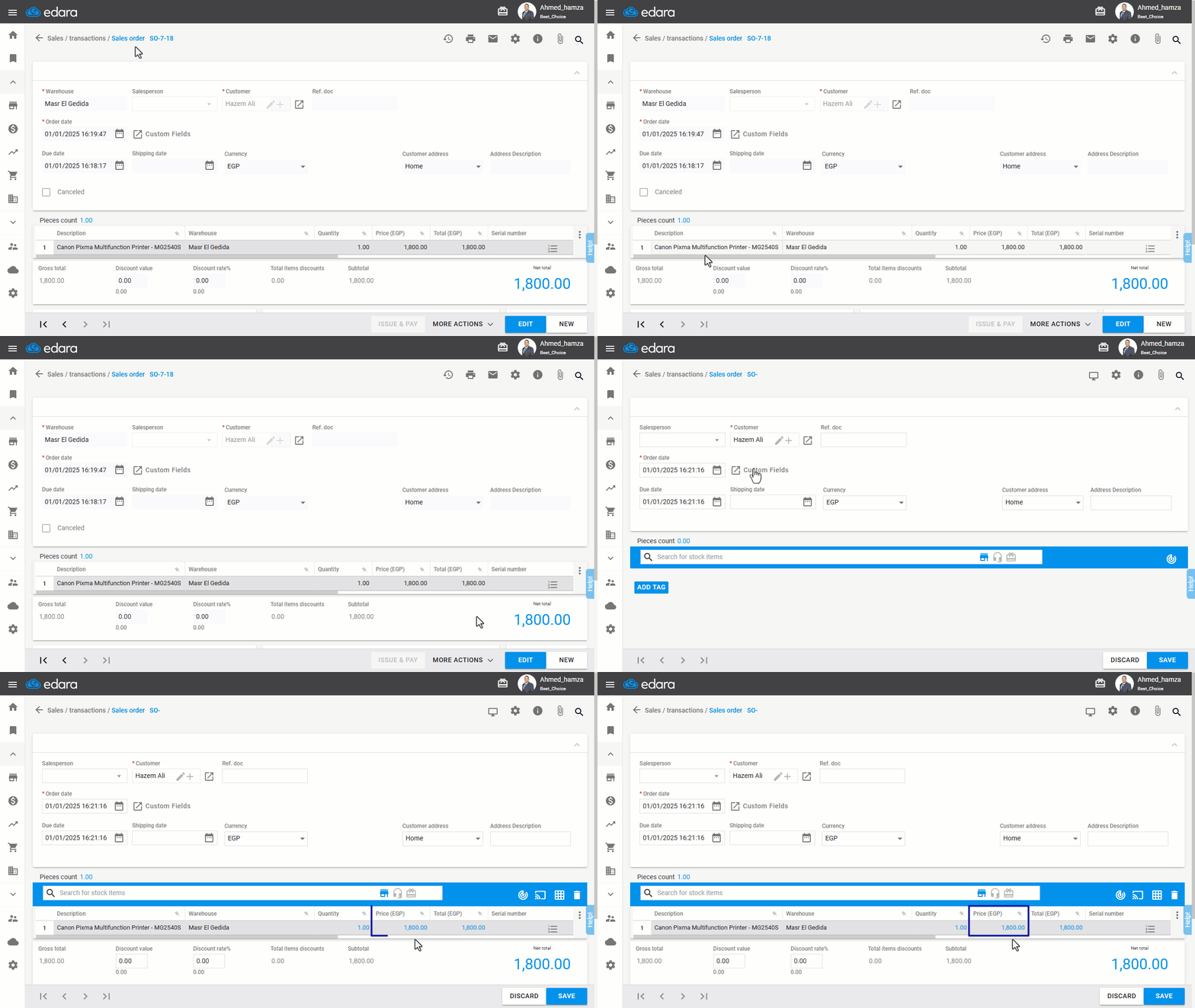
And the end result will be as shown below:
If you encounter any challenges or have questions during these processes, you can contact our technical support team, who are ready to assist you at any time.
Did this answer your question?