

Preventing return quantity over the reserved balance
Last updated:
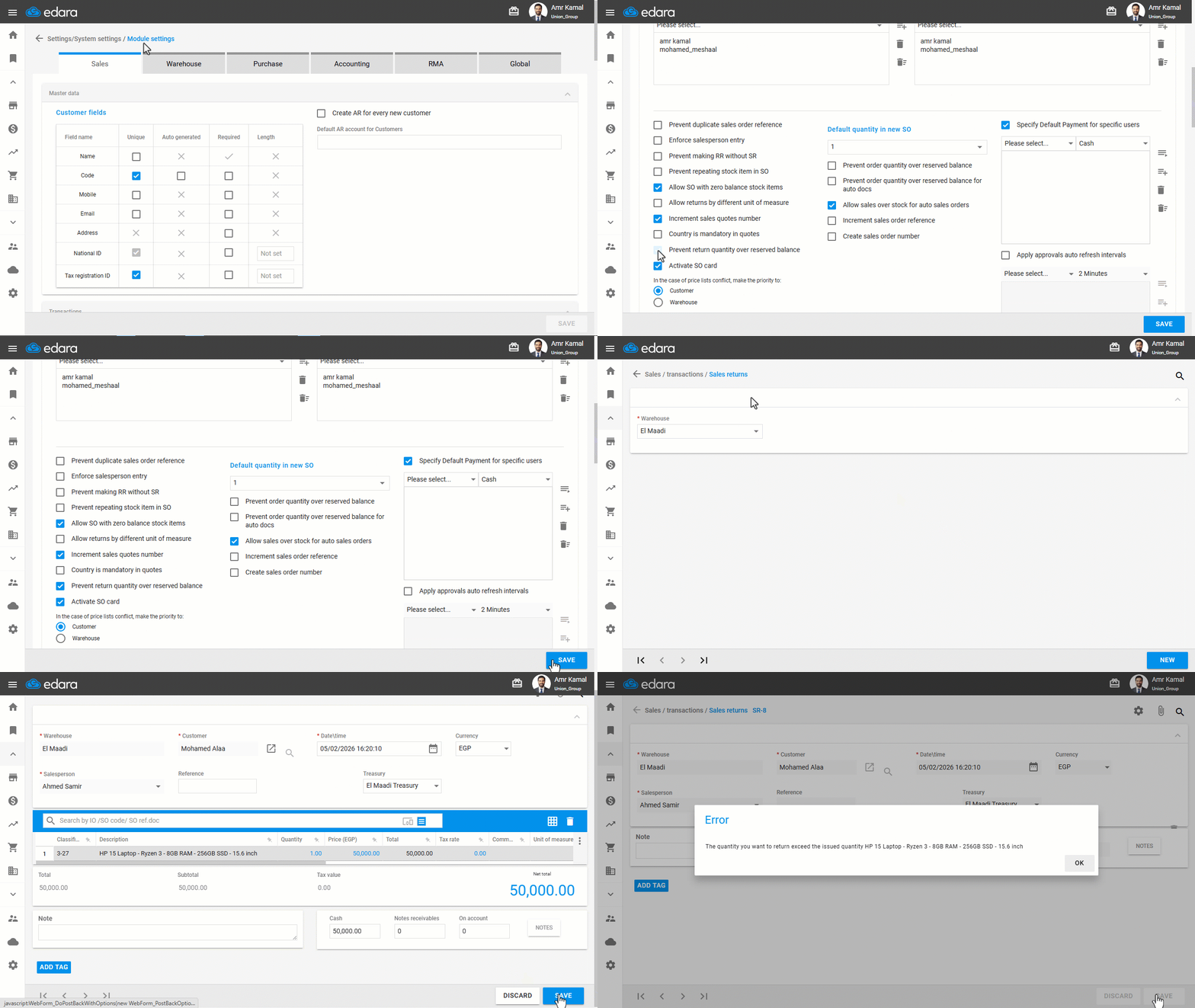
When creating returns linked to a sales order, the return may be made repeatedly by mistake, resulting in returns being recorded in quantities greater than the balance held for the sales order. To prevent this, you can enable settings that prevent return quantity over the reserved balance, whether you are using the approval mode or automatic mode.
Preventing return quantity over the reserved balance
- Go to “Settings”.
- Open the “Module Settings” page.
The default tab here is the “Sales” tab.
- Enable the “Prevent return quantity over reserved balance” option.
- Click on “Save”.
If you encounter any challenges or have questions during these processes, you can contact our technical support team, who are ready to assist you at any time.
Did this answer your question?