

Preventing the Issued Quantity from Exceeding the Reserved Balance
Last updated:
Creating Sales Order documents results in reserving quantities from available stock until they are issued. Therefore, when creating a new sales order, it is necessary to ensure that sufficient stock is available for issuance.
To prevent committing to sell quantities that are not available, “Edara” provides settings that restrict the creation of sales orders with quantities exceeding the available stock.
Preventing the Issued Quantity from Exceeding the Reserved Balance
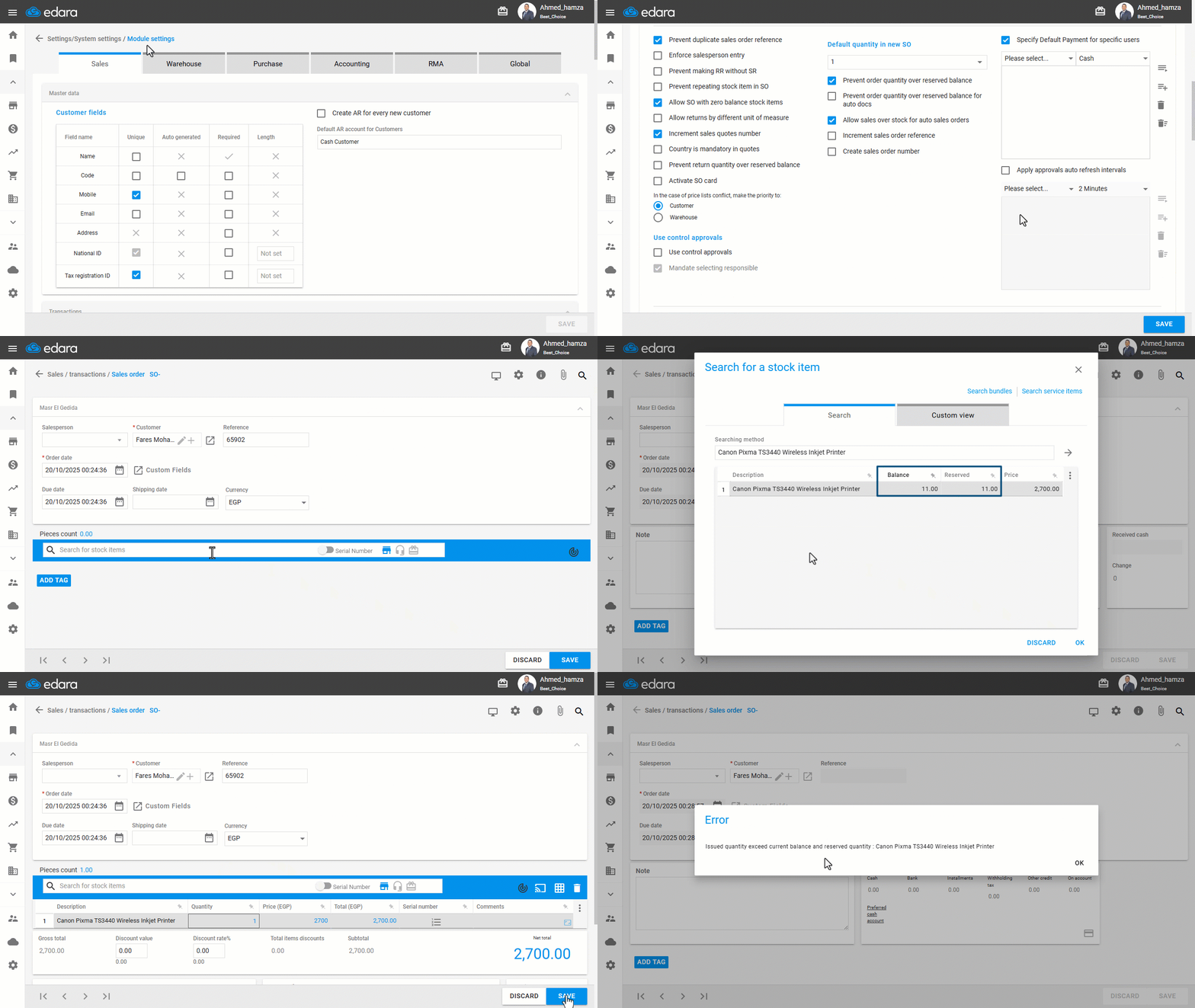
- Go to Settings.
- Open the “Modules Settings” page.
Note: The default selection here is the “Sales” module.
- Activate the “Prevent order quantity over reserved balance” setting.
- Click on “Save”.
The previous setting applies only to sales orders that require approval before being issued. In the case of automatic sales orders, you can enable the setting Prevent order quantity over reserved balance for auto docs.
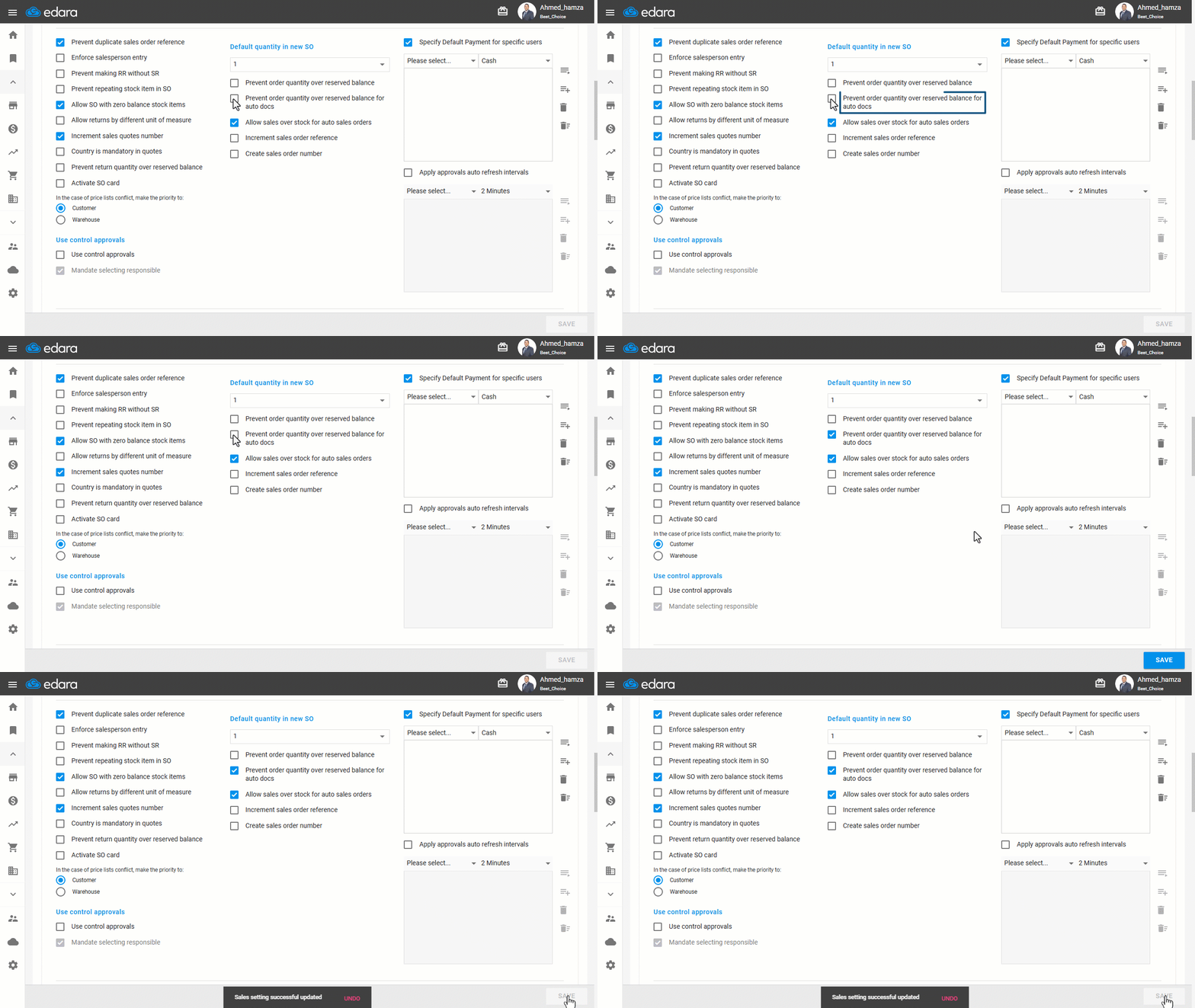
Note: This setting also applies to the reserved balance due to transfer requests.
Frequently asked questions
Does the setting also apply to the balance reserved by transfer requests?
This setting also applies to the reserved balance due to transfer requests.
If you encounter any challenges or have questions during these processes, you can contact our technical support team, who are ready to assist you at any time.