

Configuring National ID and Tax Registration ID Settings for Customers
Last updated:
The default length of a national ID or tax registration number varies from one country to another (whether for local or foreign customers). To accommodate this, “Edara” now allows you to define or remove the "length" requirement for these numbers.
Configuring National ID and Tax Registration ID Settings for Customers
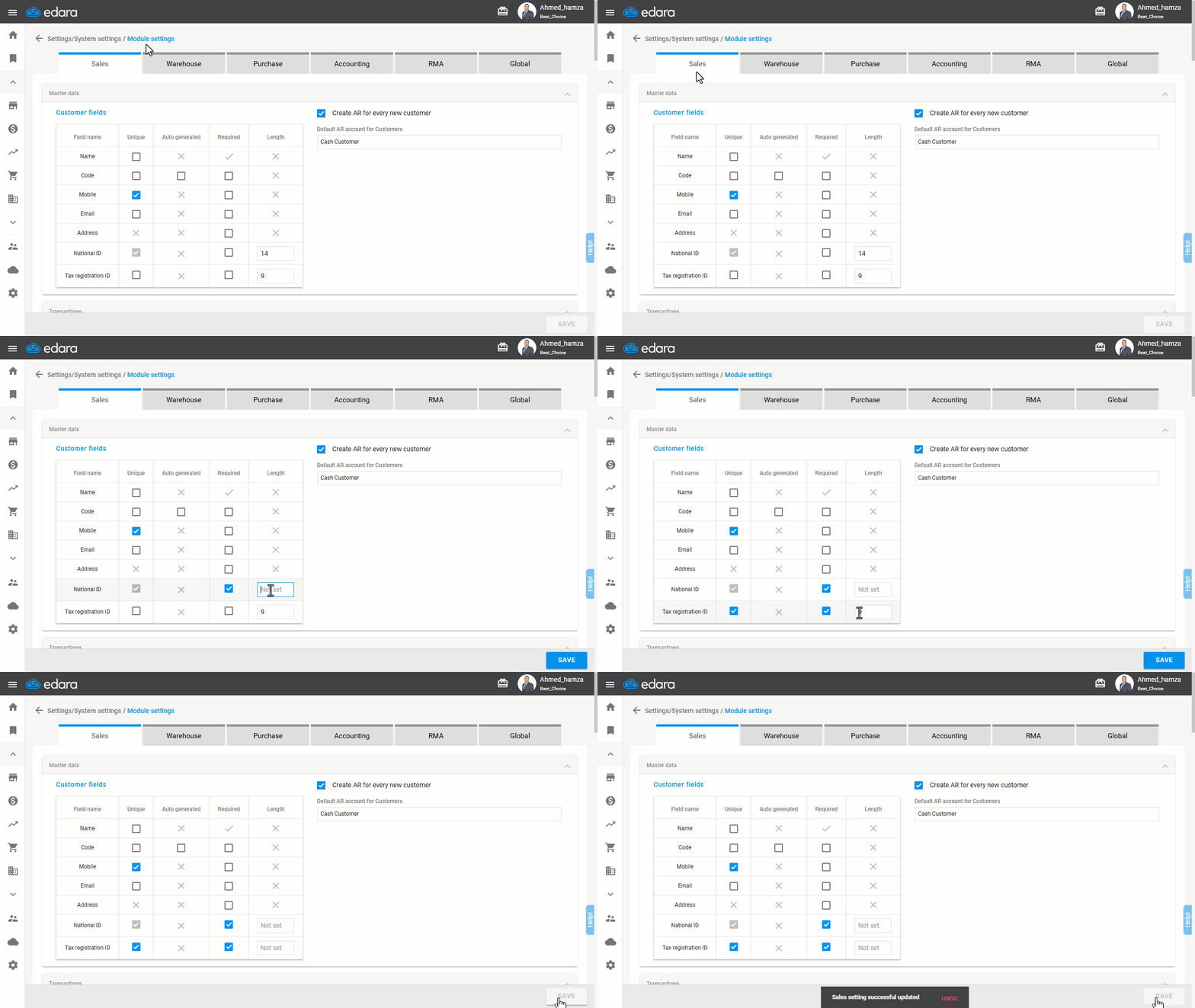
- Go to the "Module Settings" page from the “Settings”.
- Open the "Sales" page.
- Check the box "◻" to make the National ID "Required", then clear the value in the length field to set it as "Not set".
- Check the boxes to make Tax Registration ID "Unique" and "Required", then clear the value in the length field to set it as "Not set" as well.
- Click "Save".
Note: If you are working with customers from a single country, it is better to specify the length of the National ID and Tax Registration ID according to the country's standards, but if you are dealing with customers from multiple countries, it is recommended to leave the length field as "Not set".
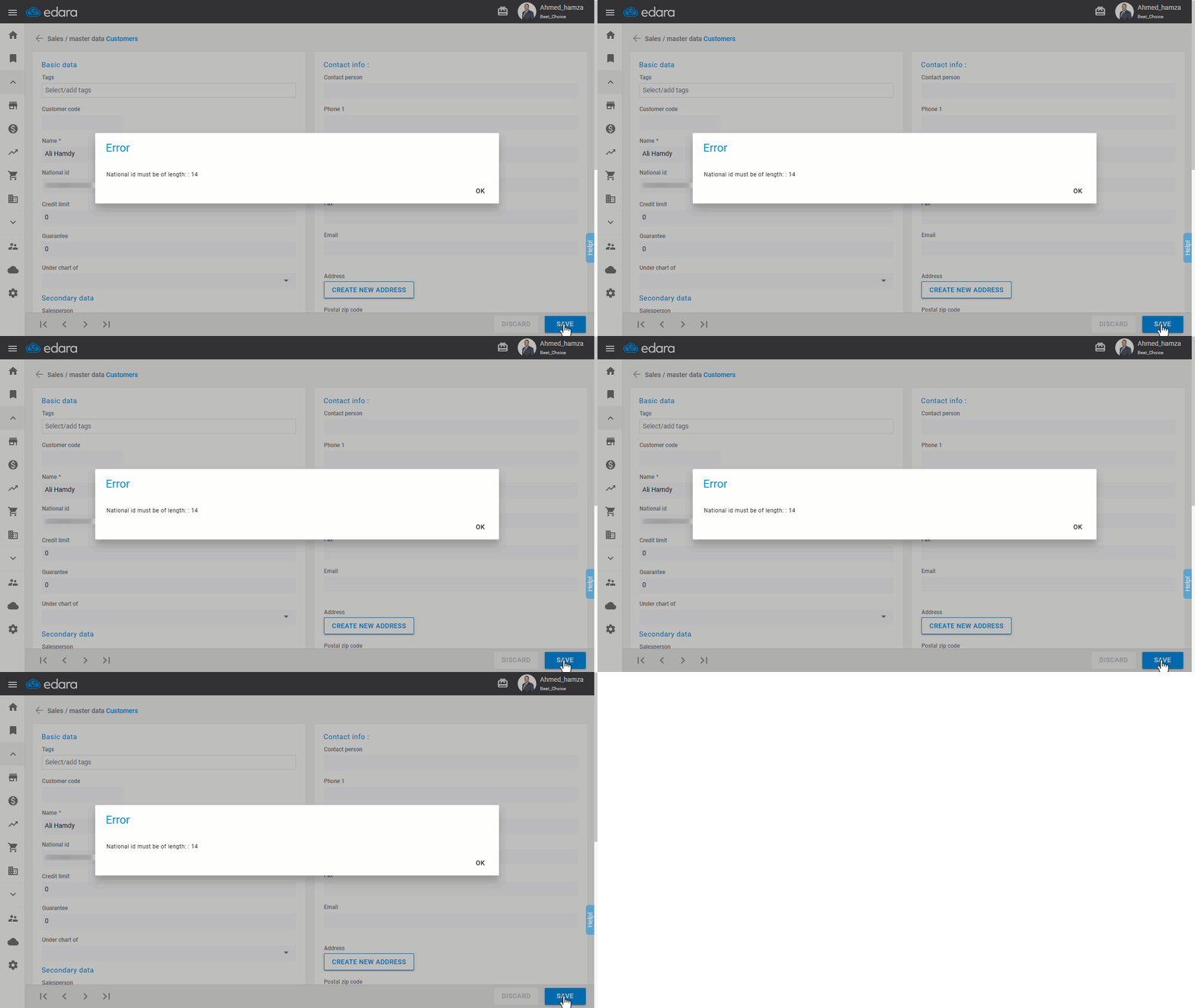
Note: If a specific length is defined for the National ID or Tax Registration ID, you must adhere to it when creating a new customer profile in the system. Otherwise, the following error message will appear:
Frequently asked questions
What is best when setting the length of the national ID and tax registration ID?
If you are working with customers from a single country, it is better to specify the length of the National ID and Tax Registration ID according to the country's standards, but if you are dealing with customers from multiple countries, it is recommended to leave the length field as "Not set".
If you encounter any challenges or have questions during these processes, you can contact our technical support team, who are ready to assist you at any time.