

Enforcing Cost Center Entry in Sales Documents
Last updated:
Enforcing cost center entry in sales documents helps link each transaction to the correct cost center, especially when the auto-apply sales document cost center to accounting entries is enabled.
Enforcing Cost Center Entry in Sales Documents

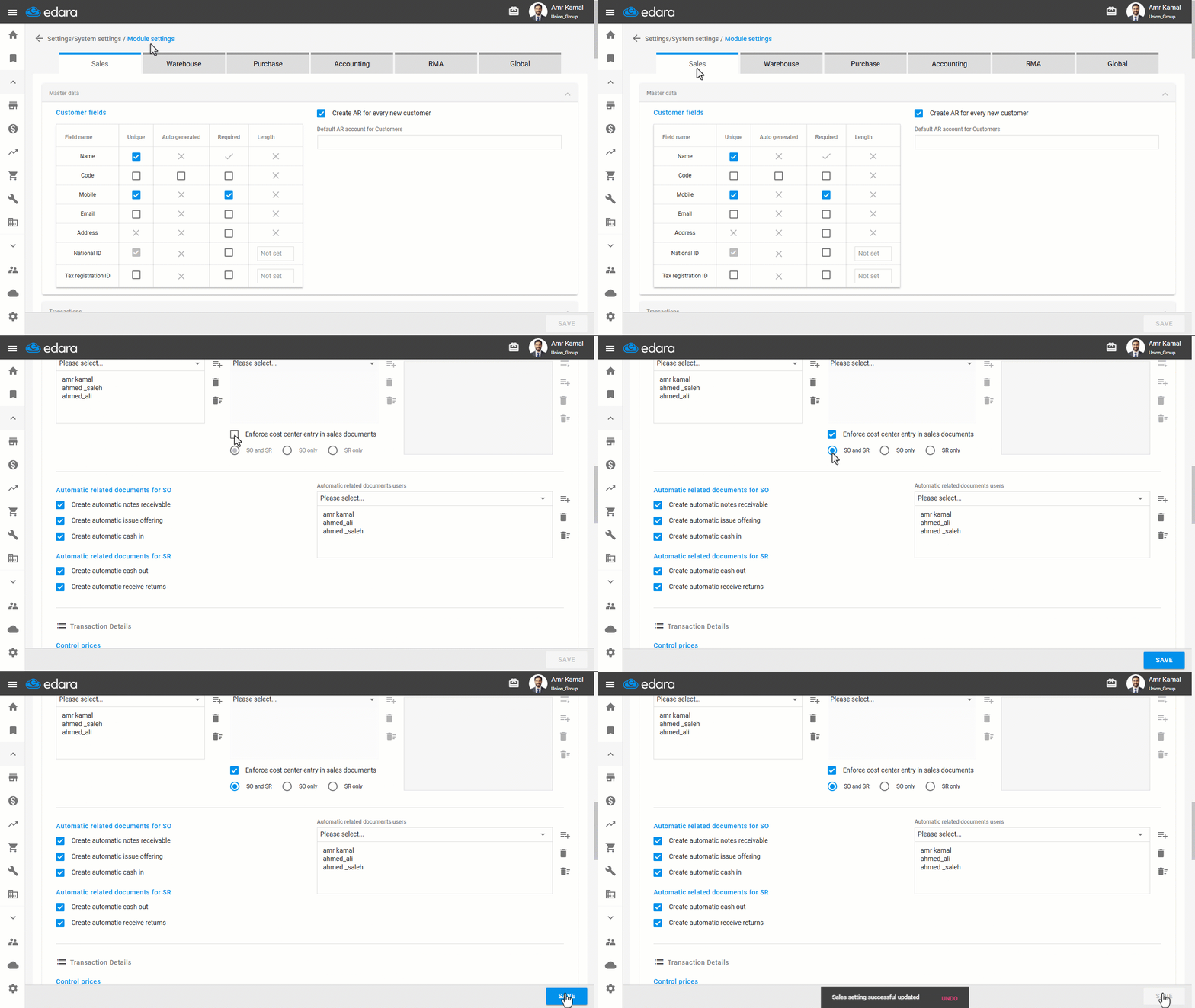
- Go to the “Settings”.
- Open the “Modules Settings” page.
The default tab here is the “Sales”.
- Enable the “Enforce cost center entry in sales documents” setting.
- Select the scope of enforcement: (SO and SR - SO only - SR only)
- Click on “Save”.
Once this setting is enabled, users will not be able to save or update the selected documents unless a Cost Center is selected.
If you encounter any challenges or have questions during these processes, you can contact our technical support team, who are ready to assist you at any time.
Did this answer your question?