

Automatically Applying Sales Document Cost Centers to Accounting Entries
Last updated:
When a sales store or warehouse serves multiple business activities, projects, or operational areas, defining the cost center at the sales document level becomes more accurate than relying only on the default cost center.
Edara now allows you to automatically apply sales document cost centers to related accounting documents, such as Sales Invoices, Cost of Goods Sold entries, Credit Notes, and Journal Entries, ensuring that accounting processing remains aligned with the cost center specified in the document.
Automatically Applying Sales Document Cost Centers to Accounting Entries

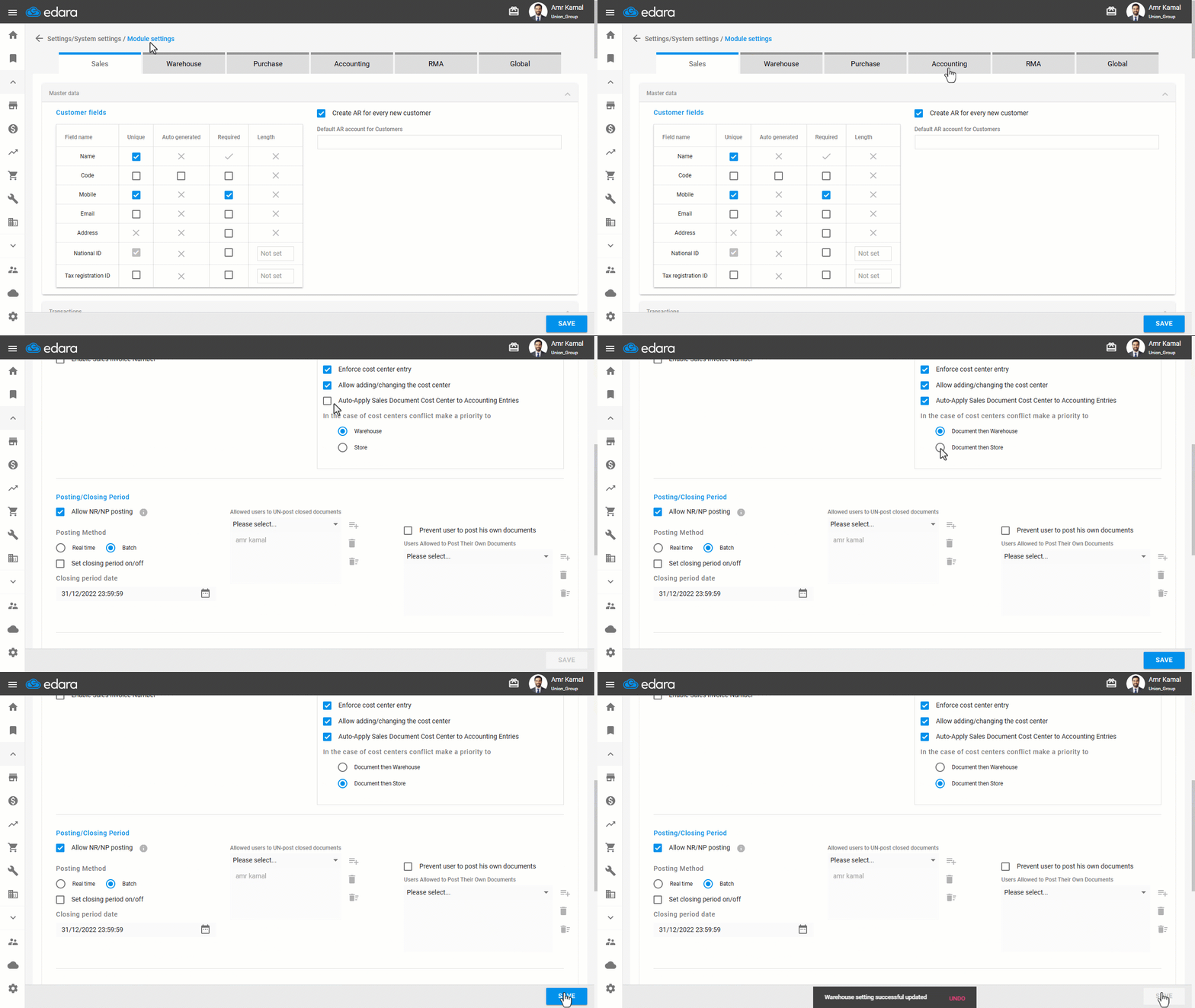
- Go to the “Settings”.
- Open the “Modules Settings” page.
- Select the “Accounting” tab.
- Enable the “Auto-Apply Sales Document Cost Center to Accounting Entries” option.
- Select the priority rule in case of conflict between cost centers, either “Document then Warehouse” or “Document then Store”.
- Click on “Save”.
Once this setting is enabled, the cost center defined in sales documents will be automatically applied to the related accounting documents.
Note: After enabling this setting, the sales document cost center will be applied to related accounting documents only when creating new documents. It will not affect editing documents.
Frequently asked questions
Is the cost center applied to documents created before enabling the setting?
After enabling this setting, the sales document cost center will be applied to related accounting documents only when creating new documents. It will not affect editing documents.
If you encounter any challenges or have questions during these processes, you can contact our technical support team, who are ready to assist you at any time.