

Preventing Selling Under Cost
Last updated:
In some business sectors, sales representatives can adjust item prices based on each customer’s situation. However, in such cases, it is essential to set restrictions, like "Prevent selling under cost”, to avoid potential losses.
"Edara" offers this setting.
Enabling the Setting to Prevent Selling Under Cost
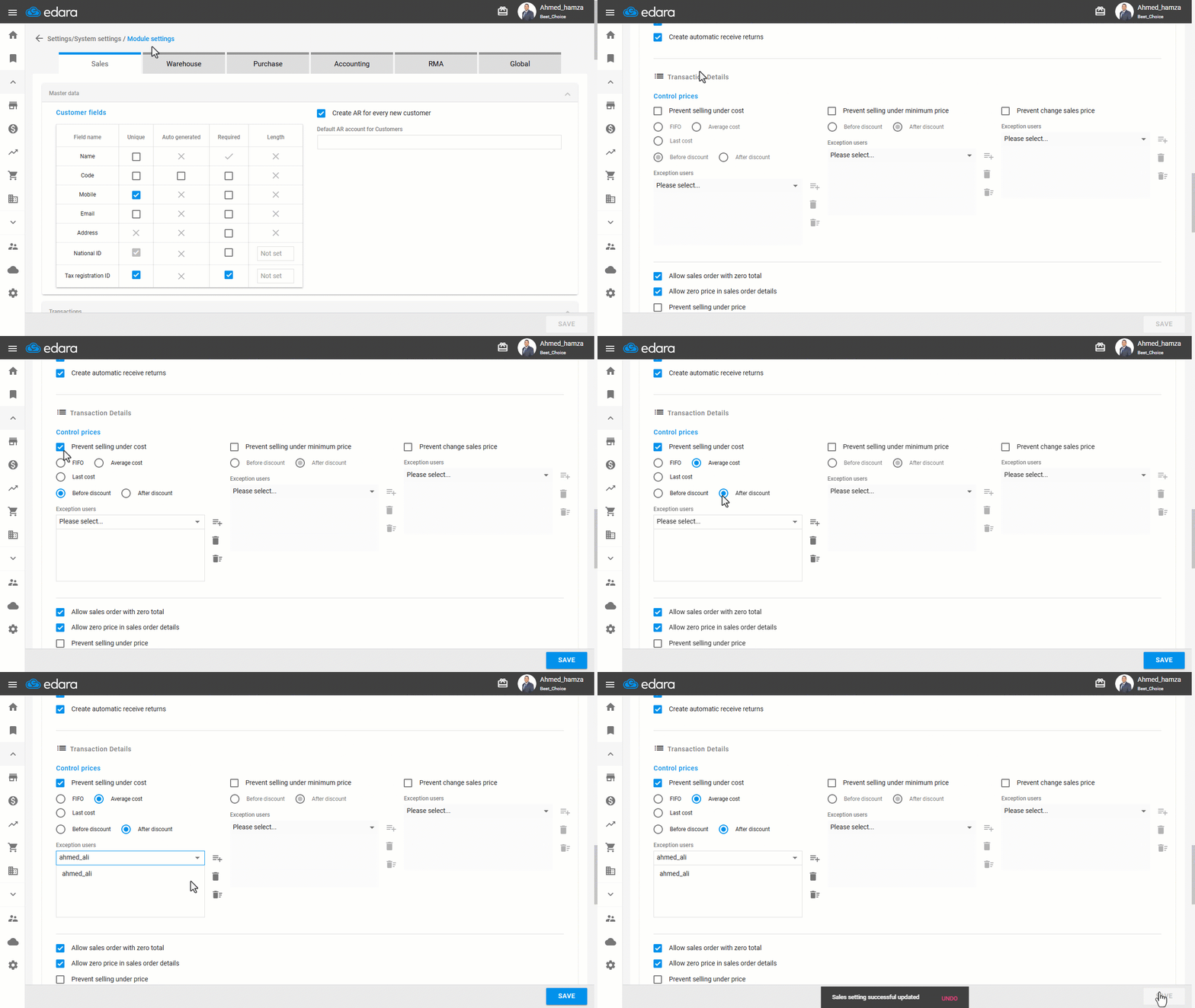
- Go to Settings.
- Open the "Module Settings" page.
Note: The default selection here is the “Sales” module.
- Enable the "Prevent selling under cost" option from the "Control Prices" list.
- Choose the cost calculation method (FIFO, Average Cost, or Last Cost).
- Specify whether preventing sales under cost is calculated before or after discounts.
Note: Exceptions can be made in certain cases. For example, if you wish to offer gifts (items priced at zero) to customers, you will need to except specific users from this setting. To do this, select the user’s name from the "Exceptions" dropdown list.
- Click on "Save".
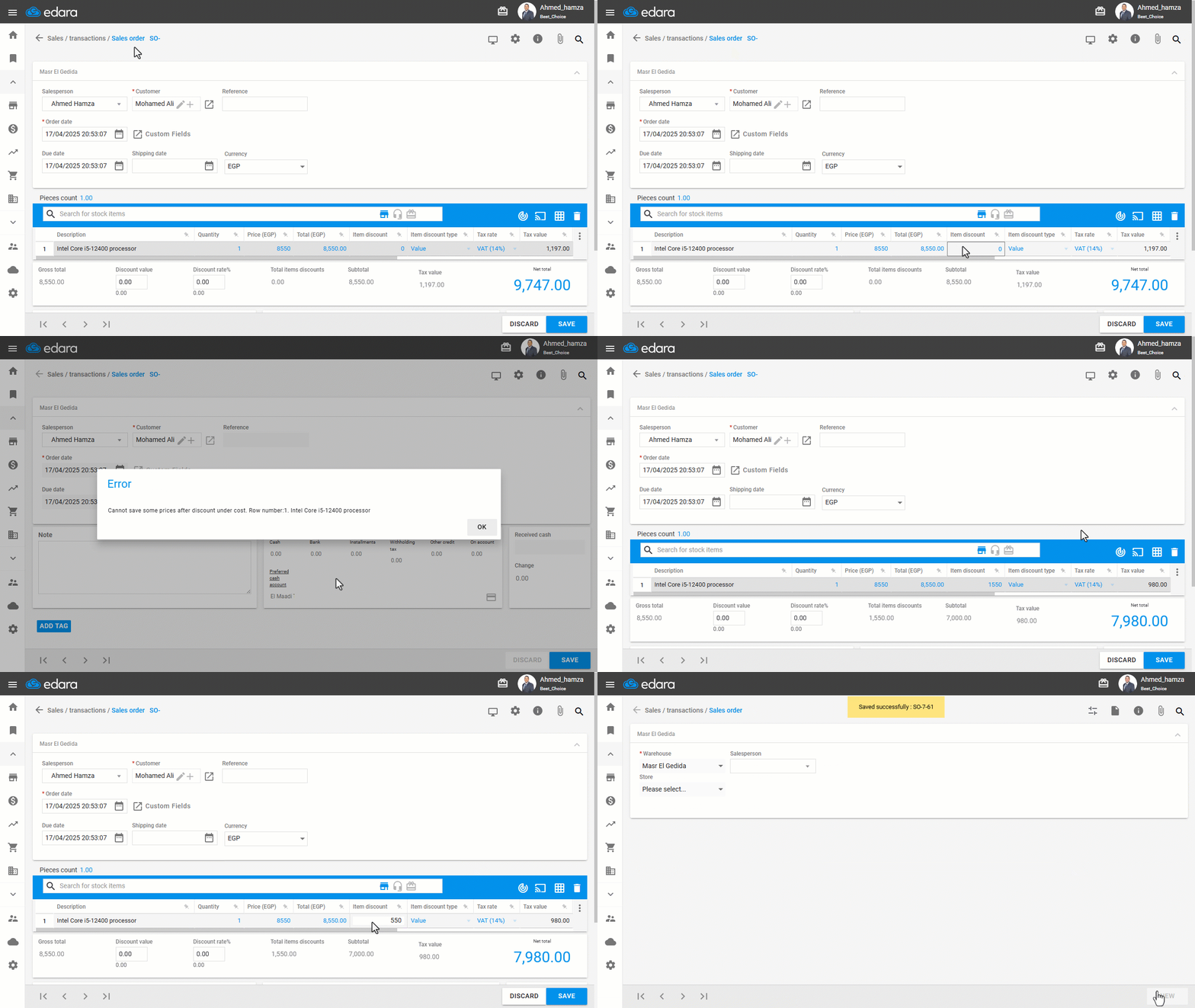
The impact of enabling this setting is shown in the following image:
Frequently asked questions
Can I exempt some users from preventing selling under cost?
Exceptions can be made in certain cases. For example, if you wish to offer gifts (items priced at zero) to customers, you will need to except specific users from this setting. To do this, select the user’s name from the "Exceptions" dropdown list.
If you encounter any challenges or have questions during these processes, you can contact our technical support team, who are ready to assist you at any time.