

Consider Reserved Balance in Transfers
Last updated:
To simplify managing transfers between warehouses and ensure accurate balances, you can consider the reserved balance in transfers, which prevents exceeding the actual balance and makes recording transactions correctly easier.
Consider Reserved Balance in Transfers

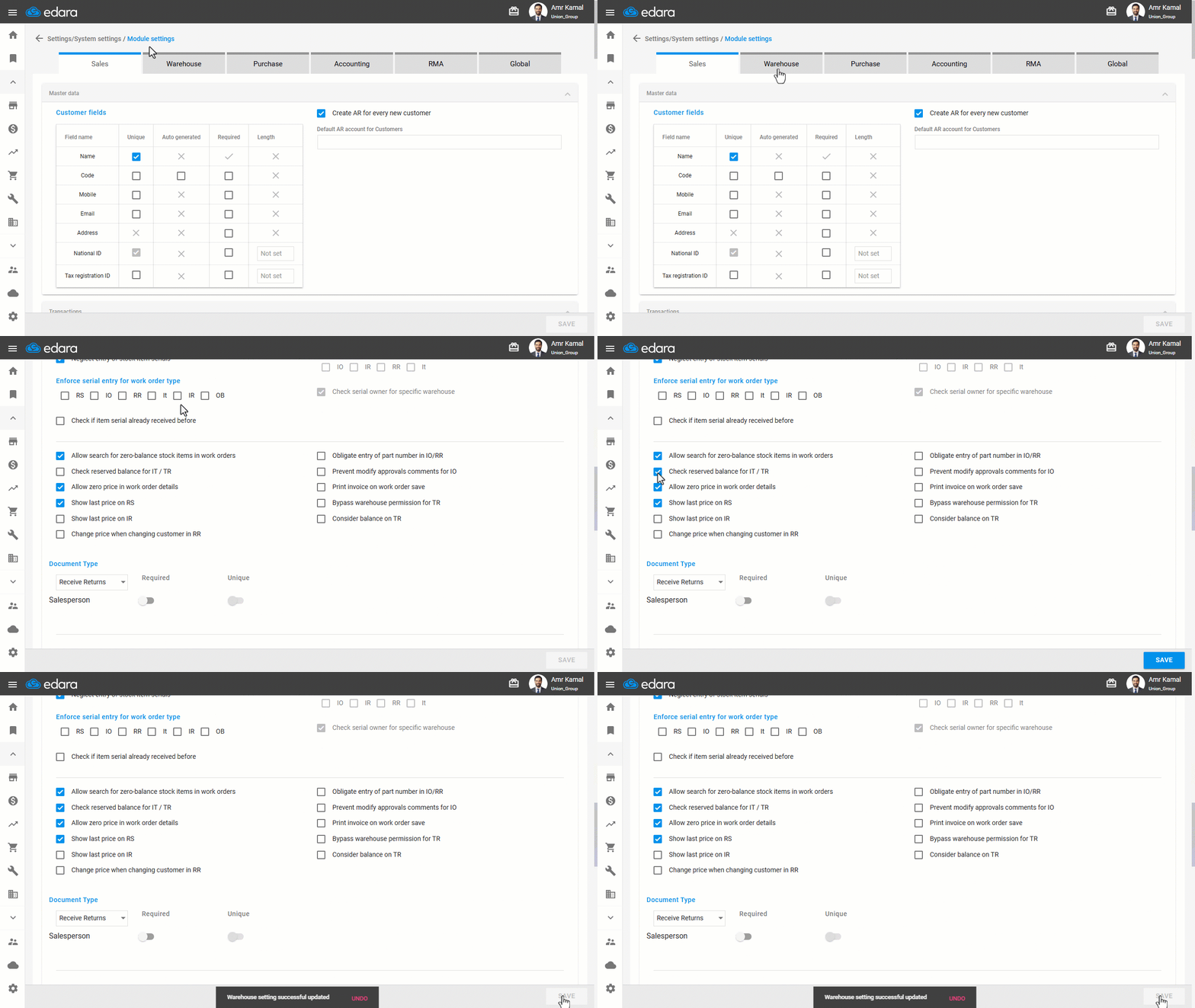
- Go to the “Settings”.
- Open the “Modules Settings” page.
- Go to the “Warehouse” tab.
- Enable the “Check reserved balance for IT / TR” option.
- Click on “Save”.
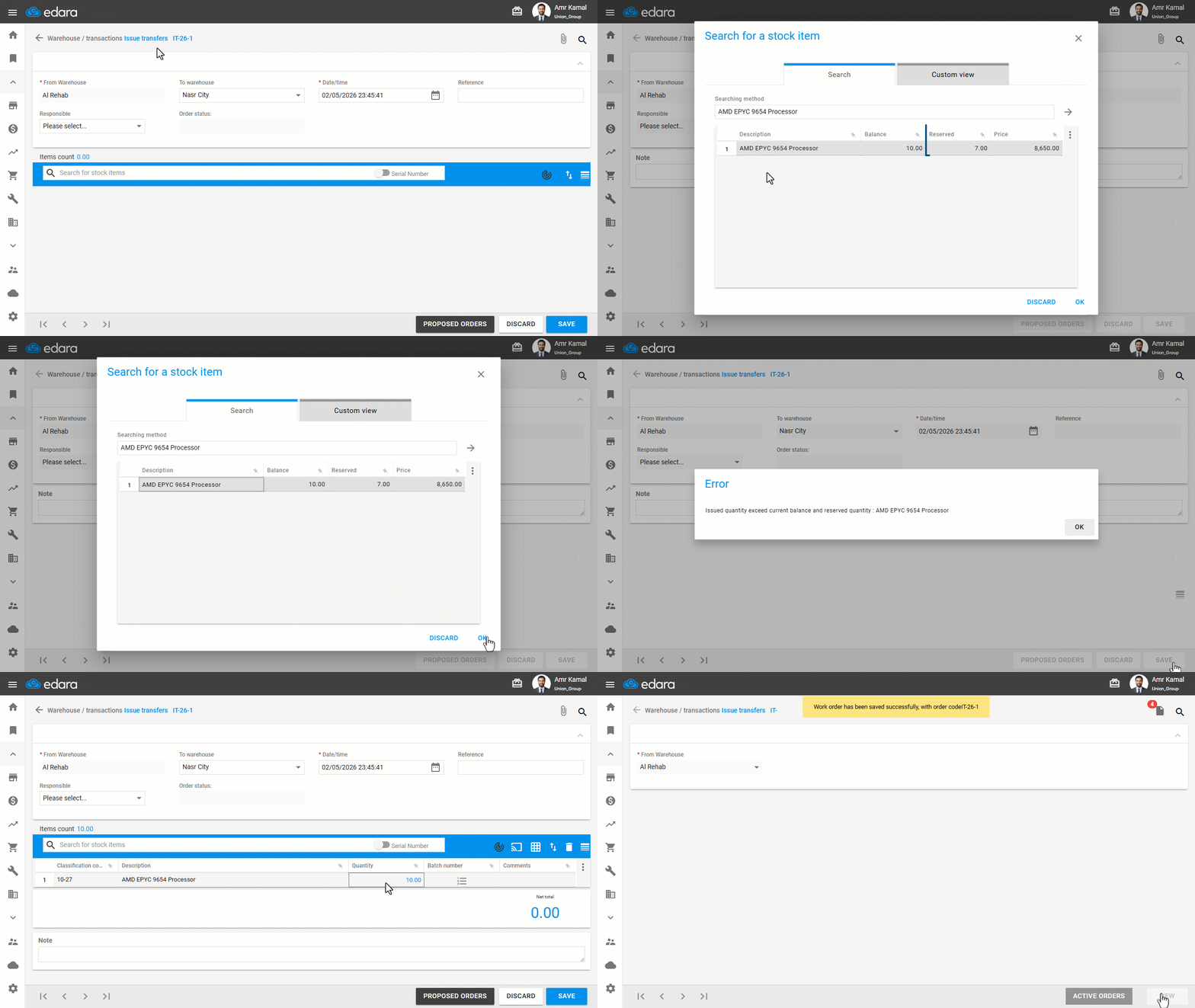
Note: If you attempt to transfer a quantity that exceeds the available balance after calculating the reserved balance, the transfer will not be completed, and an error message will appear as shown in the following image:
If you encounter any challenges or have questions during these processes, you can contact our technical support team, who are ready to assist you at any time.
Did this answer your question?