

Allowing Zero Price in Work Order Details
Last updated:
In some cases, you may need to save warehouse-related documents that include line items with a unit price of zero. “Edara” allows this through a simple settings adjustment.
Allowing Zero Price in Work Order Details
- Go to Settings.
- Open the “Module Settings” page.
- Select the “Warehouse” module.
- Enable the “Allow zero price in work order details” setting.
- Click on “Save”.
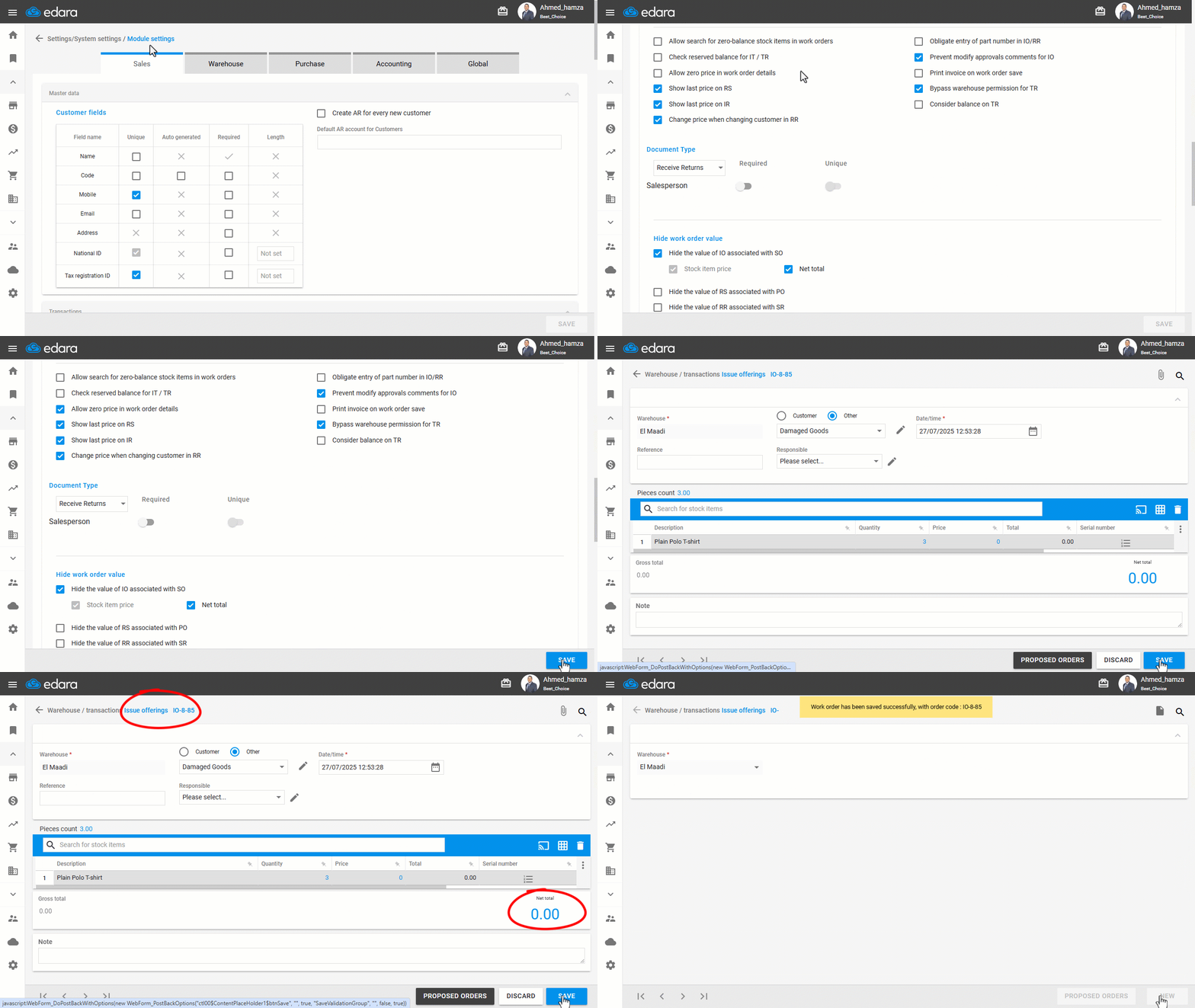
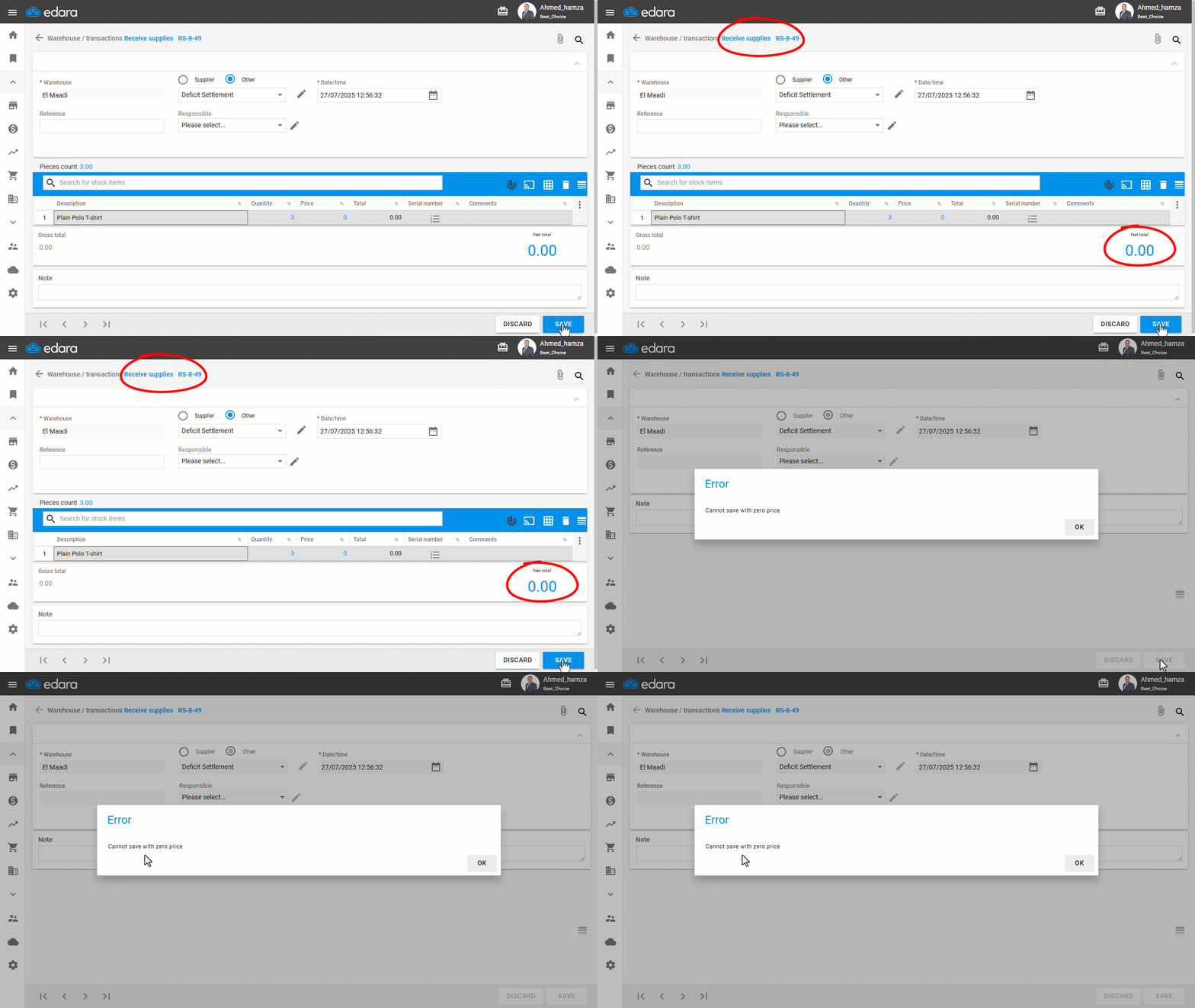
Note: This setting allows you to save any warehouse document (work orders) with zero pricing. However, it does not apply to Receive Supplies Documents, where zero pricing is not permitted.
Frequently asked questions
Can a Receive Supplies document be saved at zero price?
This setting allows you to save any warehouse document (work orders) with zero pricing. However, it does not apply to Receive Supplies Documents, where zero pricing is not permitted.
If you encounter any challenges or have questions during these processes, you can contact our technical support team, who are ready to assist you at any time.
Did this answer your question?