

Requiring the “Responsible” and “Order Paper No.” in the Issue Offerings Documents
Last updated:
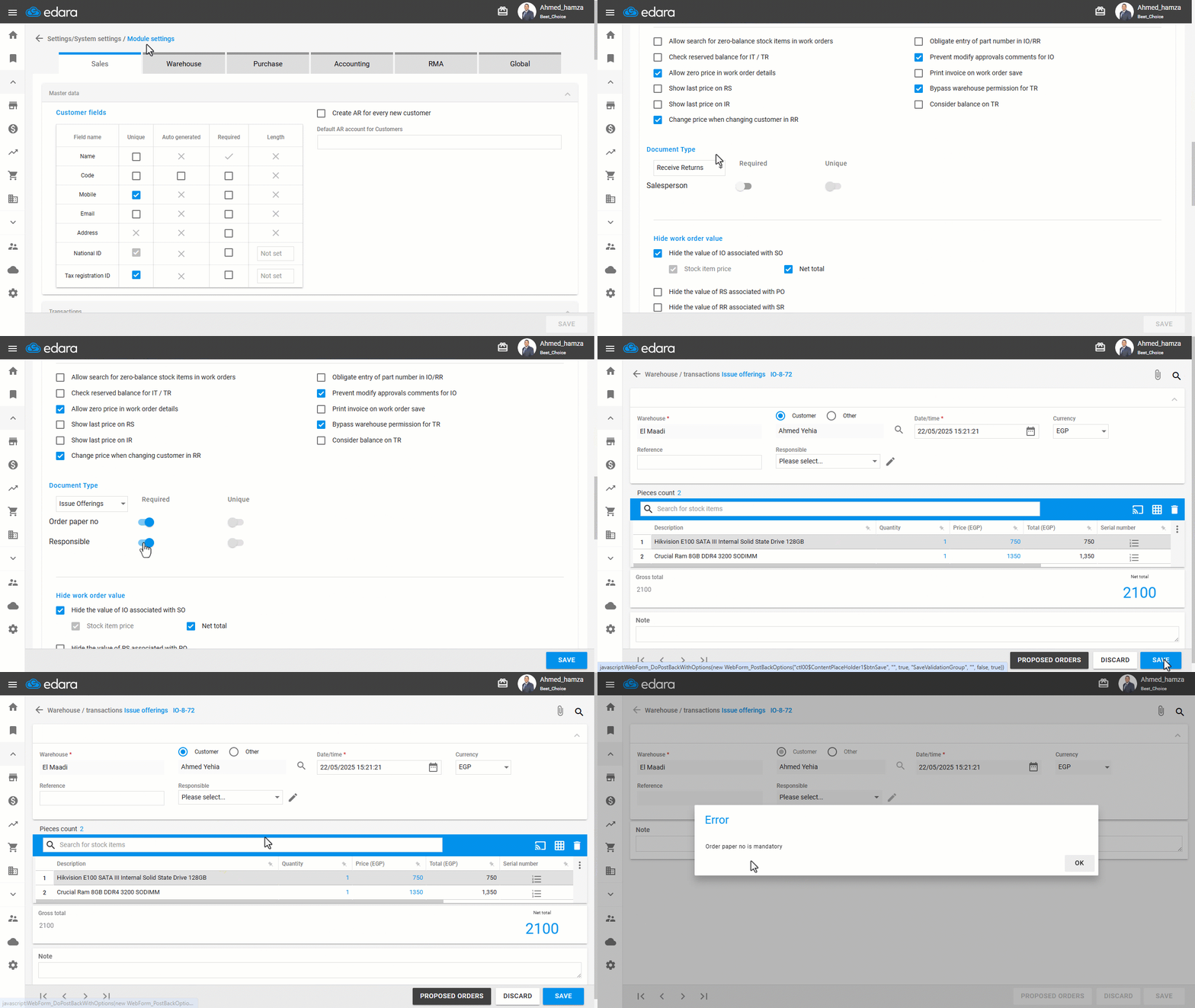
“Edara” allows you to require the storekeeper to enter the "Responsible" and "Order Paper No." before saving an issue offering document.
Specifying the Responsible Person helps identify who is accountable in case of any discrepancies or mistakes during the issue process.
The Order Paper Number facilitates easy reviewing and tracking of inventory issues.
Here’s how to enable this feature.
Requiring the “Responsible” and “Order Paper No.” in the Issue Offerings Documents
- Go to Settings.
- Open the “Modules Settings” page.
- Select the “Warehouse” module.
- Specify the document type to be: “Issue Offerings”.
- Enable the required field(s): “Responsible” and/or “Order Paper No.”.
- Click on “Save”.
If you encounter any challenges or have questions during these processes, you can contact our technical support team, who are ready to assist you at any time.
Did this answer your question?