

Allow Creating Transfer Requests Without Considering Stock Balances
Last updated:
Before peak seasons, branches often need to request quantities that are not yet available. Early registration helps in planning supplies.
Therefore, some companies allow the creation of transfer requests between branches without checking the stock balance in the source warehouse to review demands and accurately estimate requirements.
Learn how to enable this feature with "Edara".
Allow Creating Transfer Requests Without Considering Stock Balances
Note: By default, the system considers the stock balance in the source warehouse when creating a transfer request.
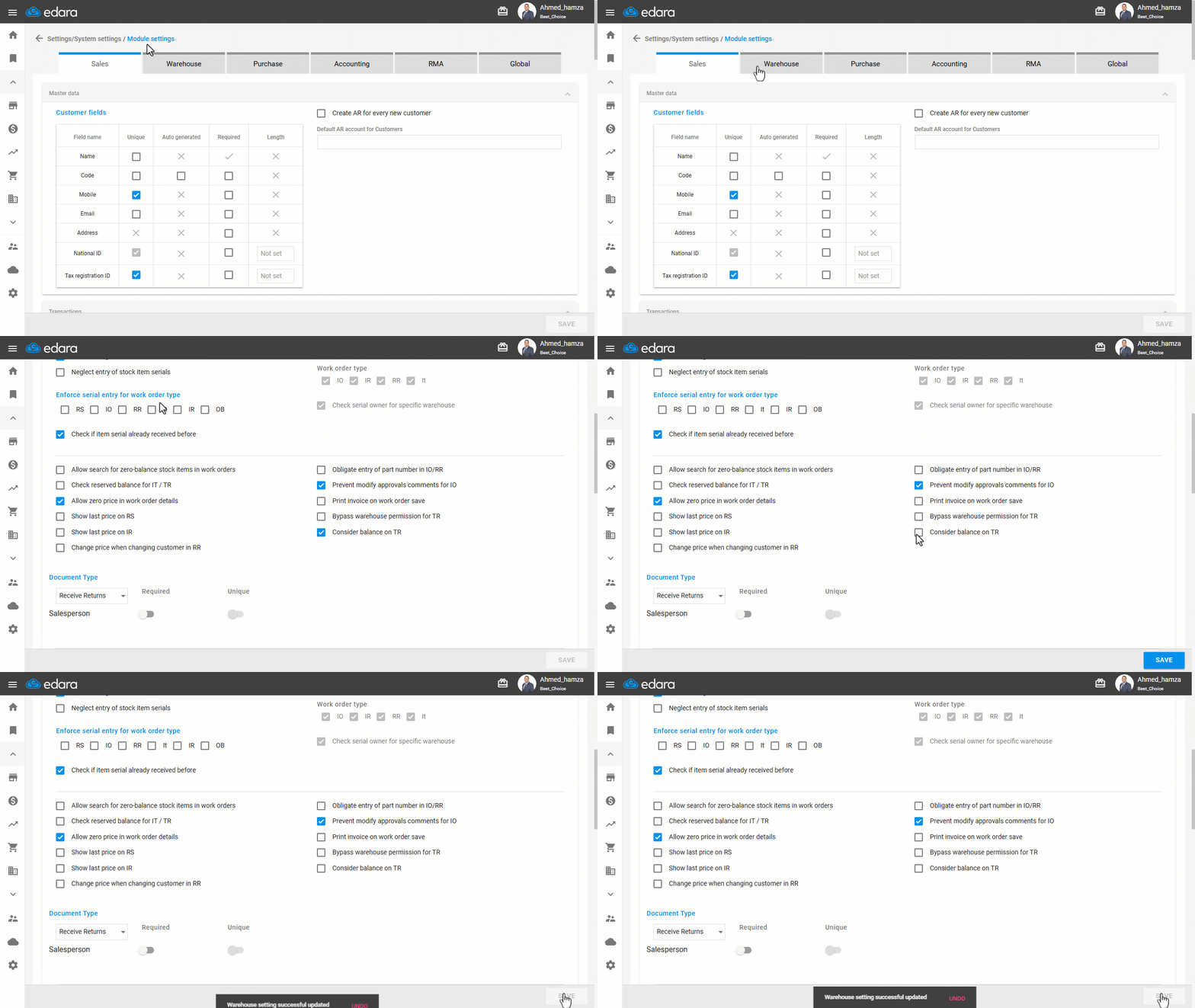
- Go to Settings.
- Open the "Modules Settings" page.
- Choose the "Warehouse" module.
- Disable the option "Consider balance on TR" by unchecking ☑️.
- Click on "Save".
Frequently asked questions
What is the default when creating a transfer request?
By default, the system considers the stock balance in the source warehouse when creating a transfer request.
If you encounter any challenges or have questions during these processes, you can contact our technical support team, who are ready to assist you at any time.