

Changing Stock Item Prices in Receive Returns when the Customer Changes
Last updated:
If you are dealing with customers with different price lists, “Edara” allows you to change the prices of the stock item according to the customer's price list.
Learn the steps to do so.
Changing Stock Item Prices in Receive Returns when the Customer Changes
If you want to create a receive return through a Warehouse, and don't want to add prices manually, you can follow the steps below to activate the necessary setting:
- Go to Settings.
- Open the “Modules Settings” page.
- Select the "Warehouse” module.
- Activate the "Change price when changing customer in RR" option.
- Click on "Save".
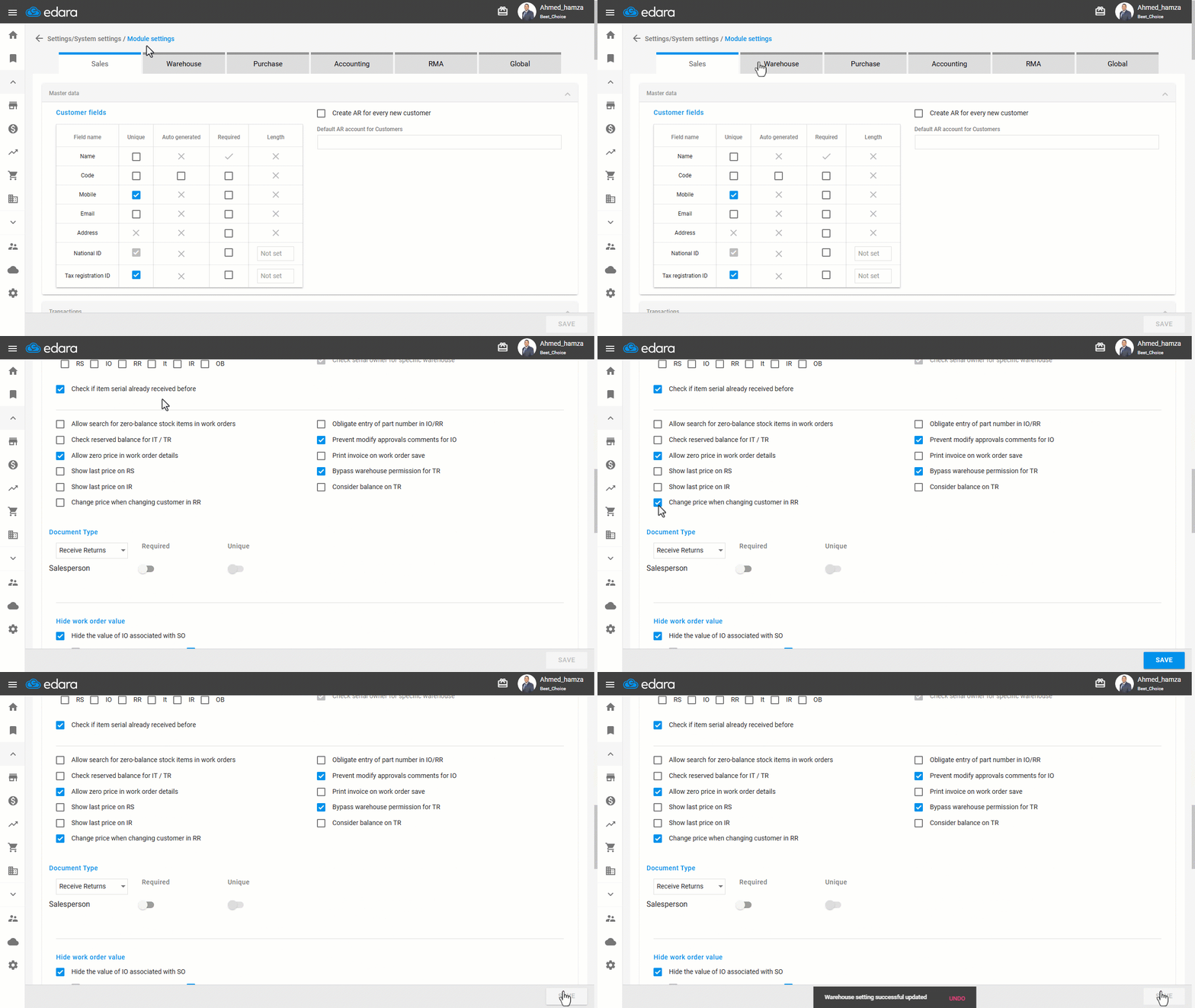
After activating the setting, the result is as follows:
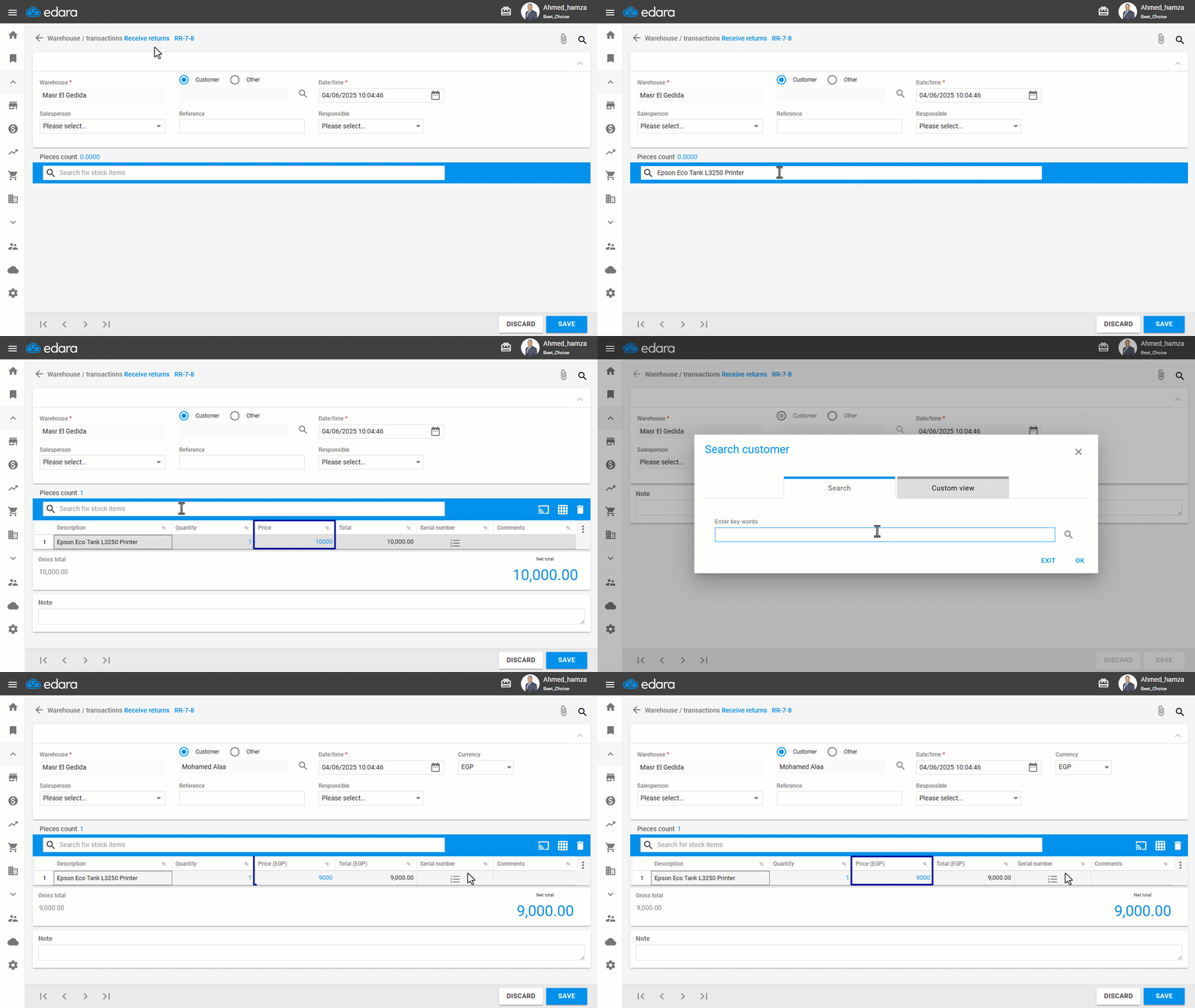
If you encounter any challenges or have questions during these processes, you can contact our technical support team, who are ready to assist you at any time.
Did this answer your question?