

Preventing Serial Number Duplication During Receive Supplies
Last updated:
When receiving supplies, the same serial number may be mistakenly entered twice—either for two units of the same stock item or for different items. This can result in missing stock records in the system, requiring significant time and effort to resolve.
For example, if you receive a shipment of (100 keyboards and 100 mouses), you might accidentally assign the same serial number to two different mouses or even to a mouse and a keyboard.
To avoid these errors and ensure accuracy in operations, you can activate settings to prevent serial number duplication, either for individual stock items or across all items in the system.
Preventing Serial Number Duplication During Receive Supplies
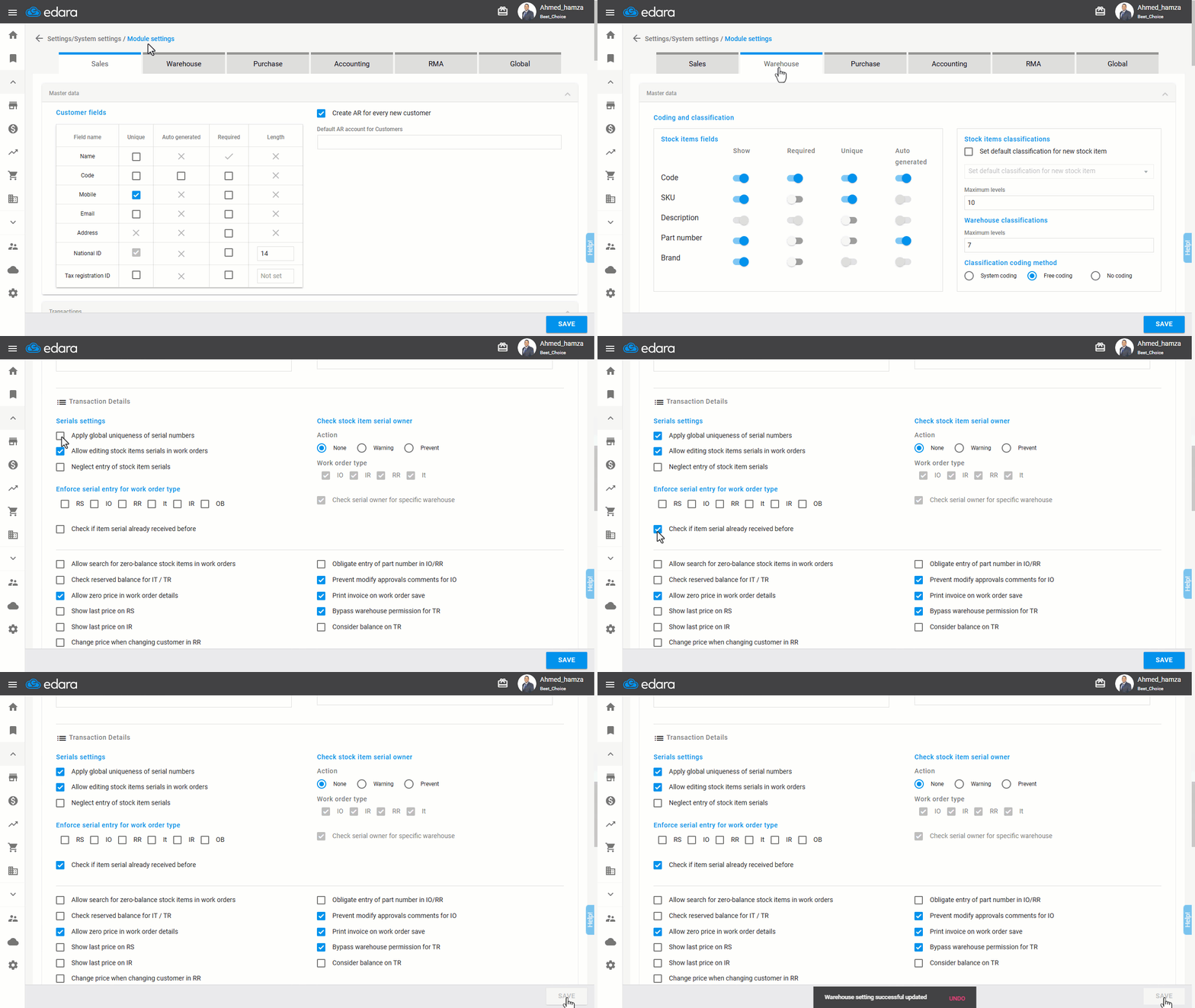
- Go to Settings.
- Select Module Settings.
- Choose Warehouse Section.
- Enable “Check if Item serial already received before” to prevent serial number duplication for a single stock item.
- Enable “Apply global uniqueness of serial numbers” to prevent serial number duplication across all stock items.
- Click on “Save”.
Note: If a stock item with a registered serial number has been issued (e.g., through a return or a new receive supplies), the system will allow the serial number to be used again.
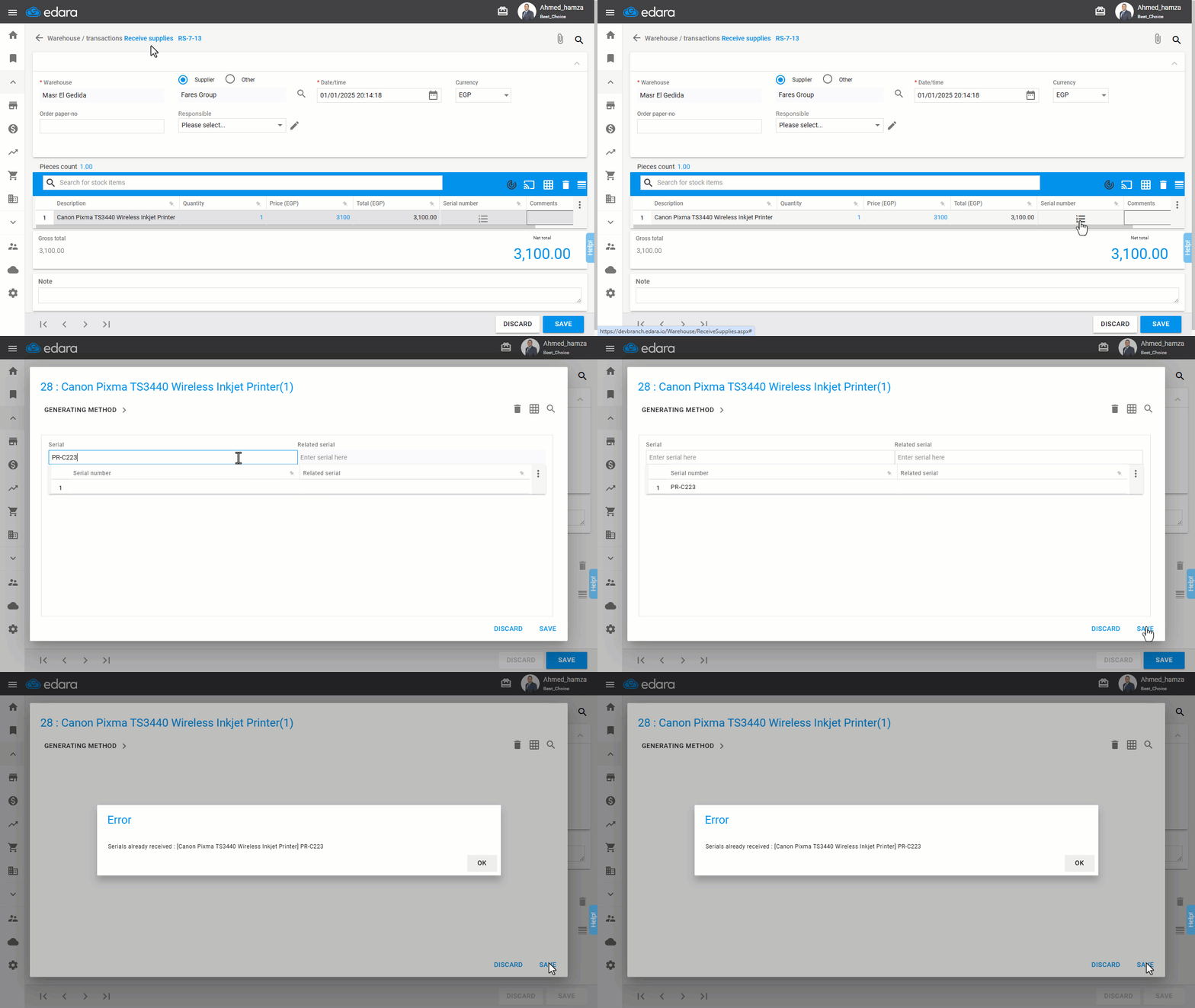
Note: If you mistakenly duplicate a serial number after enabling these settings, the system will block the entry and display an error message.
Frequently asked questions
Can the same serial number be received again after enabling the setting?
If a stock item with a registered serial number has been issued (e.g., through a return or a new receive supplies), the system will allow the serial number to be used again.
If you encounter any challenges or have questions during these processes, you can contact our technical support team, who are ready to assist you at any time.