

Skipping "Brand" in Stock Item Coding
Last updated:
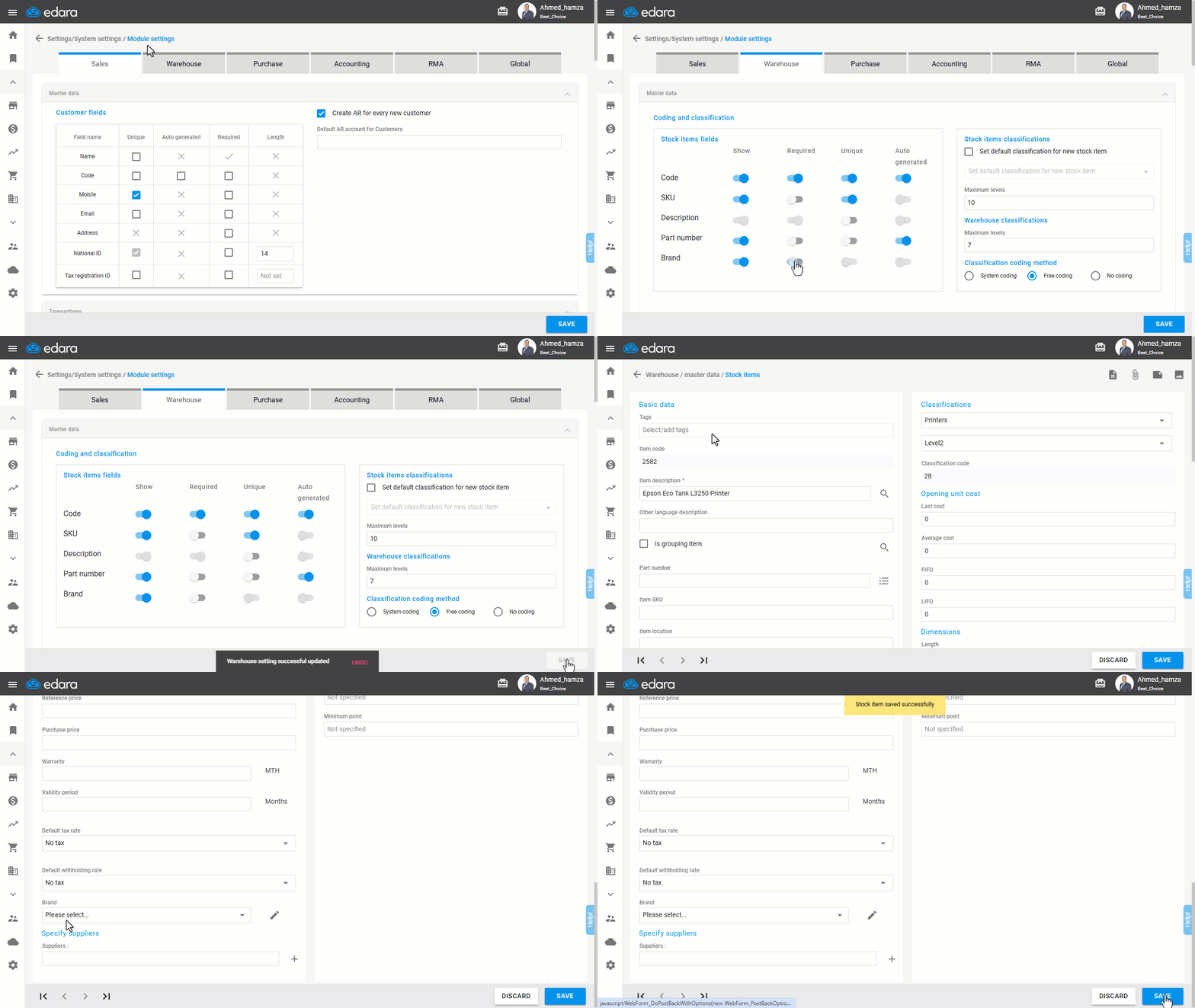
"Edara" offers high flexibility when handling item data, allowing you to skip the brand registration for an item, thus speeding up the coding process.
Skipping "Brand" in Stock Item Coding
- Go to Settings.
- Open Module Settings.
- Select the “Warehouse” module.
- Uncheck the Required box next to “Brand”.
- Click “Save”.
If you encounter any challenges or have questions during these processes, you can contact our technical support team, who are ready to assist you at any time.
Did this answer your question?