

Required Sales Price for Stock Items
Last updated:
When the "Prevent change sales price" setting is enabled, it becomes mandatory to enter a non-zero sales price when creating any new item. If the price is forgotten or recorded as zero, this may either block the sales process entirely or cause it to be executed at an incorrect price, which impacts the accuracy of operations.
This feature ensures that a non-zero sales price is entered when saving or updating, helping maintain smooth sales operations and avoiding any unexpected interruptions.
Required Sales Price for Stock Items
- Go to the “Settings” module.
- Open “Modules Settings”.
- Select the “warehouse” module.
- Click on "
 " to enable the “Required” checkbox next to “Sales Price”.
 - Click on “Save”.
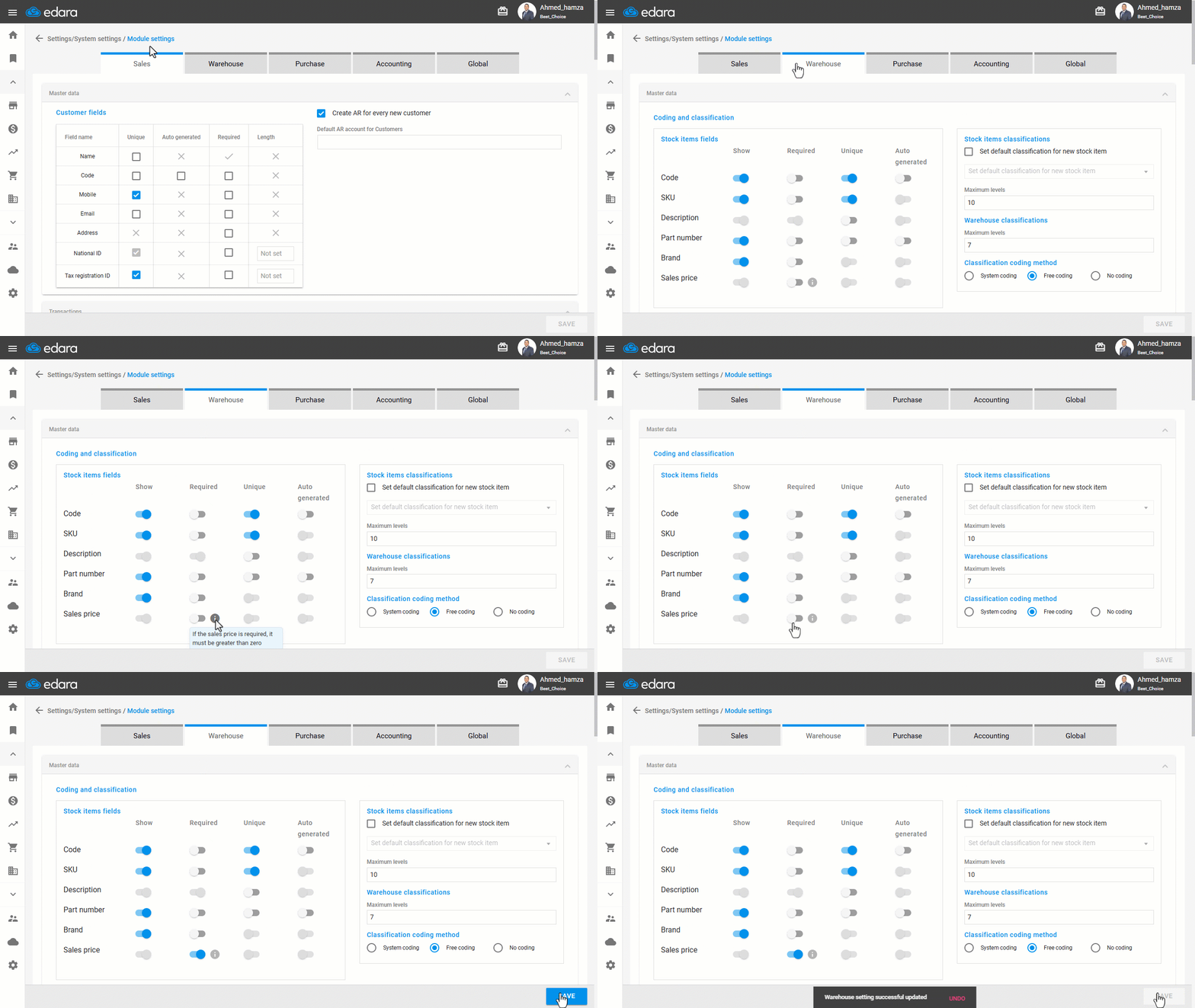
- If the item is saved without specifying a non-zero sales price, the system will display the message: "Sales price must be greater than zero.
Notes:
- This setting only affects the sales price and does not include other price types, such as dealer or super dealer price.
- It’s recommended to review your sales team’s permissions to make sure the setting aligns with your company’s pricing policies.
- This requirement applies when:
- Creating a new item.
- Editing an item from the stock item master data page or through bulk item editing.
- Importing new items using Excel files.
- Creating or editing items through integrations with external systems (such as Shopify, Salla, and others)
Frequently asked questions
Does the setting include the dealer and super dealer prices?
This setting only affects the sales price and does not include other price types, such as dealer or super dealer price.
If you encounter any challenges or have questions during these processes, you can contact our technical support team, who are ready to assist you at any time.