

Allowing Part Number Duplication
Last updated:
The same part number can be duplicated with different stock item specifications such as color or size, so “Edara” allows duplication of the part number, making it easier to manage and organize inventory effectively.
Learn the steps to do so.
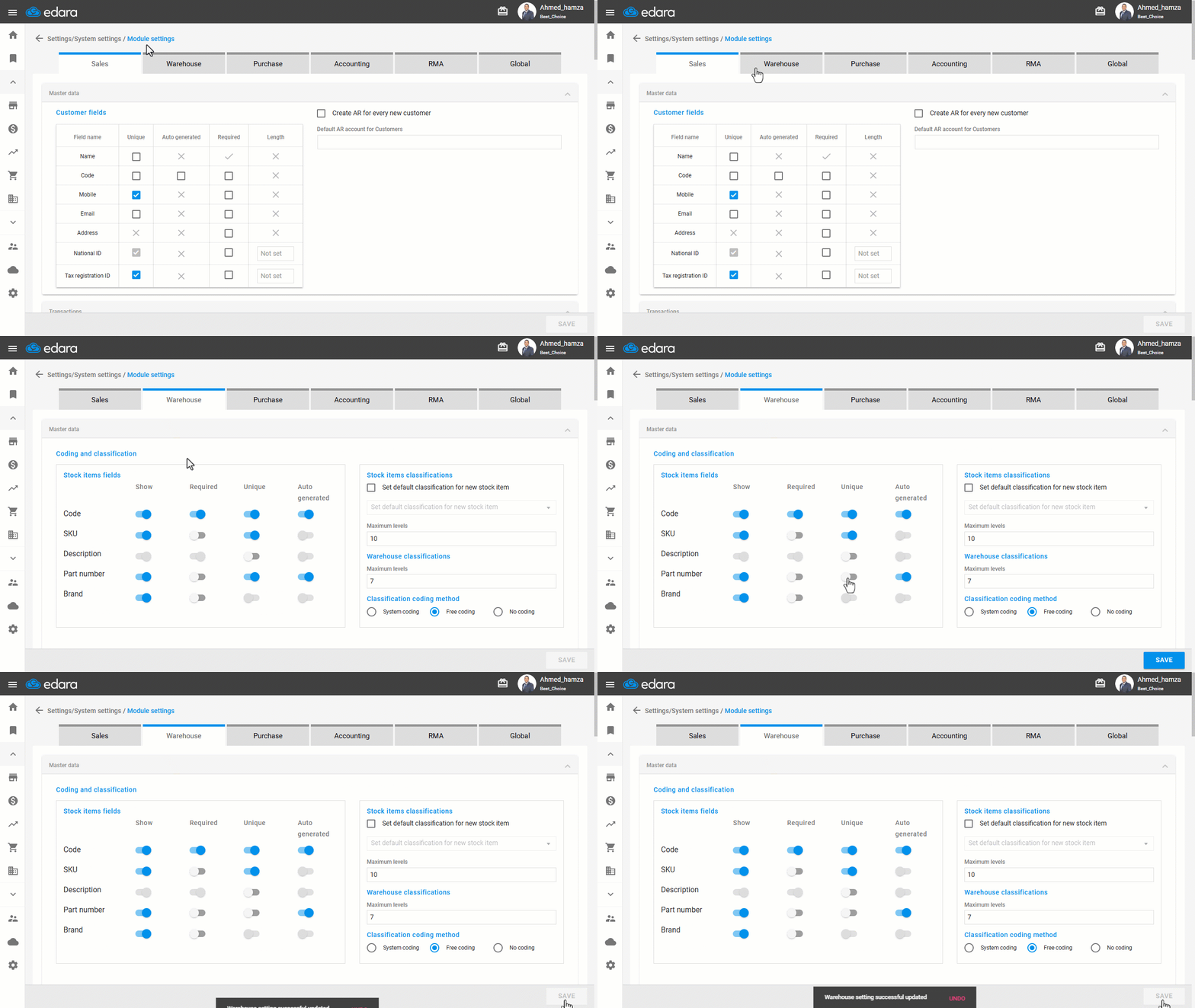
Allowing Part Number Duplication
- Go to Settings.
- Open the "Modules Settings" page.
- Select the ‘Warehouse” module.
- Deactivate the "Unique" option in the part number.
- Click on “Save”.
If you encounter any challenges or have questions during these processes, you can contact our technical support team, who are ready to assist you at any time.
Did this answer your question?