

Viewing Proposed Receive Returns and Saving it
Last updated:
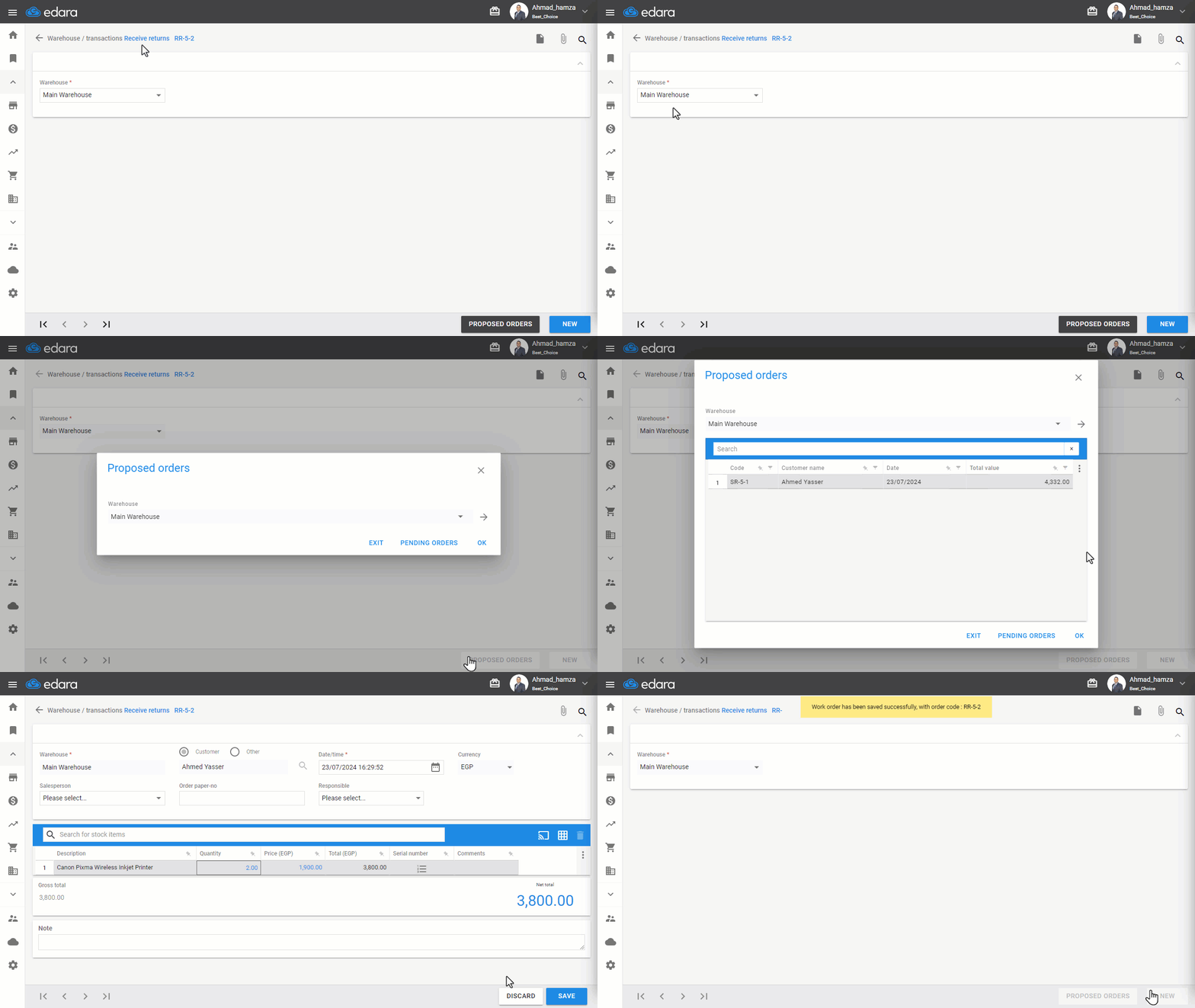
"Edara" offers two types of sales return orders: “Stock return orders” that the warehouse keeper can create and specify items and quantities, and return orders linked to an approved sales return, referred to as "Proposed Receive Returns".
Viewing Proposed Receive Returns and Saving it
- Go to the Warehouse Module.
- Open the Receive Returns page.
- Choose the Warehouse.
- Click on "Proposed Orders".
- Click on "→".
- Select the Order.
- Click "Save".
If you encounter any challenges or have questions during these processes, you can contact our technical support team, who are ready to assist you at any time.
Did this answer your question?