

Using Control Approvals
Last updated:
If you have multiple warehouse responsibles and want to distribute the task of issuing offerings among them, you can do so using Control Approvals.
Using Control Approvals
This is done in two basic steps:
1- Activate the "Control Approvals" setting
- Go to Settings.
- Open the "Modules Settings" page.
Note: The default selection here is the "Sales" module.
- Activate the "Use control approvals" setting.
- Click on "Save".
Note: This setup is linked to another setting called “Mandate Selecting Responsible”. When enabled, the system will require you to specify the warehouse responsible for issuing offerings in order to complete the approval process.
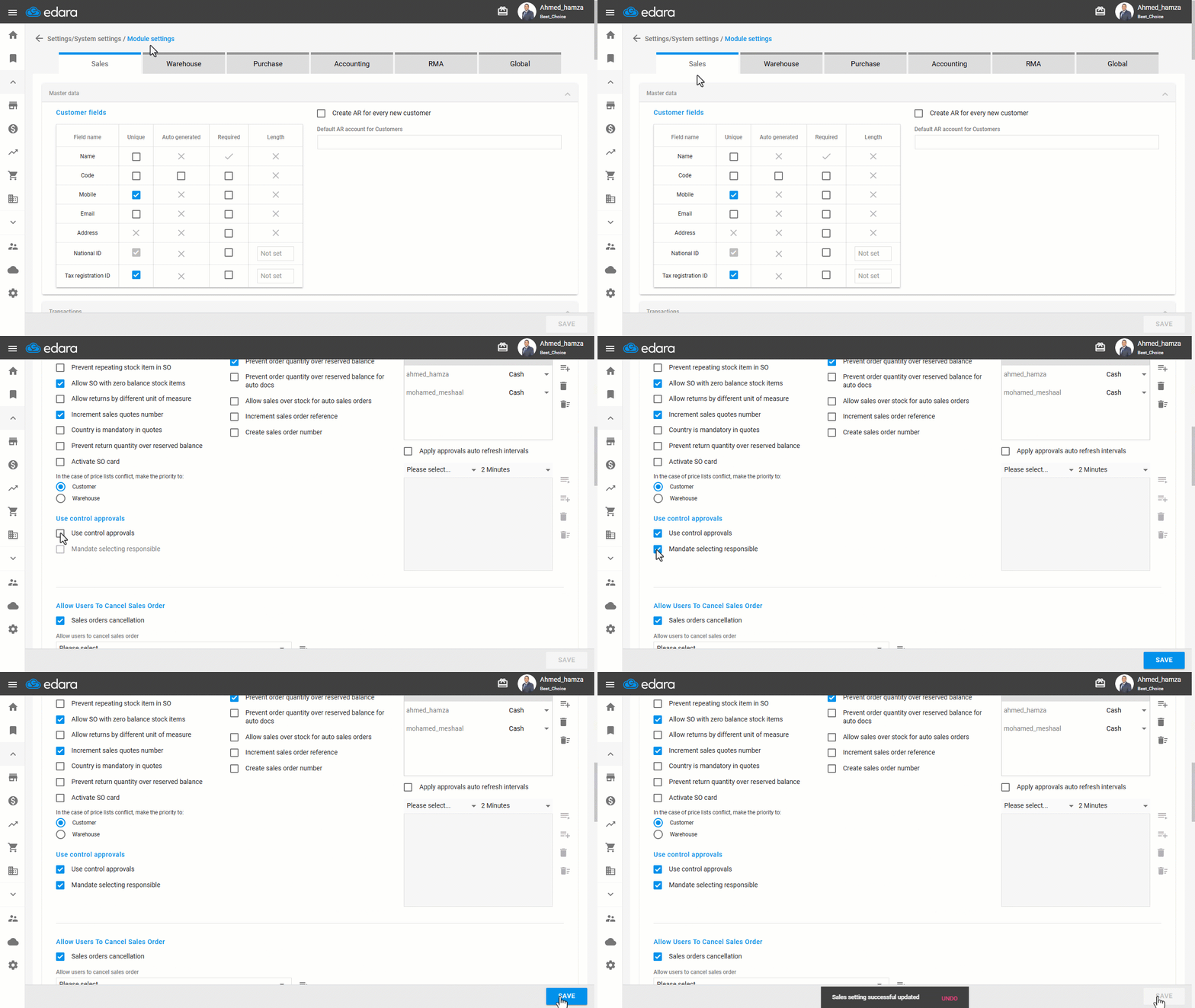
Note: If you want to deactivate this setting, you can follow the same steps as before, but remove the "☑" next to the setting.
2- Approving the Sales Orders from the Control Approvals Page
- Go to the Sales module.
- Open the "Control Approvals" page.
- Hover over the sales order to be approved.
- Press 🚫 to turn it into ✔️ to be approved.
Note: The system will ask for the warehouse responsible, after which the link to the issue offerings document (IO) associated with this order will appear.
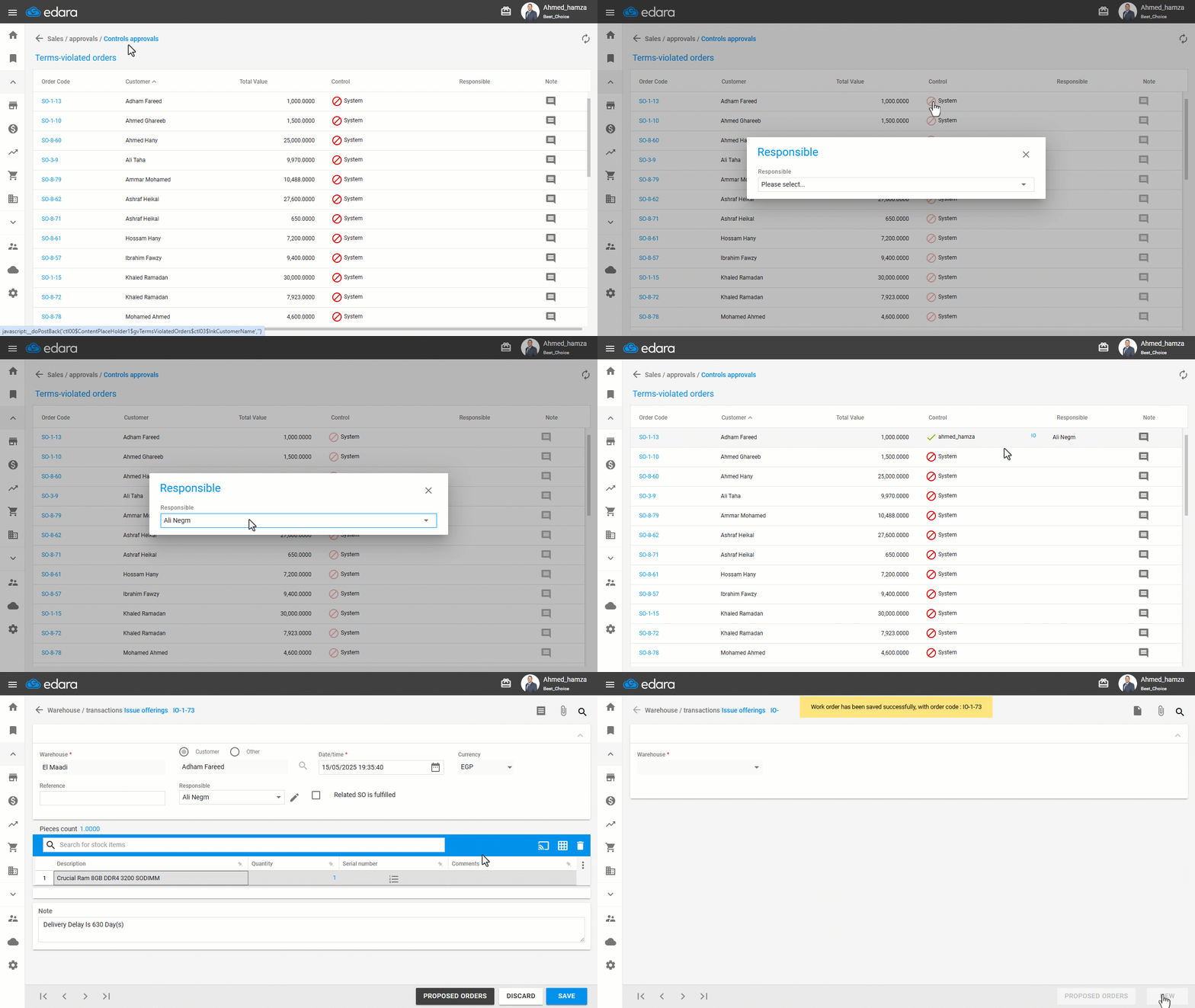
Note: This type of approval only appears when control approvals are activated.
Note: When you hover on the code of any document, a window appears with a summary of its details, and you can click on this code to go to its sales order page and view the full details.
Frequently asked questions
When does the Control Approvals page appear?
This type of approval only appears when control approvals are activated.
How do I deactivate control approvals?
If you want to deactivate this setting, you can follow the same steps as before, but remove the "☑" next to the setting.
If you encounter any challenges or have questions during these processes, you can contact our technical support team, who are ready to assist you at any time.