

Displaying Sales Weight and Customer Address on the Sales Approvals Page
Last updated:
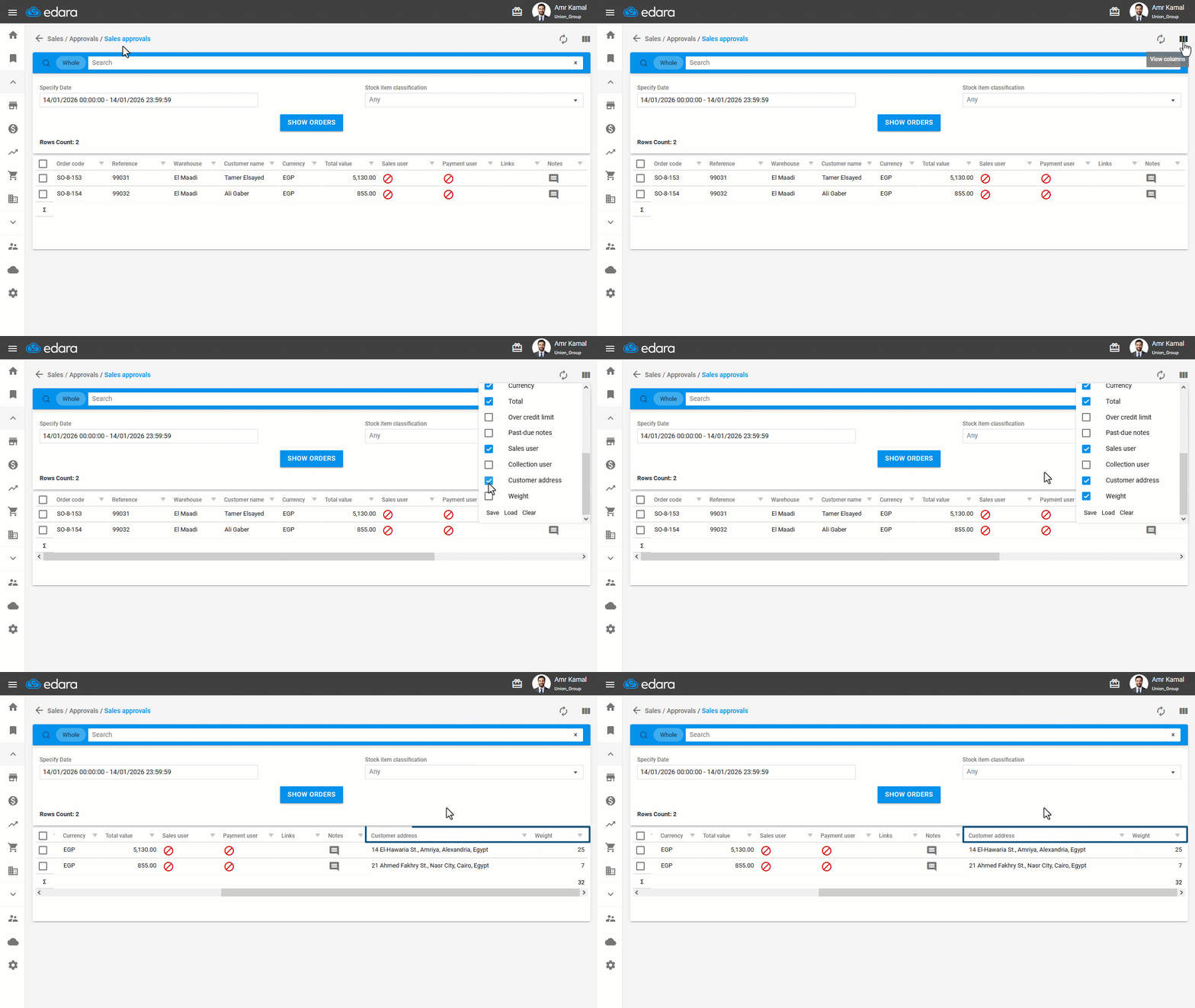
Displaying the customer address and sales weight on the Sales Approvals page helps you organize orders by address, select the appropriate shipping company for each order, and review weights before approval to ensure they do not exceed the allowed transportation capacity.
Displaying Sales Weight and Customer Address on the Sales Approvals Page
- Go to the “Sales” module.
- Open the “Sales approvals” page.
- Click on "

 ".
". - Enable the “Weight” and “Customer Address” options.
If you encounter any challenges or have questions during these processes, you can contact our technical support team, who are ready to assist you at any time.
Did this answer your question?