

Granting/Revoking Approval Permission for Sales Orders
Last updated:
"Edara" allows you to set approval permissions for sales orders based on business needs.
Granting Approval Permission for Sales Orders
Firstly ensure you have permission on the “Sales Approvals” page, then:
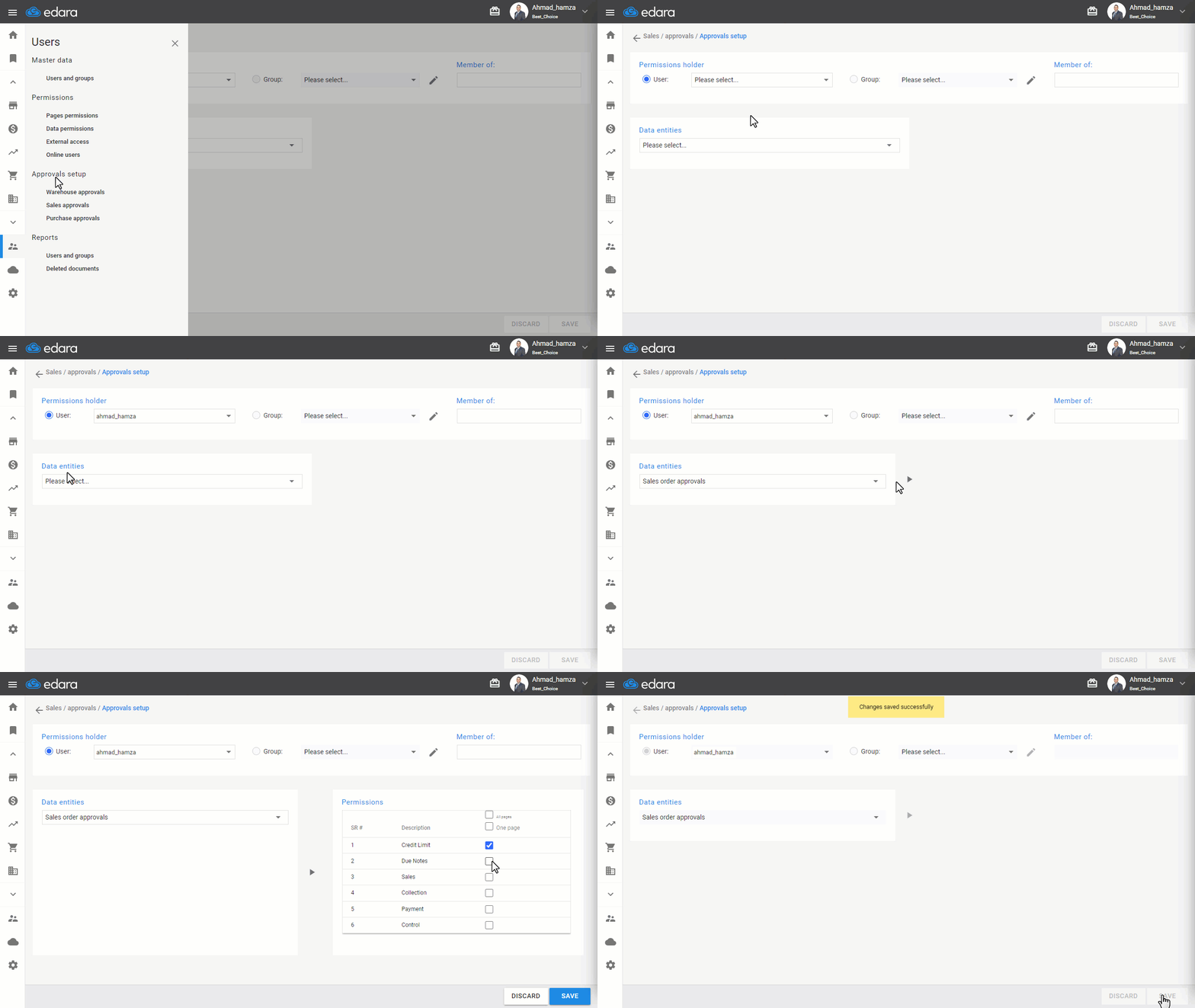
- Go to Users.
- Open the “Sales Approvals” page.
- Select the username from the dropdown list.
- Choose “Sales Order Approvals” from the list of data entities.
- Click on “▶”.
- Select the permissions you want to grant by clicking ▢ next to them.
- Click on “Save”.
After performing the previous steps, you can approve the sales orders as shown in the following Gif:
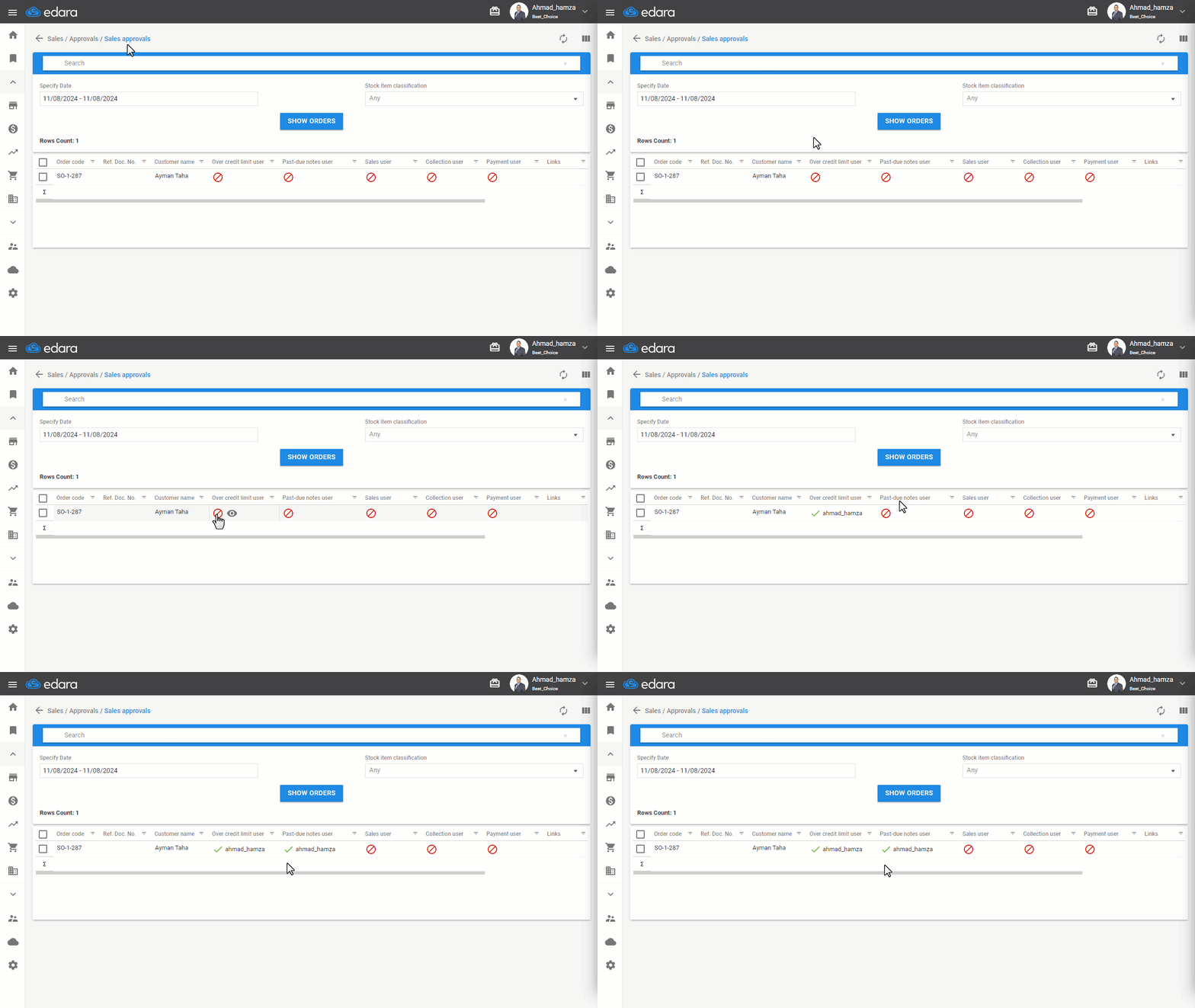
Note: To revoke data permissions, follow the same steps, but click on the box marked ☑ to remove the check, then save.
Frequently asked questions
How do I revoke the approval permission?
To revoke data permissions, follow the same steps, but click on the box marked ☑ to remove the check, then save.
If you encounter any challenges or have questions during these processes, you can contact our technical support team, who are ready to assist you at any time.
Did this answer your question?