

Printing Multiple Sales Orders from the Approvals Page
Last updated:
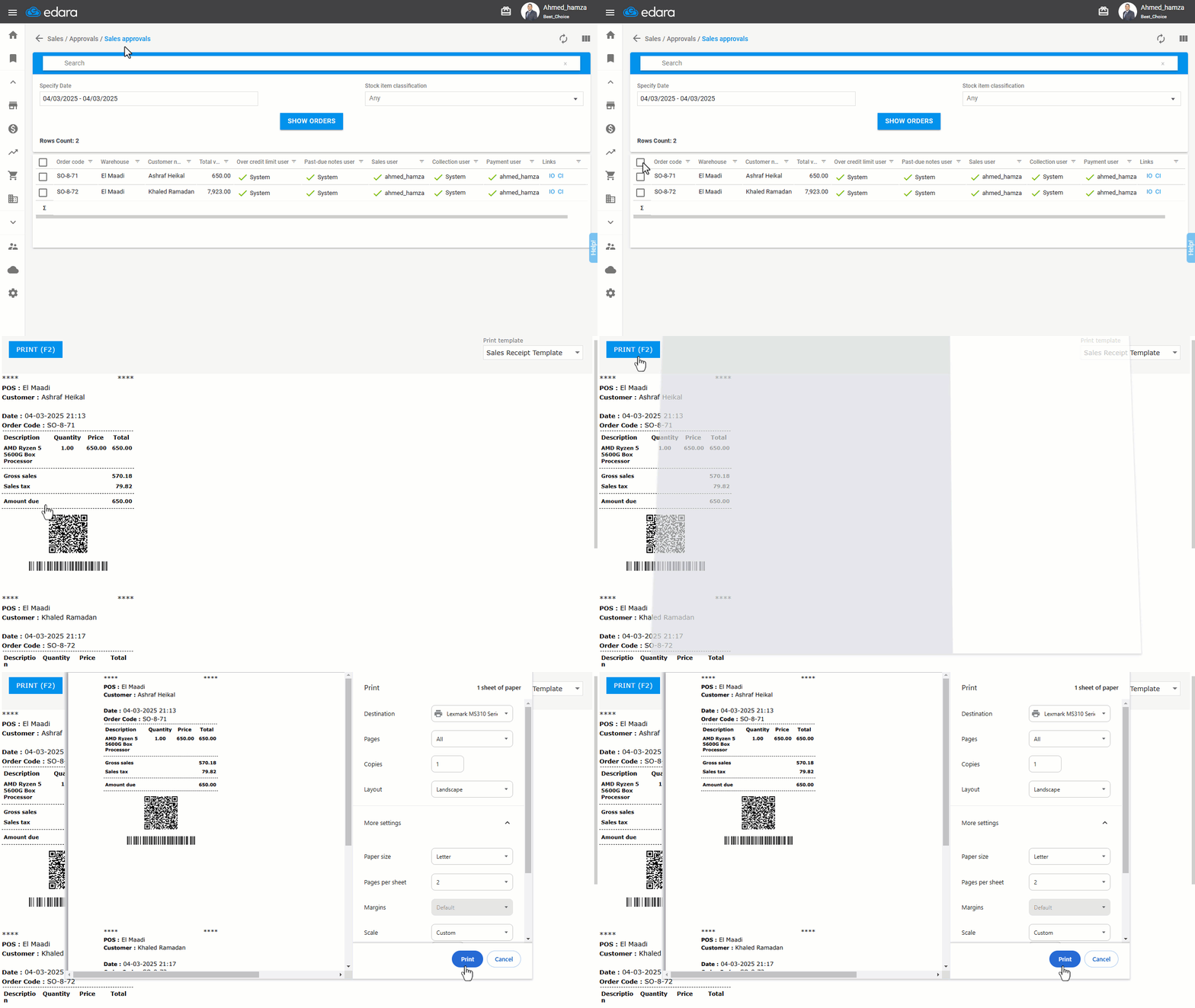
Sometimes, the cashier needs to print several sales orders at once. For example, a delivery worker may need to take 5 orders to deliver them along the way. Instead of printing each order individually, "Edara" allows you to print all the sales orders at once.
Printing Multiple Sales Orders from the Approvals Page
- Go to the Sales module.
- Open the “Sales Approvals” page.
- Specify the required “Date”.
- Click on "Show Orders".
- Choose the orders you want to print.
- Click on the icon “
 ”.
”. - Click on "Print".
If you encounter any challenges or have questions during these processes, you can contact our technical support team, who are ready to assist you at any time.
Did this answer your question?