

Filtering by Stock Item Classification in the Sales Approvals Page
Last updated:
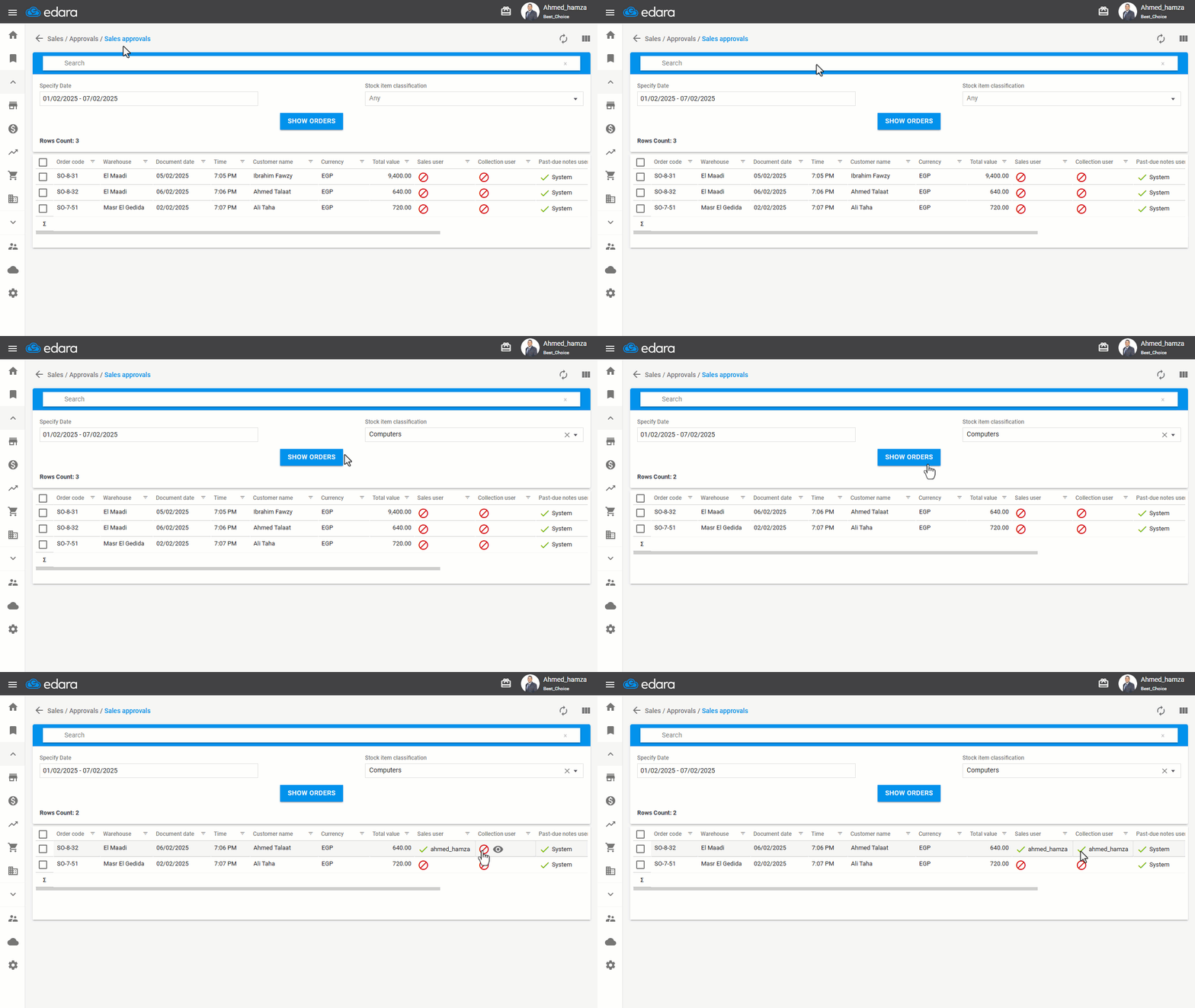
"Edara" allows filtering by stock item classification on the Approvals page to display only sales orders containing specific stock items. This helps save time and effort for those responsible for sales approvals, allowing them to quickly review the orders that need their approval.
Filtering by Stock Item Classification in the Sales Approvals Page
- Go to the Sales module.
- Open the “Sales approvals” page.
- Select the period during which the sales order was created.
- Choose the “Stock item classification” for which you want to display the sales orders.
- Click on "Show Orders".
If you encounter any challenges or have questions during these processes, you can contact our technical support team, who are ready to assist you at any time.
Did this answer your question?