

Showing the Stock Items Minimum Price
Last updated:
"Edara" allows you to view and edit multiple item properties in bulk, saving time and effort.
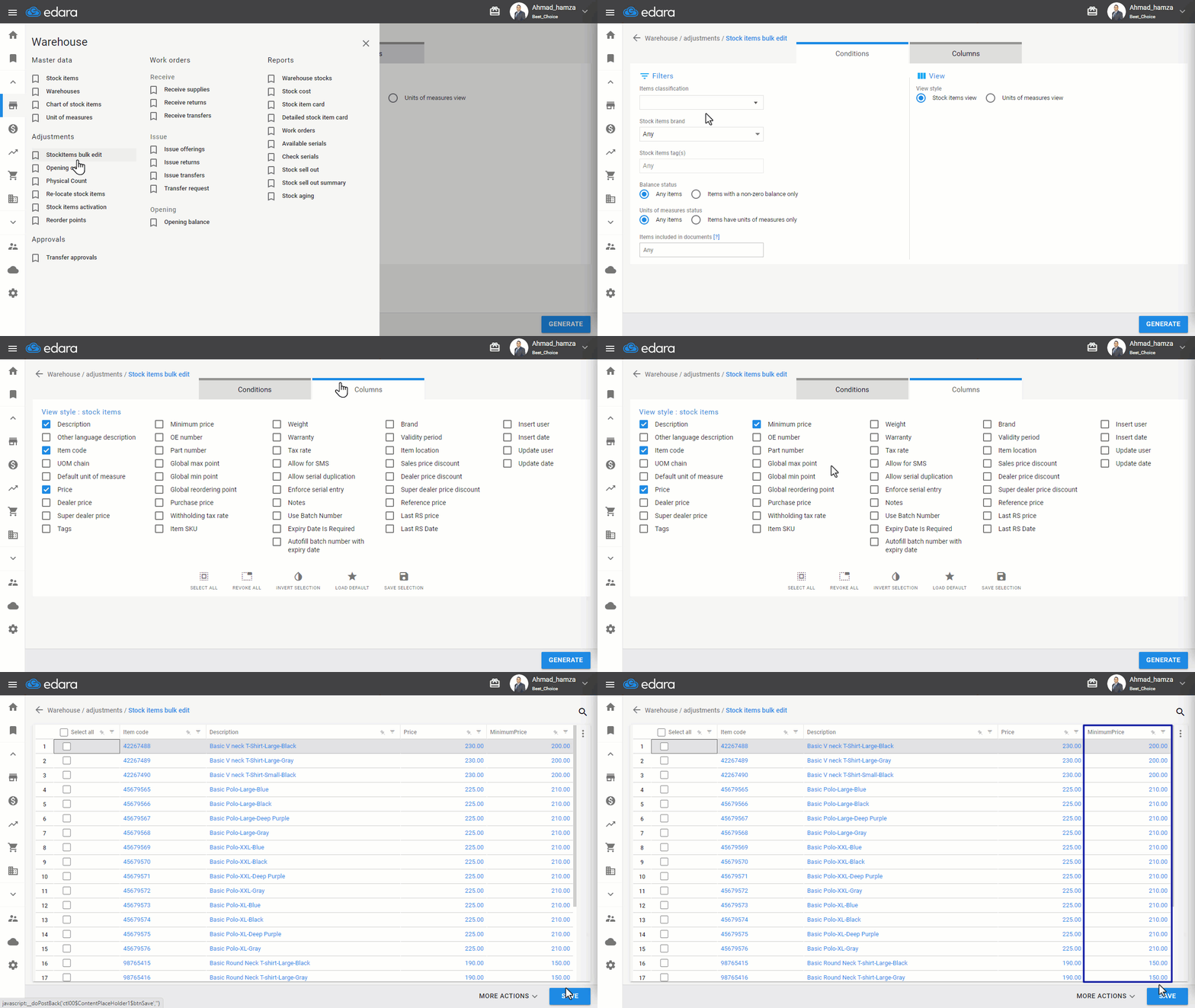
Showing the Stock Items Minimum Price
- Go to the Warehouse Module
- Open the "Stock Items Bulk Edit" Page
- Set the Filters to Display the Desired Items
- Select the "Minimum Price" Column
- Click "Generate"
If you encounter any challenges or have questions during these processes, you can contact our technical support team, who are ready to assist you at any time.
Did this answer your question?