

Displaying the Stock Item Insert date and user in the bulk edit page
Last updated:
To track when an item was added to the system and identify the user who created it, the system allows you to display the stock item's Insert date and the user who created it within the item data, helping you track operations more accurately and organize work within warehouses.
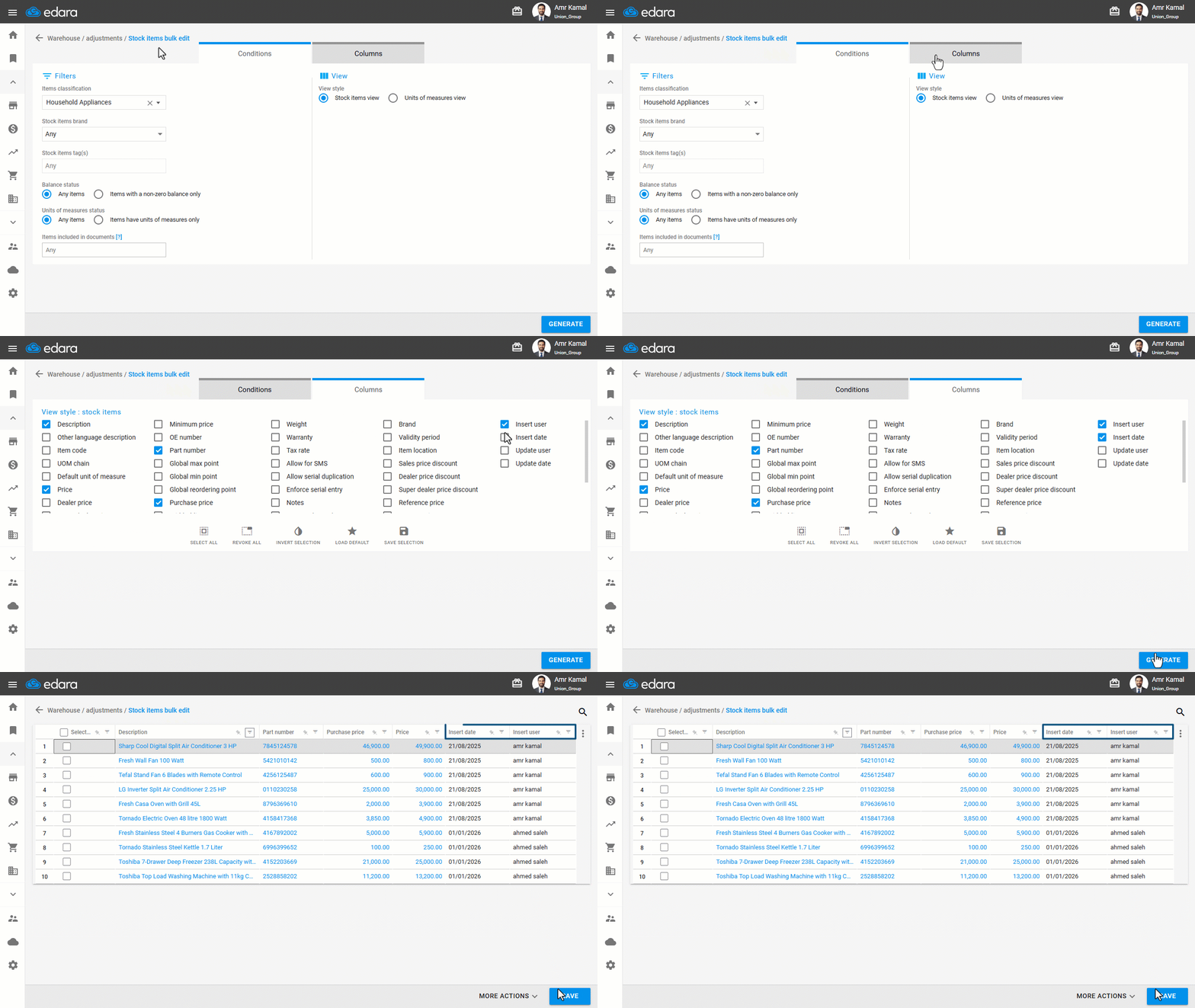
Displaying the Stock Item Insert date and user in the bulk edit page

- Go to the “Warehouse” module.
- Open the “Stock items bulk edit” page.
- Go to “Columns”.
- Enable “Insert user” and “Insert date” options.
- Click on “Generate”.
If you encounter any challenges or have questions during these processes, you can contact our technical support team, who are ready to assist you at any time.
Did this answer your question?