

Creating a stock item with a unit of measure
Last updated:
If you're dealing with items that have multiple units of measurement and you want to use the method of measurement unit chains.
Creating a stock item with a unit of measure
First, you need to code a unit of measure chain from the "Units of Measures" page to link it to the item, and make sure to activate the "Unit of measure" setting in the stock items properties in the warehouse section.
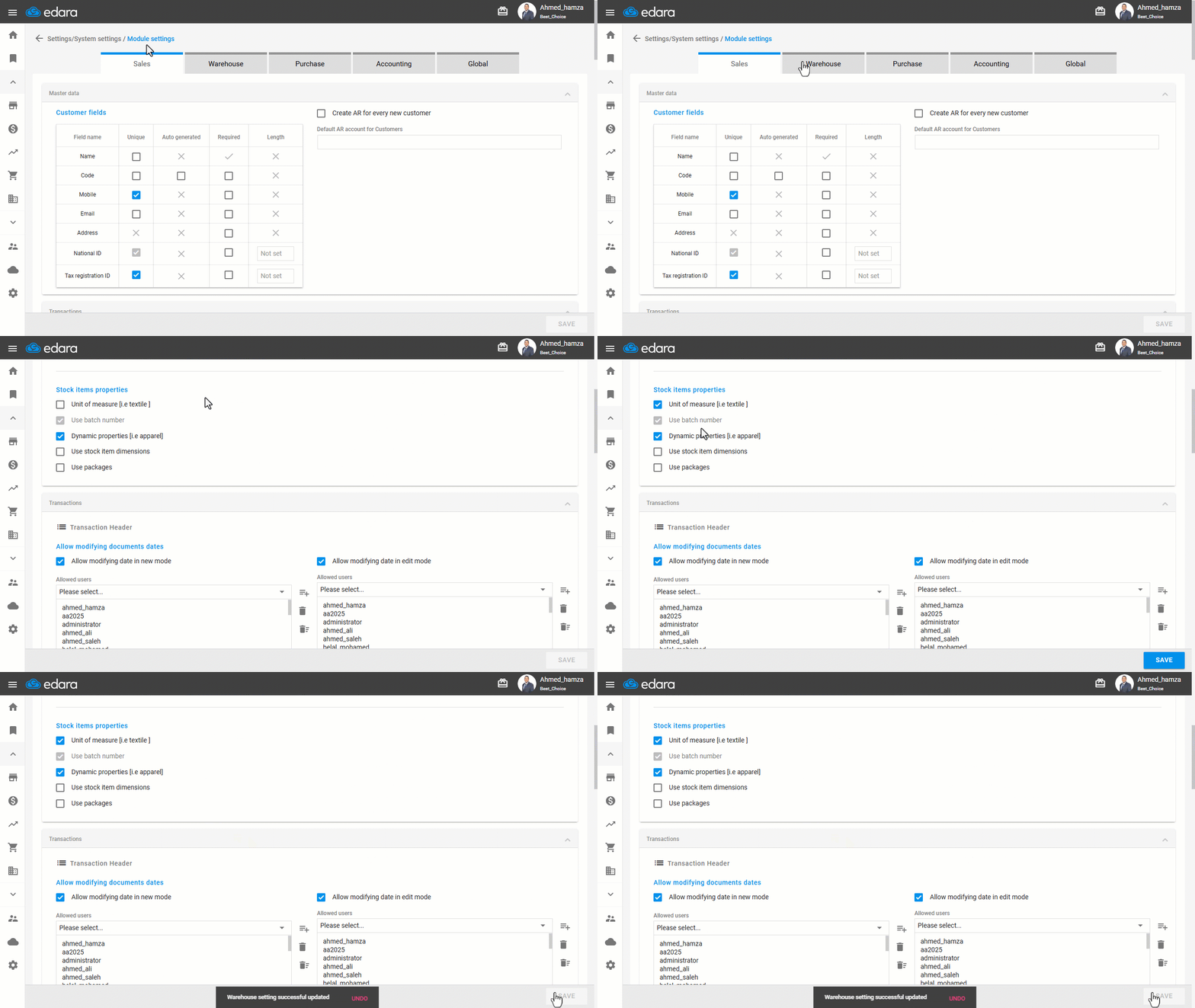
Then follow these steps:
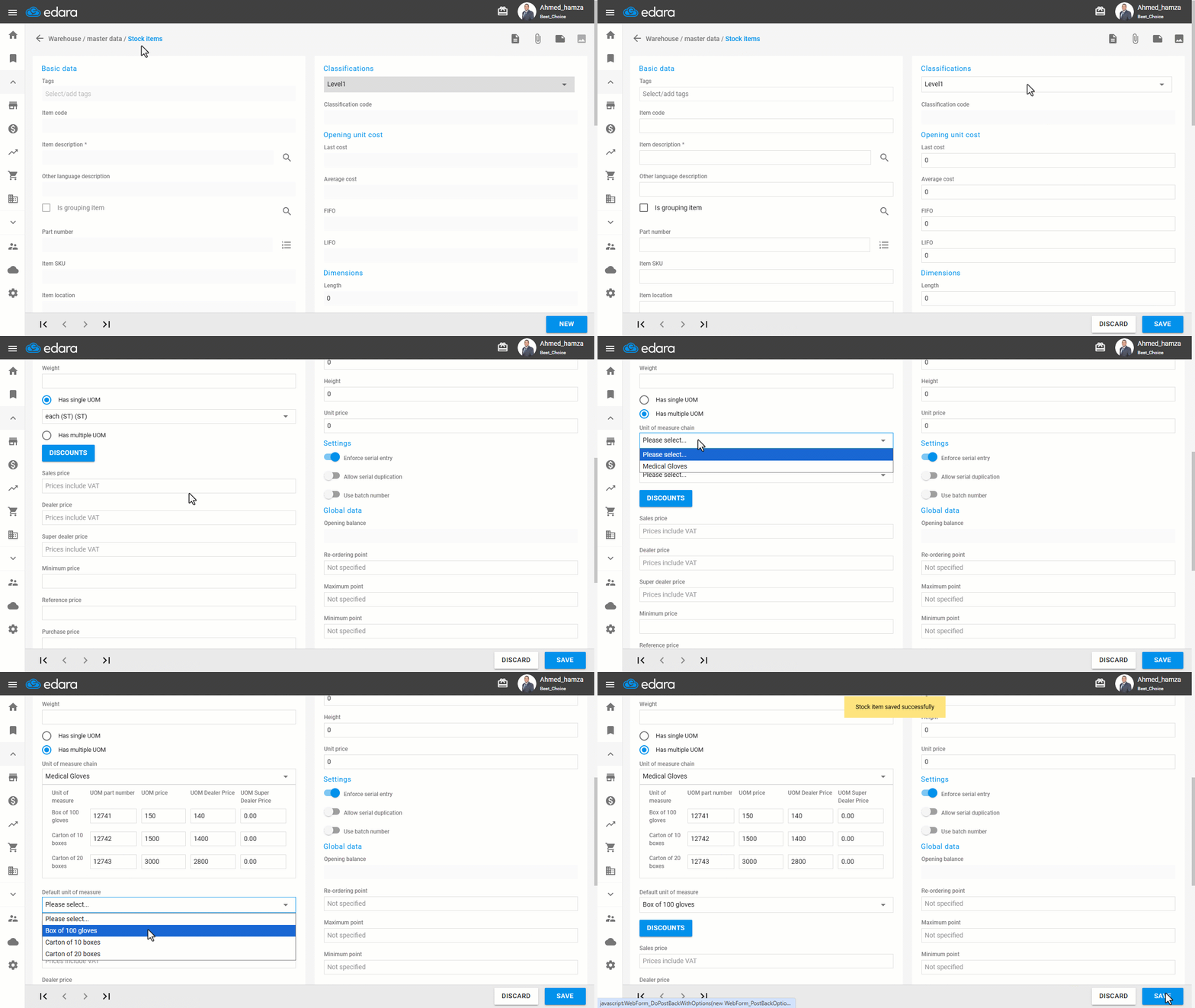
- Go to the warehouse module.
- Open the "Stock items" page.
- Click on "New".
- Choose the classification.
- Enter the item description.
- Select "Has multiple UOM".
- Choose the unit of measure chain from the drop-down list.
- Select the default unit of measure (the default selection in documents).
- Click on "Save".
If you encounter any challenges or have questions during these processes, you can contact our technical support team, who are ready to assist you at any time.
Did this answer your question?