

Creating Price Tiers for Stock Items
Last updated:
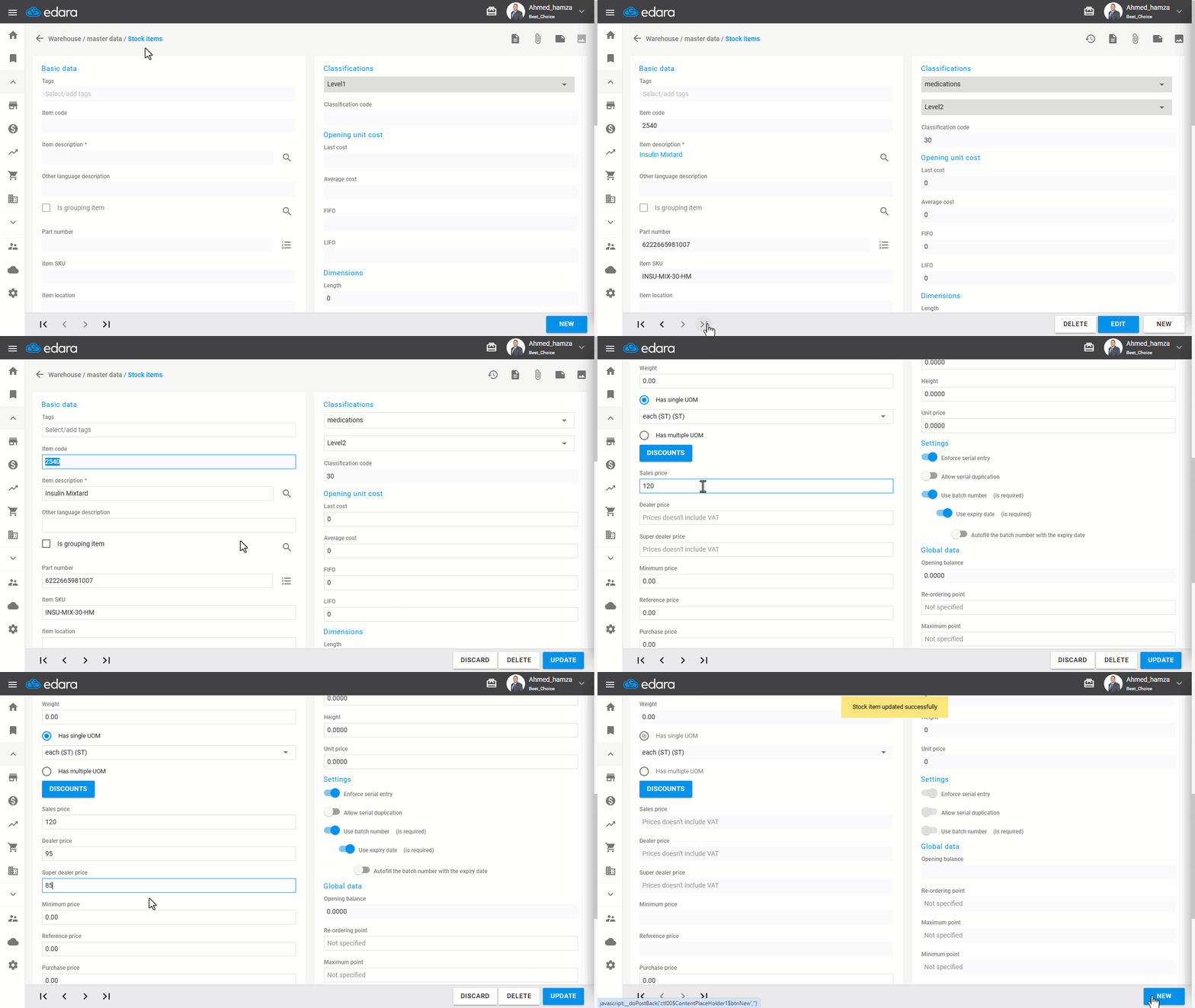
"Edara" allows adding multiple pricing tiers for items based on registered customer types, which are divided into: Selling prices for regular customers, Dealer prices for wholesale customers, and Super dealer prices for distinguished customers.
Creating Price Tiers for Stock Items
- Go to the Warehouse module.
- Select "Stock Items".
- Search for items by using “🔎” or by clicking on the arrows below.
- Click "Edit".
- Enter the prices in the segments you intend to use for the item (Sales price, Dealer price, or Super dealer price).
- Click "Update" when finished.
Note: The price list associated with the customer can be updated from the customer data page.
If you encounter any challenges or have questions during these processes, you can contact our technical support team, who are ready to assist you at any time.
Did this answer your question?