

Creating a Stock Item with an Expiration Date
Last updated:
The expiration date is vital in industries dealing with products like food and pharmaceuticals.
Through “Edara”, you can precisely track and manage these products by adding the expiration date when creating the stock items.
Here are the steps to code a product with an expiration date using "Edara":
Creating a Stock Item with an Expiration Date
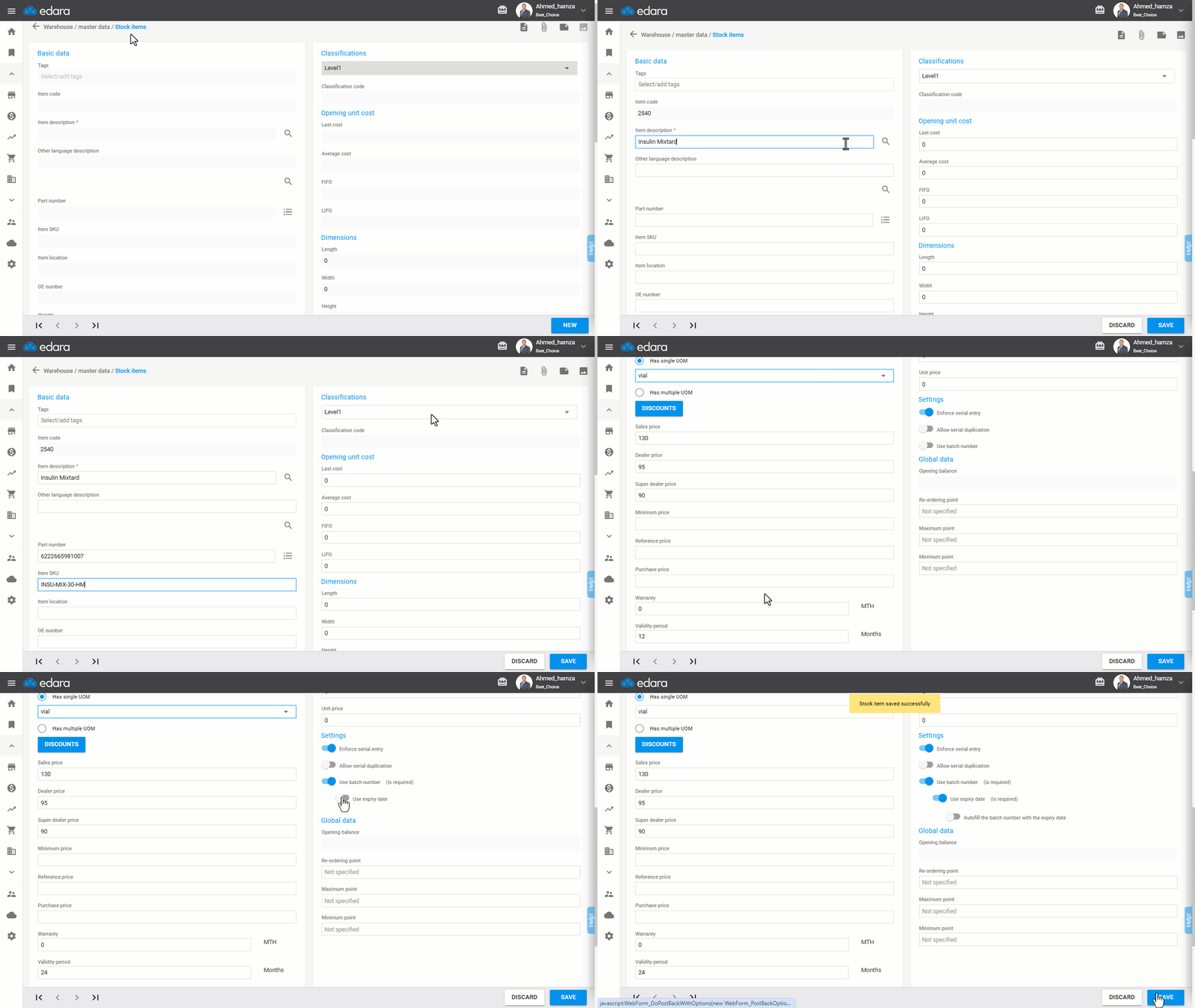
- Go to the warehouse module
- Click "Stock Items"
- Click "New"
- Enter all the item details, such as name, code, SKU number, etc
- Enter the Validity period, for example, 6 months
- Activate the "Use Expiration Date" setting
Note: The batch number must be activated first to enable the "Use Expiration Date" setting, which allows you to add and track the expiration date. You can also enable automatic entry of the batch number with the same expiration date if there is no batch number, using only the expiration date.
- Click "Save"
Edit an Item’s Expiration Date
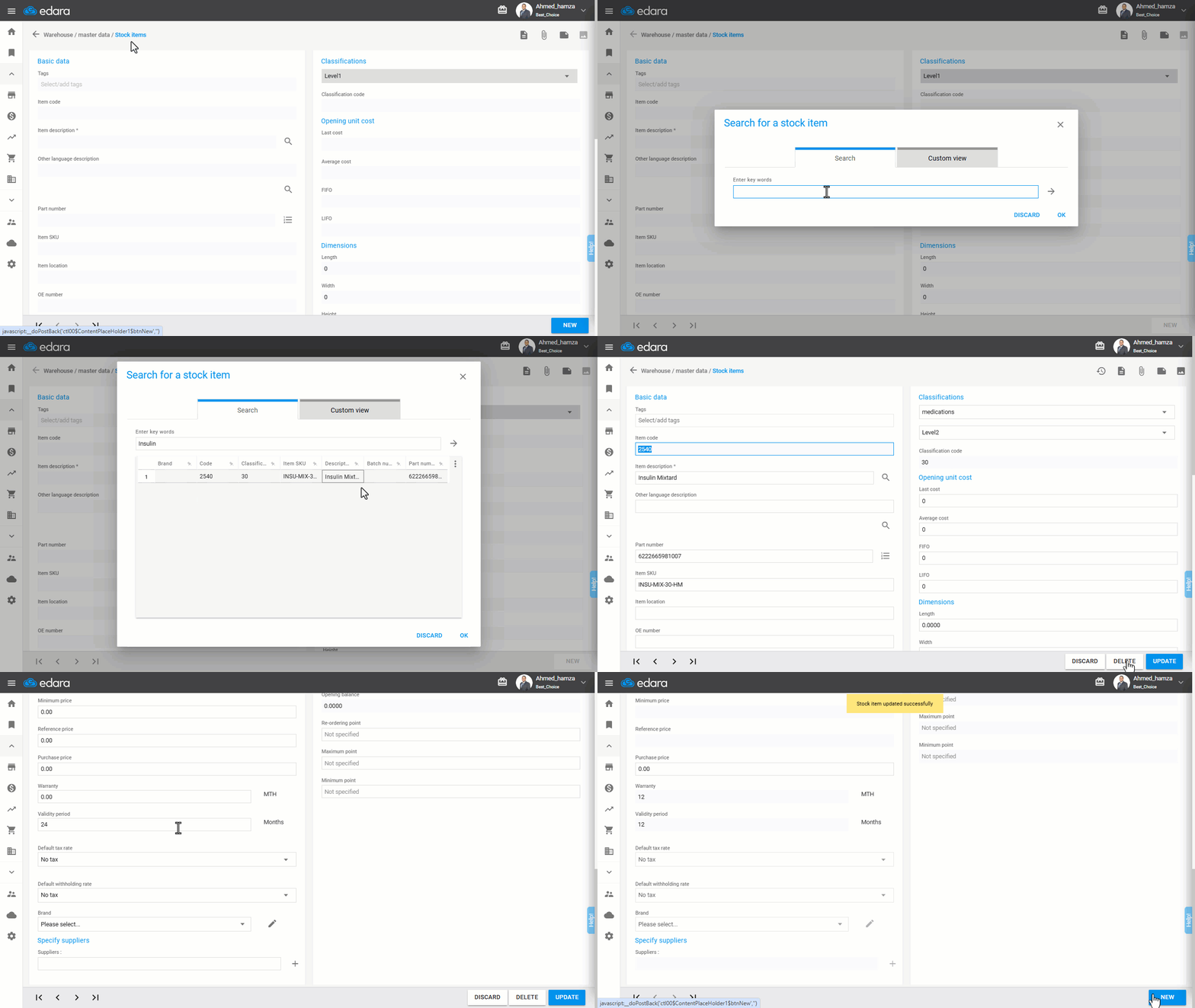
- Go to the warehouse module
- Click "Stock Items"
- Click on the search icon 🔎
- Enter the name of the item you want to edit or type (*) if you do not remember the item name, then select the desired item
- Click "Edit"
- Change the Validity period
- Click on "Save"
Frequently asked questions
What do I need before enabling the "Use Expiration Date" setting?
The batch number must be activated first to enable the "Use Expiration Date" setting, which allows you to add and track the expiration date. You can also enable automatic entry of the batch number with the same expiration date if there is no batch number, using only the expiration date.
If you encounter any challenges or have questions during these processes, you can contact our technical support team, who are ready to assist you at any time.