

Deleting a Brand
Last updated:
If a brand was created by mistake and is not linked to any items, you can easily delete it.
Deleting a Brand
Note: Ensure that there are no items linked to the brand you want to delete to avoid data inconsistencies in reports.
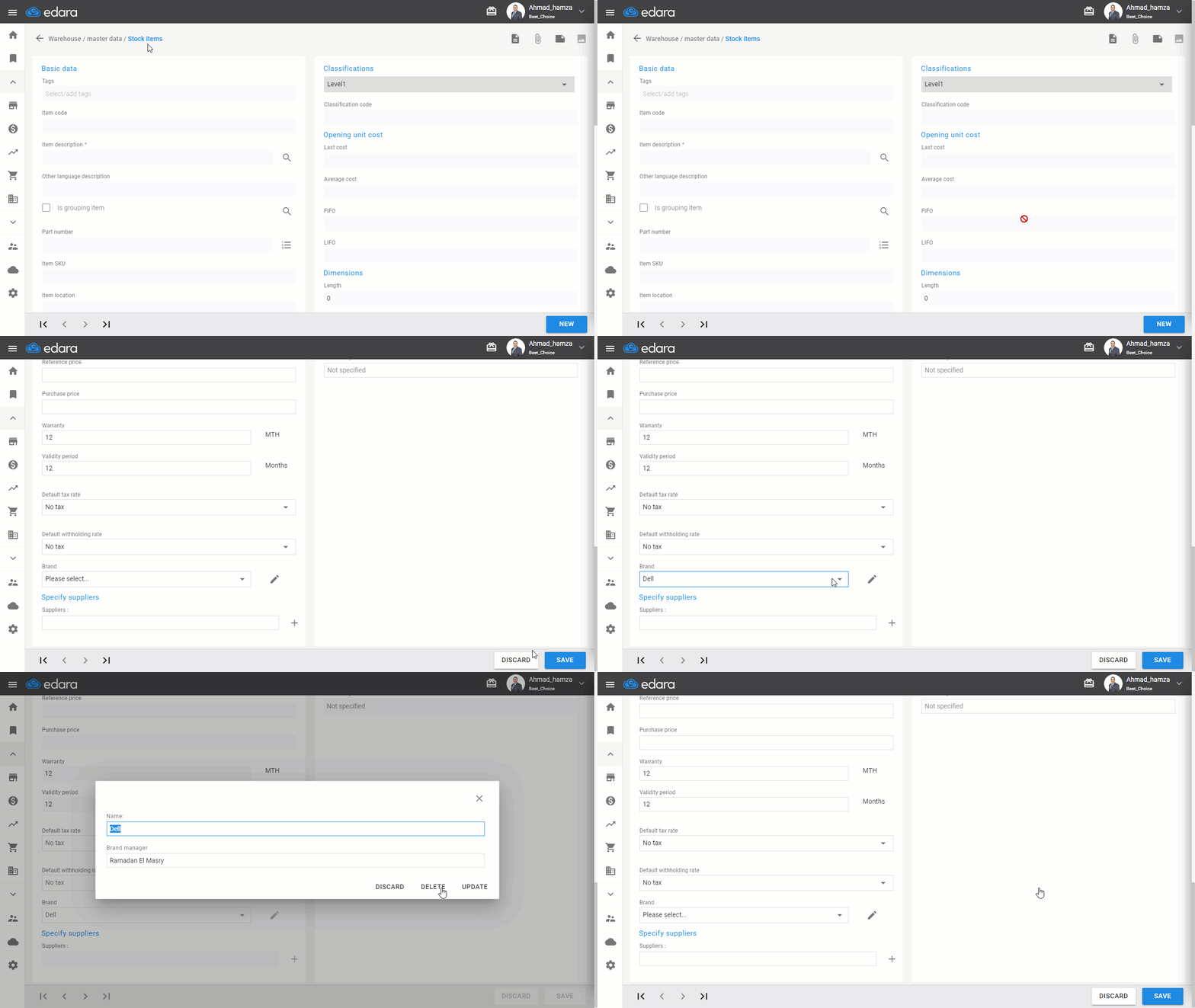
- Go to the Warehouse Module.
- Select “Stock items”
- Click on “New.”
- Choose the brand from the dropdown list.
- Click on 🖊 to edit.
- Click on “Delete.”
Frequently asked questions
When can I delete a brand?
Ensure that there are no items linked to the brand you want to delete to avoid data inconsistencies in reports.
If you encounter any challenges or have questions during these processes, you can contact our technical support team, who are ready to assist you at any time.
Did this answer your question?