

Specifying Stock Item Code in the E-invoice
Last updated:
Given the importance of simplifying the item coding process within the electronic invoicing system, we have allocated two new fields in the item coding page for invoice codes (GS1 or EGS).
These fields become visible when integrated with the Egyptian Tax Authority, enabling you to conveniently add and modify electronic invoice codes.
Specifying Stock Item Code in the E-invoice

"Edara" enables the specification of electronic invoice code data for the item and its type in two ways:
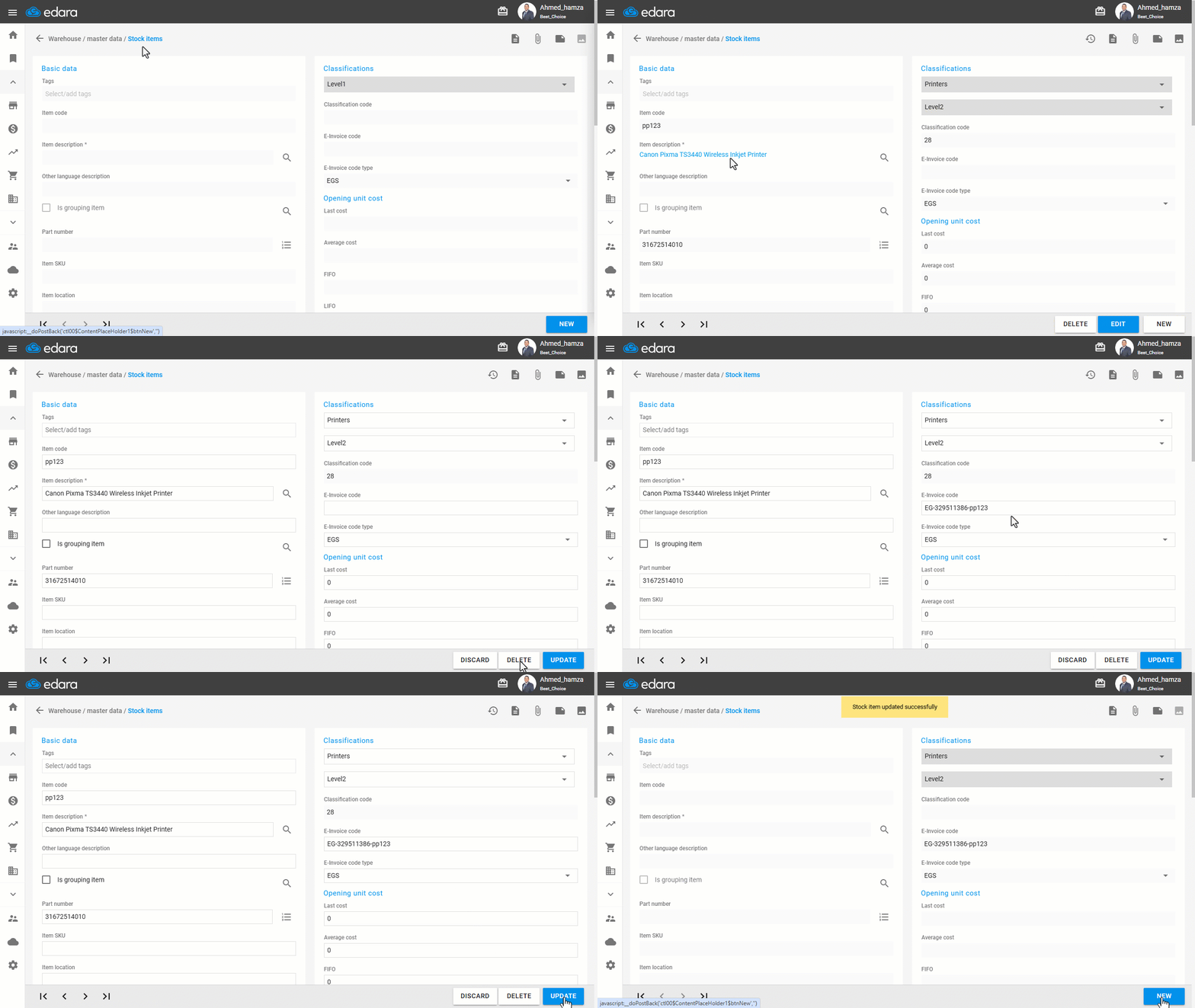
1- Specifying the code for each item individually
- Go to the warehouse module
- Open the "Stock items” page
- Choose the item you want to edit its data
- Click "Edit"
- Record the required modifications
- Click "Update"
2- Specifying codes collectively
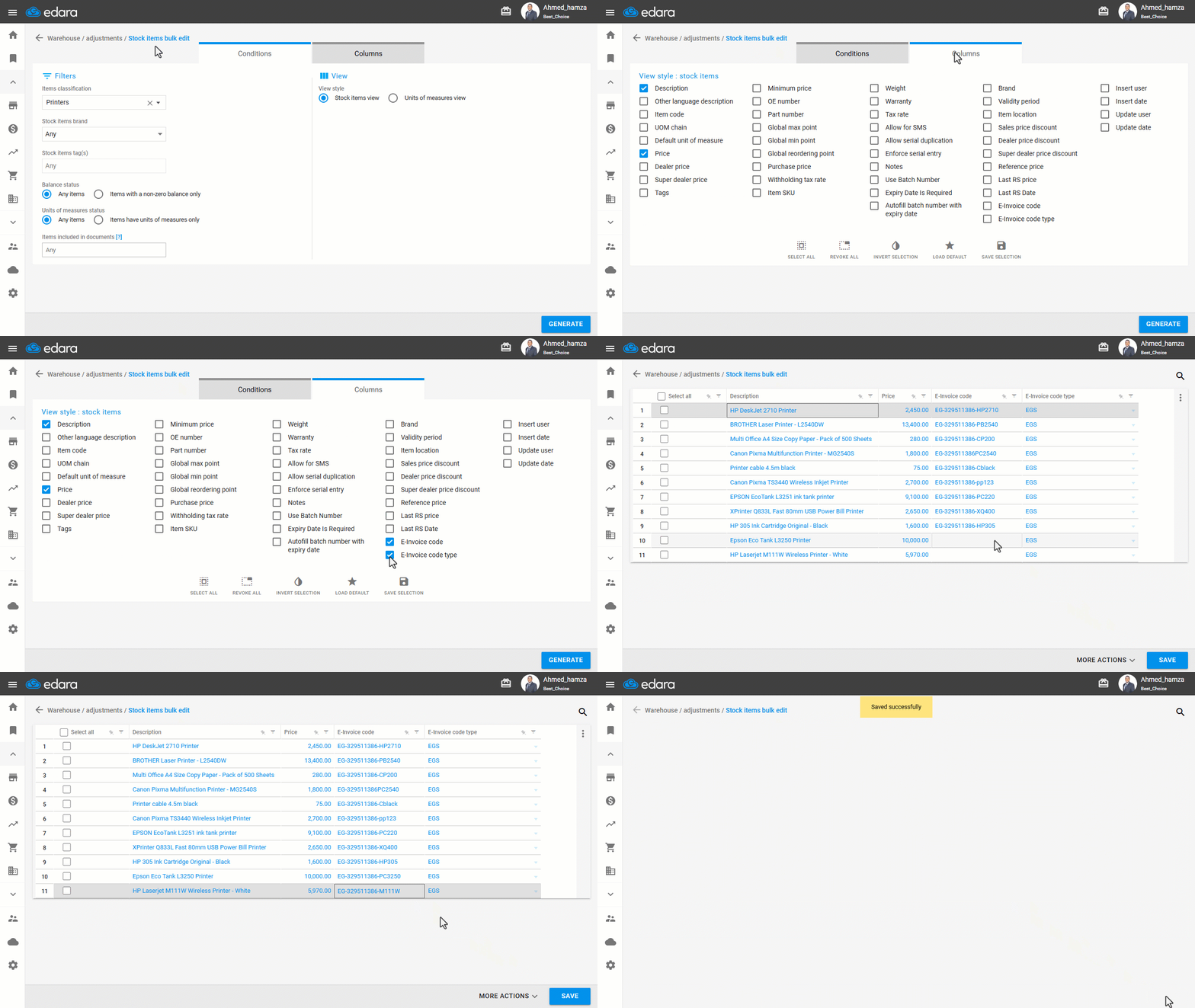
- Go to the warehouse module
- Open the "Stock item bulk edit" page
- Click on the columns
- Enable the "E-Invoice Code" and "E-Invoice Code Type" fields
- Click "Generate"
- Record the required modifications
- Click "Save"
If you encounter any challenges or have questions during these processes, you can contact our technical support team, who are ready to assist you at any time.
Did this answer your question?